Quick Fix Checklist:
- Force close TikTok app and reopen it
- Restart your iPhone to clear temporary system bugs
- Update TikTok to the latest version from App Store
- Check your internet connection (WiFi or Mobile Data)
Step-by-Step Guide to Fix TikTok Crashing on iPhone
1 Clear TikTok Cache (Most Important Fix)
The most common reason why TikTok keeps crashing on iPhone is corrupted or overloaded cache data. TikTok stores temporary files to speed up video loading, but over time this data becomes heavy and unstable, leading to app crashes, freezing, and lag.
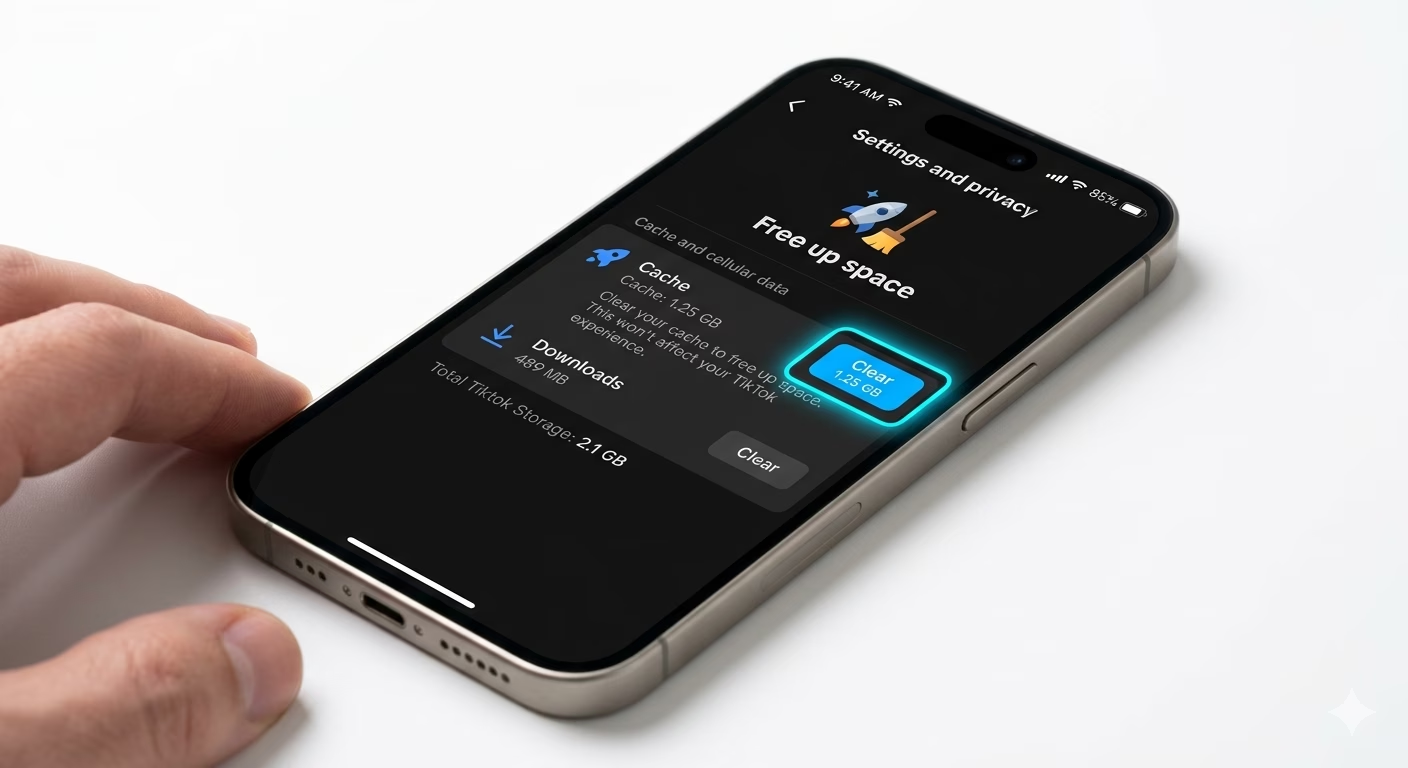
To fix this, open TikTok and go to Profile > Settings and Privacy > Free up space, then tap Clear Cache. This process removes unnecessary files without affecting your account, drafts, or uploaded videos.
Clearing cache forces TikTok to reload fresh data from its servers, which often instantly fixes crashes, slow loading, and black screen issues.
If your videos are also buffering or not playing, check our TikTok Videos Not Loading Fix guide for a complete solution.
2 Update TikTok App (Fix Compatibility Issues)
Running an outdated version of TikTok on iOS 18 can cause compatibility issues. New iOS updates often change system frameworks, and older app versions may not function properly with them.
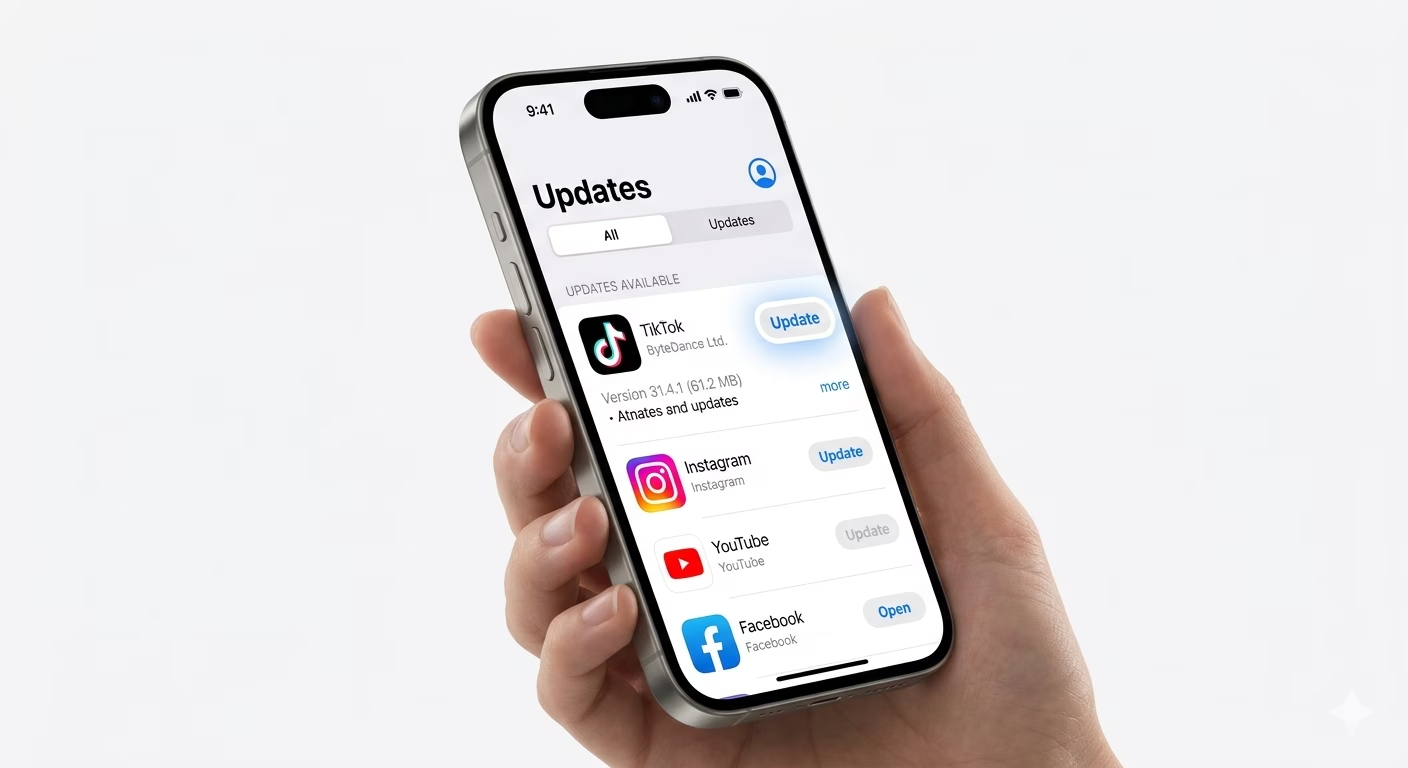
Go to the App Store, tap your profile icon, and scroll down to check for TikTok updates. If an update is available, install it immediately.
App updates fix bugs, improve performance, and resolve crashing issues caused by software conflicts.
If multiple apps are crashing on your iPhone, the issue might be system-wide. In that case, follow our Apps Crashing on iOS 18 guide.
3 Offload and Reinstall TikTok
If TikTok still keeps crashing after clearing cache and updating, the app files may be corrupted. The best solution is to reinstall the app properly.
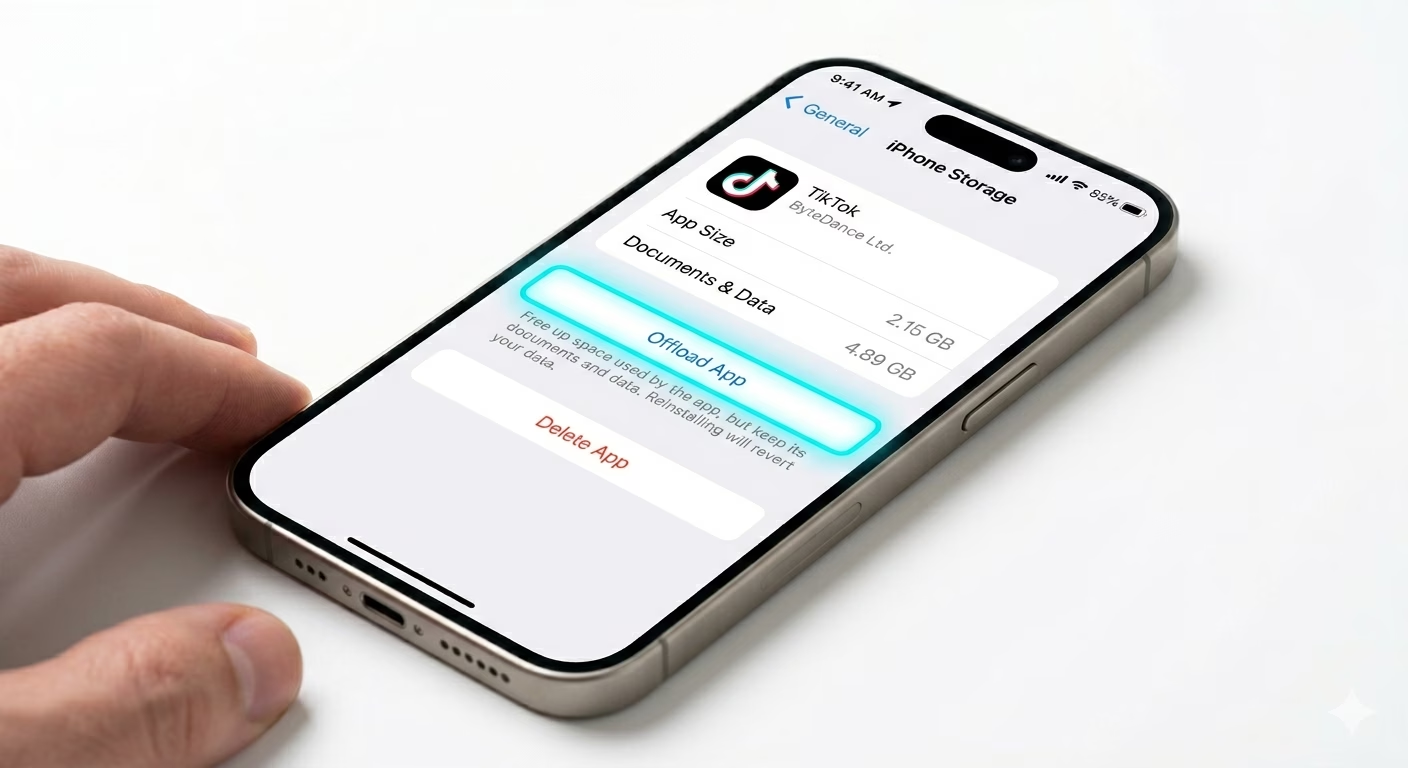
Go to Settings > General > iPhone Storage > TikTok and tap Offload App, then reinstall it. This removes the app while keeping your data safe.
Reinstalling ensures that all system files are fresh and bug-free, which significantly improves app stability.
If your iPhone gets hot while using TikTok, overheating could also be the cause. Check our iPhone Overheating Fix guide to prevent performance drops and crashes.
Why Does TikTok Keep Crashing on iPhone?
- Low Storage: Less than 1–2GB free space can cause apps to crash
- Cache Issues: Corrupted temporary data affects performance
- iOS 18 Bugs: New updates sometimes create compatibility problems
- Overheating: High temperature forces apps to close automatically
- Background Apps: Too many apps running reduce available RAM
- Weak Internet: Poor connection can crash video playback
Pro Tips to Stop TikTok Crashing:
- Keep 2GB Free Storage: Helps apps run smoothly
- Restart iPhone Weekly: Clears RAM and background bugs
- Disable Low Power Mode: It limits performance and causes lag
- Close Background Apps: Reduces system load
- Avoid Overheating: Remove case during heavy usage
- Use Stable Internet: Prevents playback crashes
Frequently Asked Questions
Why does TikTok crash immediately after opening?
This usually happens due to corrupted cache, outdated app version, or low storage. Clearing cache and updating TikTok fixes this issue in most cases.
How do I stop TikTok from crashing on iPhone?
Clear cache, update the app, restart your iPhone, and reinstall TikTok if needed. These steps solve most crashing problems.
Can overheating cause TikTok to crash?
Yes, overheating is a major cause of app crashes. iOS automatically closes apps to protect hardware when temperature rises.
Does deleting TikTok fix crashing?
Yes, reinstalling TikTok removes corrupted files and installs a clean version, which can completely fix crashes.