Quick Fix:
- Switch from Wi-Fi to Cellular Data (or vice versa)
- Force close TikTok and restart the app
- Check if TikTok is down globally
- Restart your iPhone to clear system RAM
Steps to Fix TikTok Loading Issues
1 Clear In-App Cache & Downloads
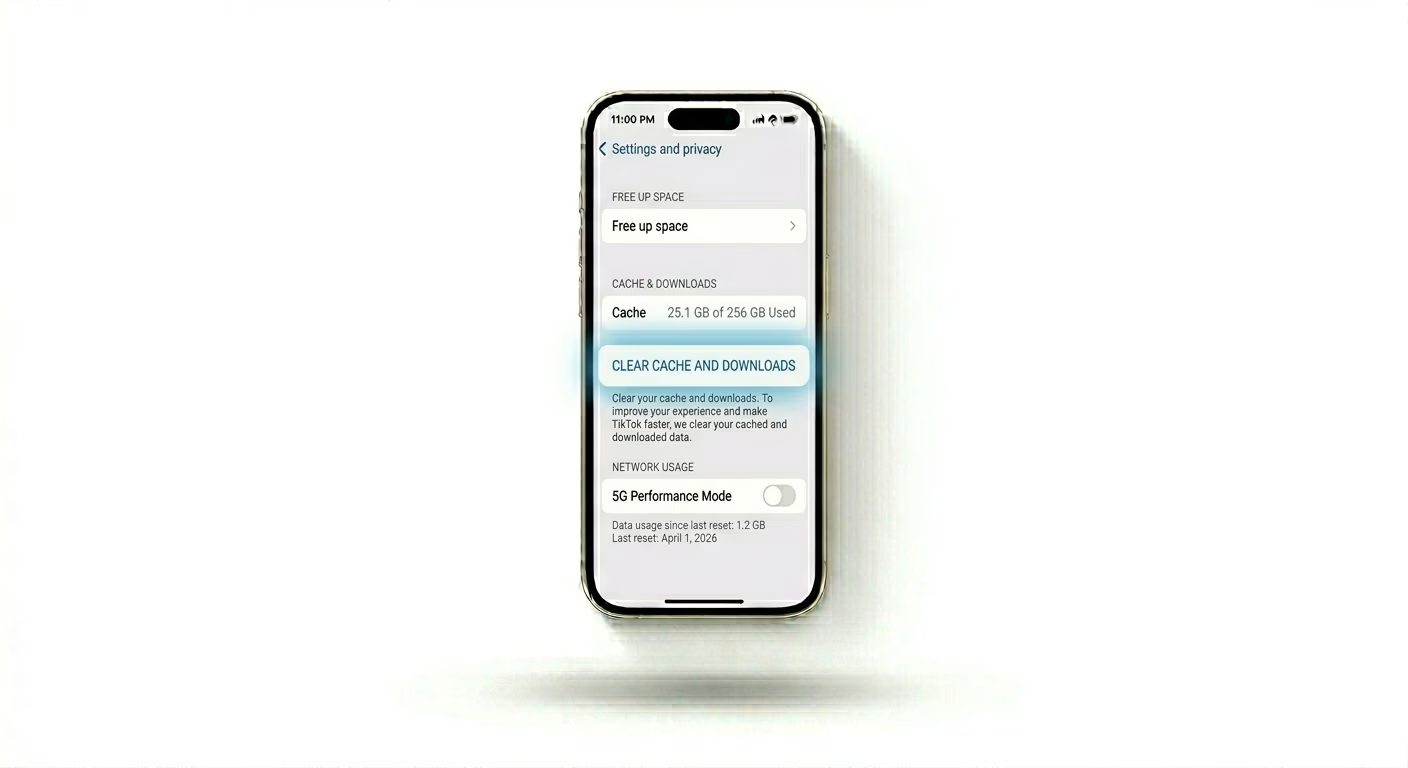
TikTok saves a lot of video data on your device to help videos load faster, but if this cache gets too big, the app might stop loading new videos. Open TikTok > Profile > Menu > Settings and Privacy. Scroll down to Free up space and tap Clear next to Cache and Downloads. This won’t delete your drafts but will refresh TikTok’s video engine and help fix loading issues.
2 Turn Off TikTok Data Saver
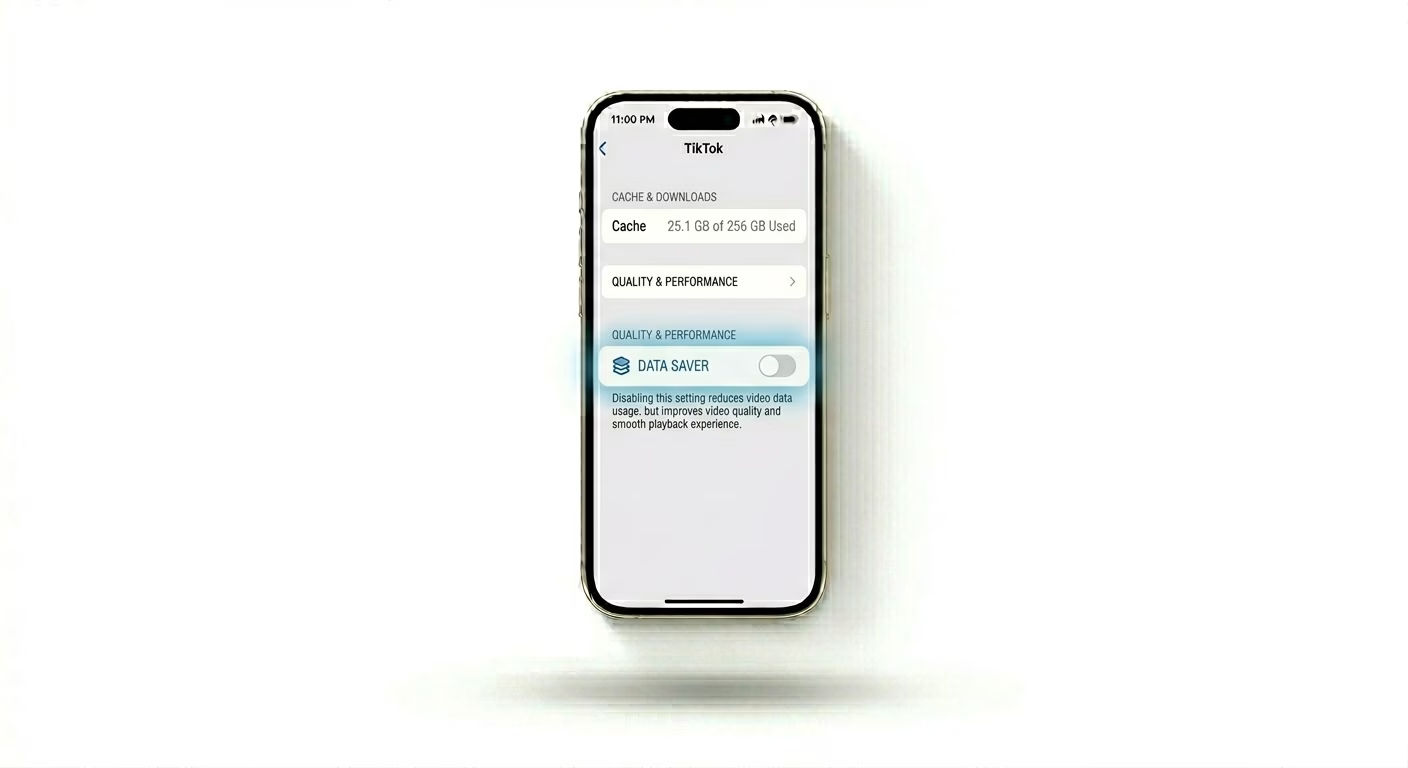
If "Data Saver" is turned on in TikTok, the app might have trouble loading high-quality videos, especially on slow connections. Go to Settings and Privacy > Data Saver and make sure it’s turned OFF. This lets TikTok load the best version of videos without any limits.
3 Disable VPN or Proxy
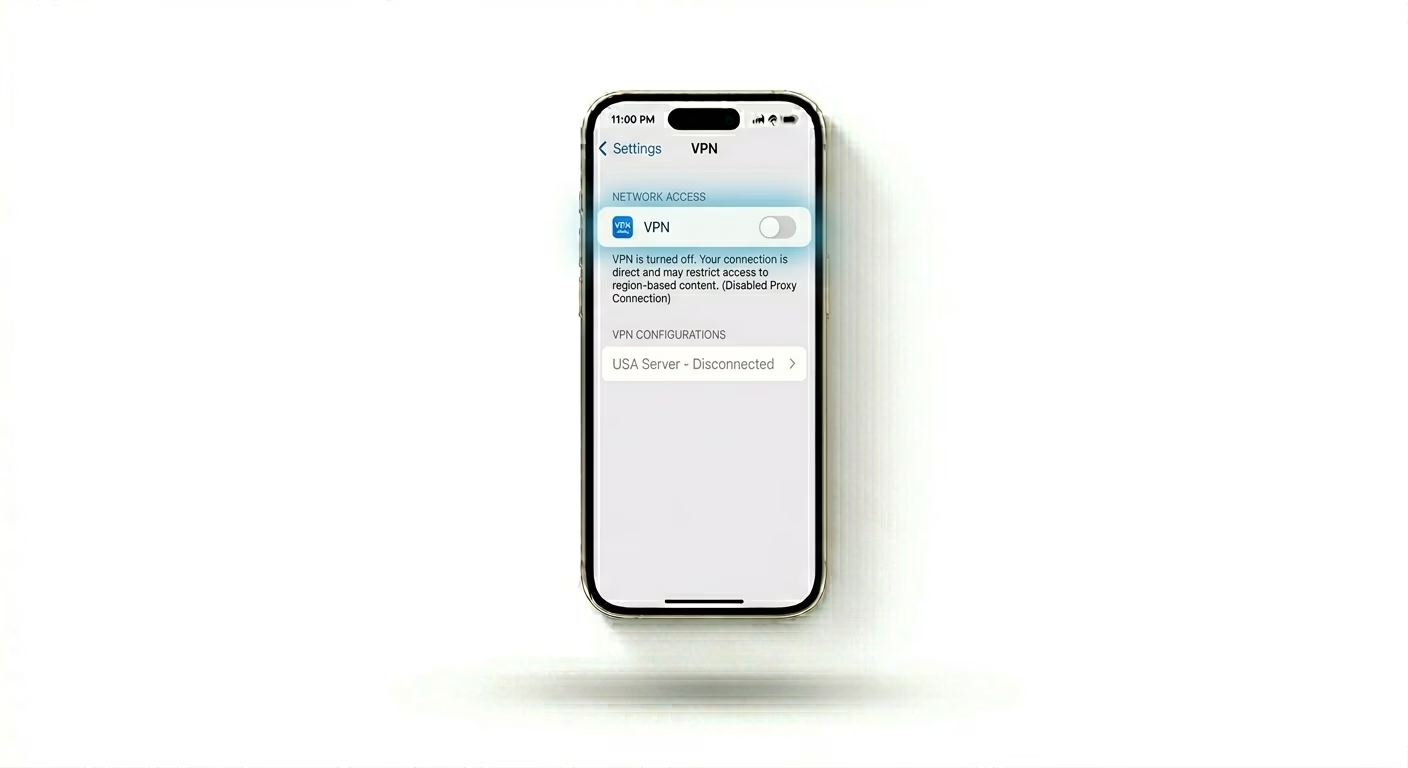
TikTok uses your IP address to show you content for your region. If you’re using a VPN, TikTok’s servers might block your connection or not load videos because of security checks. Turn off any active VPN in Settings > General > VPN & Device Management, then try reopening TikTok to see if your feed comes back.
Why This Happens?
- Corrupted app cache preventing new data from being written
- Unstable internet connection causing playback timeouts
- TikTok server maintenance or regional outages
- Background app restrictions or low power mode active
Pro Tips:
- Check Router: If TikTok only fails on Wi-Fi, your router's firewall might be blocking TikTok's content servers.
- Update App: TikTok releases updates almost every week to fix playback bugs—check the App Store frequently.
- Drafts Warning: Never delete and reinstall the app if you have important unsaved Drafts; use the "Free up space" method instead.
Frequently Asked Questions
Why does TikTok only show a black screen?
A black screen on TikTok usually means the video file couldn’t download. This often happens if your internet speed suddenly drops or if the app’s cache is completely full.
Is my account shadowbanned if videos don't load?
No, not loading videos is just a technical problem. A shadowban affects your video views and reach, but it doesn’t stop the app from working or prevent you from seeing other people’s content.