Quick Fix:
- Check if Airplane Mode is accidentally ON
- Ensure you have a working Cellular or Wi-Fi signal
- Restart your iPhone twice
- Check if your SIM card is active and has balance
Steps to Fix Message Delivery Failures
1 Refresh iMessage Settings
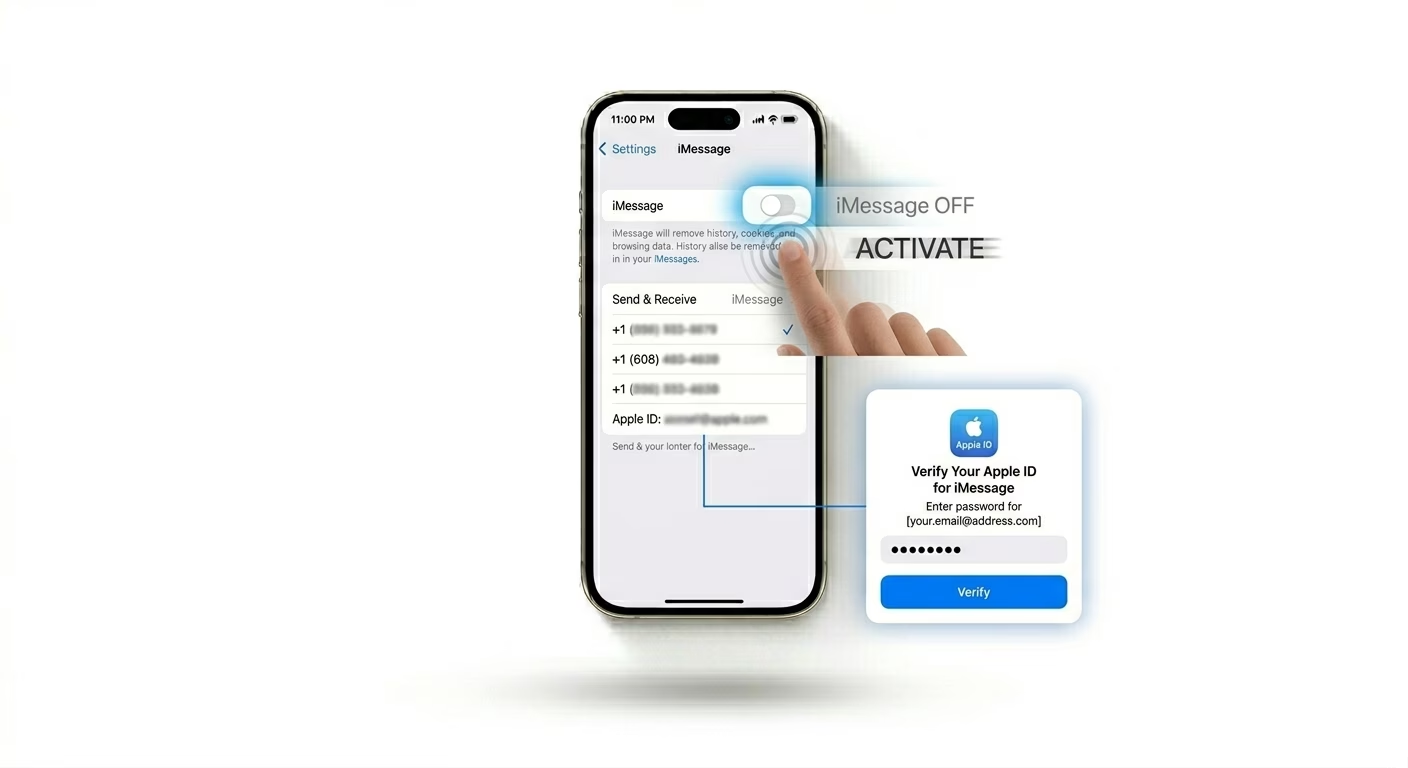
If blue message bubbles aren’t sending, your iMessage activation might have timed out. Go to Settings > Messages, turn iMessage OFF, wait 30 seconds, then turn it back ON. This makes your iPhone re-verify your phone number and Apple ID with Apple’s servers.
2 Enable "Send as SMS"
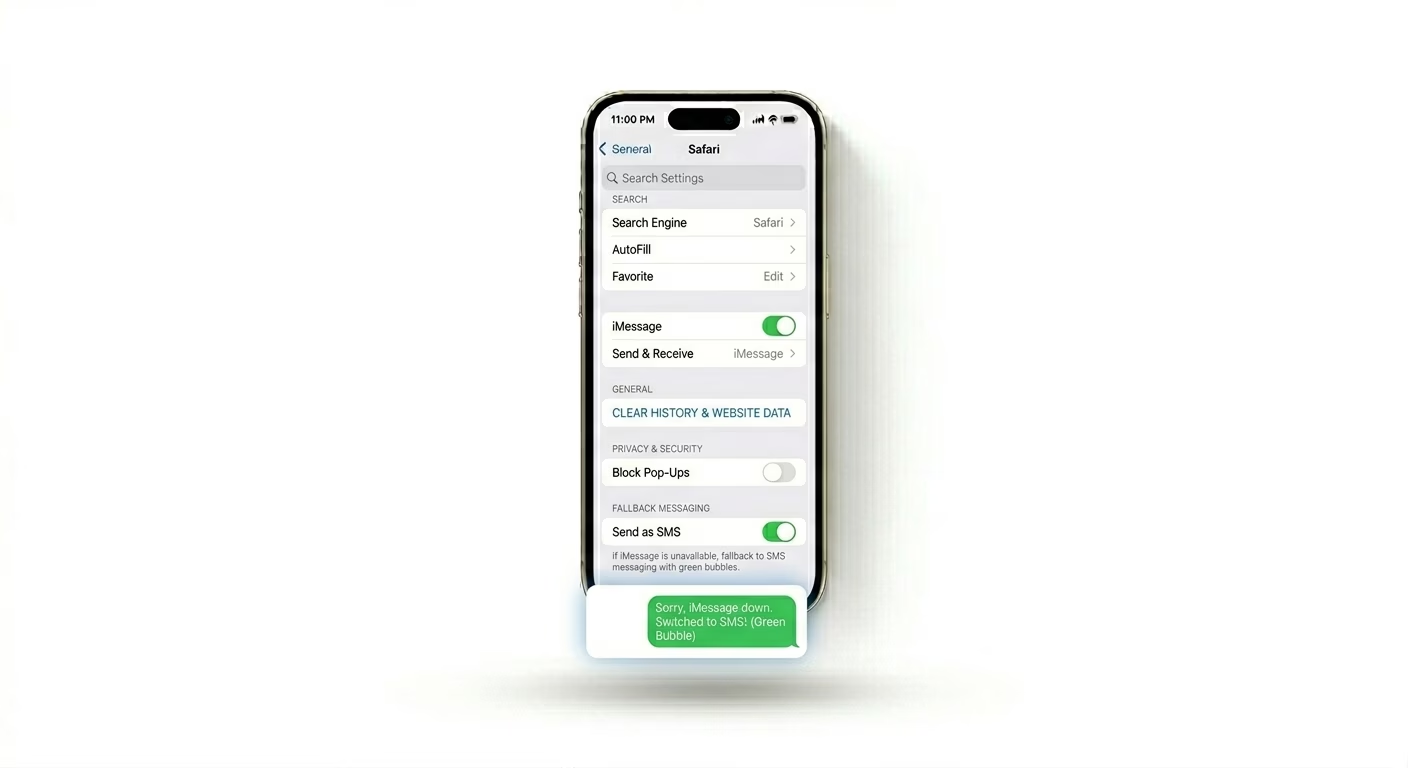
Sometimes iMessage doesn’t work because the person you’re texting isn’t connected to the internet. To make sure your message still goes through, go to Settings > Messages and turn on "Send as SMS". This lets your iPhone send regular green-bubble texts if iMessage isn’t available.
3 Reset Your Network Connection
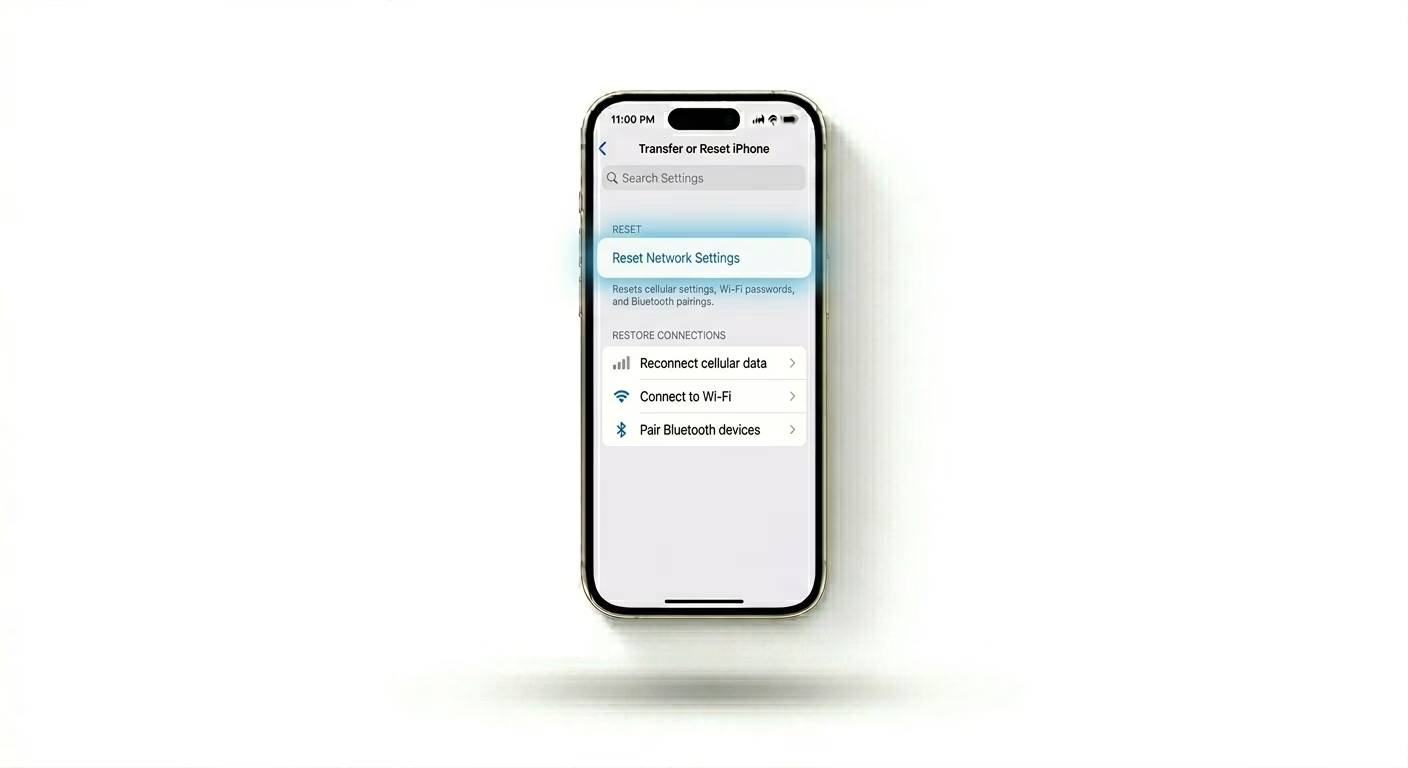
If neither SMS nor iMessage is working, your network settings might be corrupted. Go to Settings > General > Transfer or Reset iPhone > Reset > Reset Network Settings. This will erase your Wi-Fi passwords and carrier logs, giving your iPhone a fresh cellular connection.
Why This Happens?
- Interrupted iMessage server connection
- Incorrect "Send & Receive" addresses in settings
- Carrier issues or expired cellular plan
- Full storage preventing the app from caching messages
Pro Tips:
- Check Recipient: Ensure you haven't accidentally blocked the contact or entered the wrong country code.
- Carrier Update: Go to Settings > General > About and wait 10 seconds. If a carrier update is available, a popup will appear—install it!
- Check Date & Time: Just like the App Store, Messages won't sync if your time is manually set incorrectly.
Frequently Asked Questions
Why are my messages green instead of blue?
Green bubbles mean your message was sent as a regular SMS text. This can happen if the person you’re texting doesn’t have an iPhone, or if either of you isn’t connected to the internet.
What is 'Waiting for Activation' error?
If you see this message, it means your carrier hasn’t verified your number for iMessage yet. Make sure you have enough credit or balance for one international SMS, since Apple sends a hidden text to verify your number.