Quick Fix:
- Toggle Wi-Fi OFF and ON in Settings
- Forget the Wi-Fi network and reconnect
- Restart your iPhone and your Router
- Ensure Airplane Mode is turned OFF
Steps to Fix Wi-Fi Connection Issues
1 Forget the Wi-Fi Network
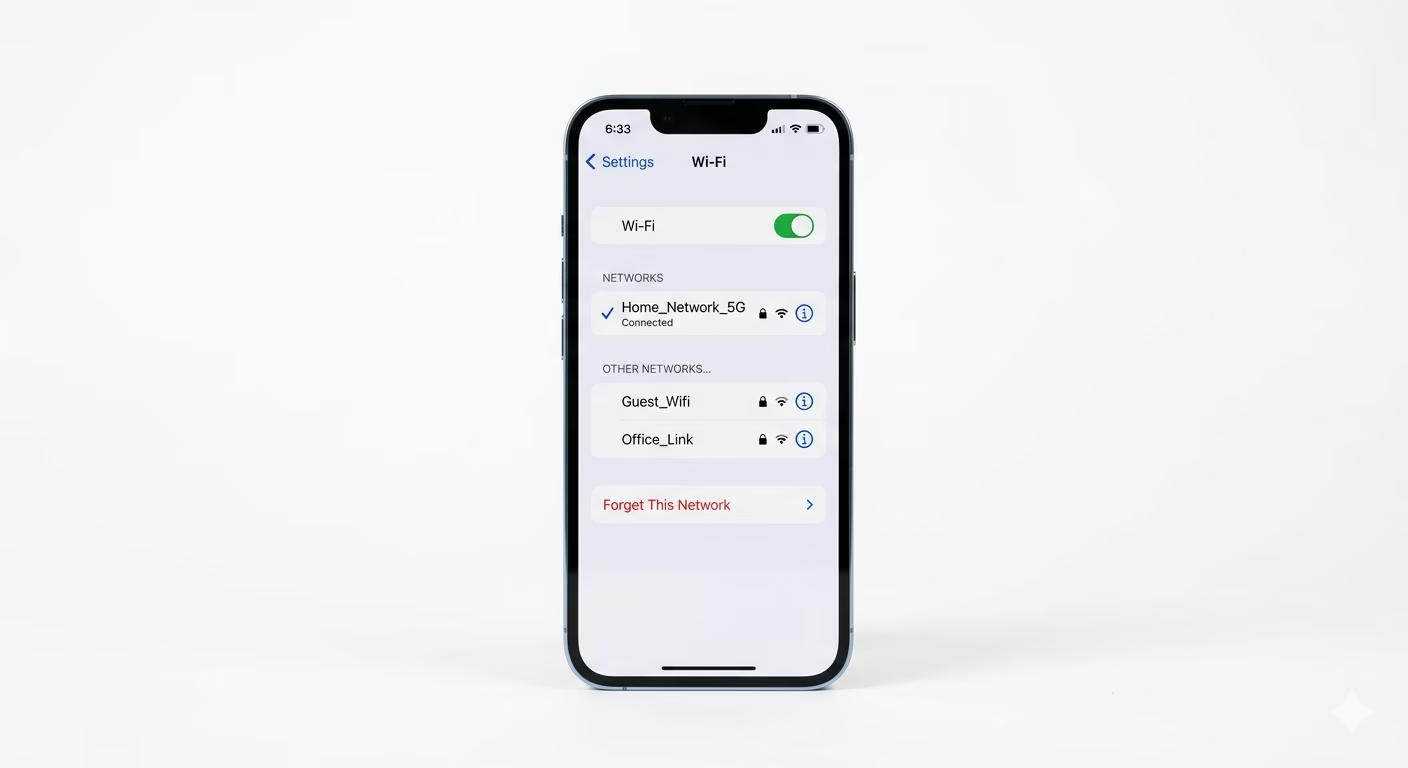
Sometimes your iPhone’s saved Wi-Fi info can get messed up. Go to Settings > Wi-Fi, tap the (i) button next to your network, and choose Forget This Network. Wait a few seconds, then tap the network again and type in your password. This gives your iPhone and the router a fresh start.
2 Reset iPhone Network Settings
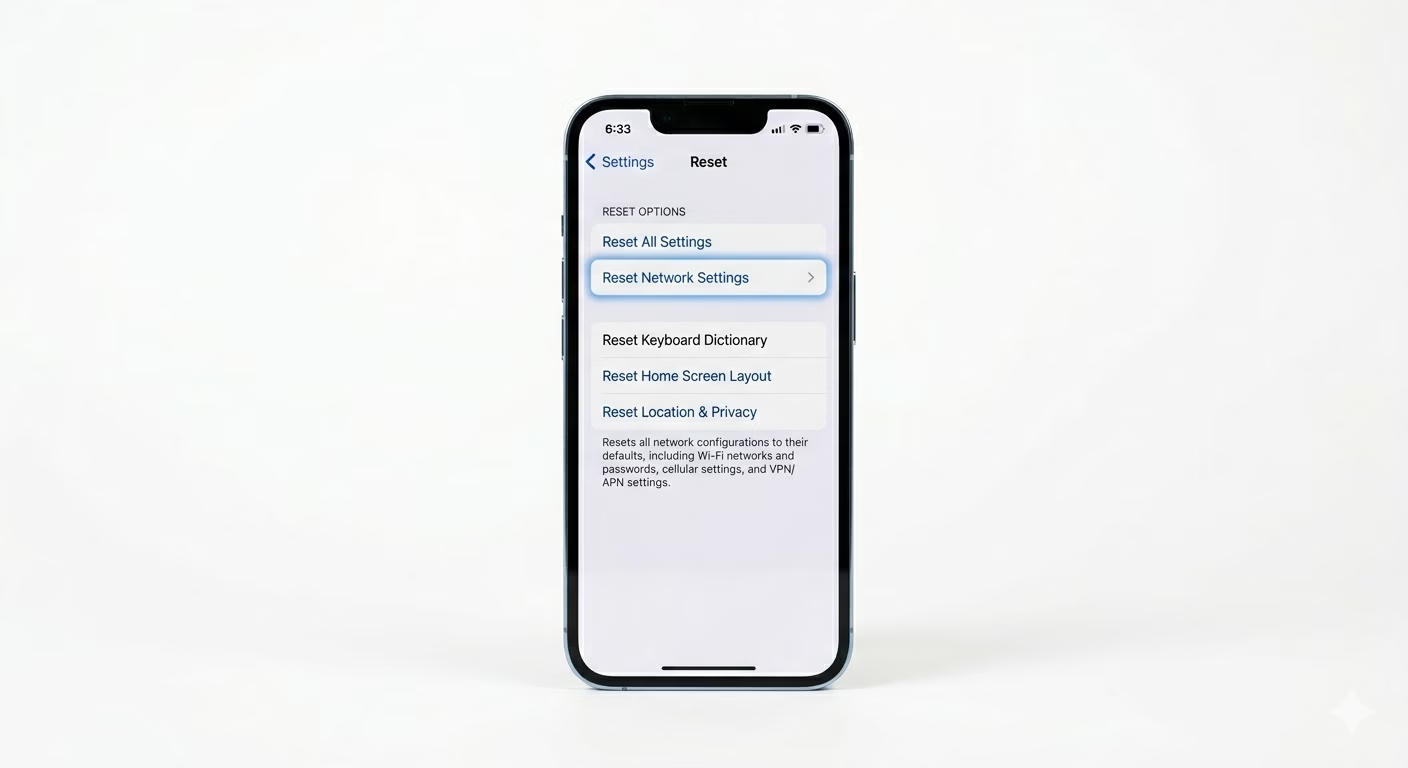
If your iPhone won’t connect to any Wi-Fi, the network cache could be the problem. Go to Settings > General > Transfer or Reset iPhone > Reset > Reset Network Settings. This will erase all saved Wi-Fi passwords and VPN info, but will not delete your apps or photos. It’s the best software fix for stubborn connection issues.
3 Toggle Private Wi-Fi Address
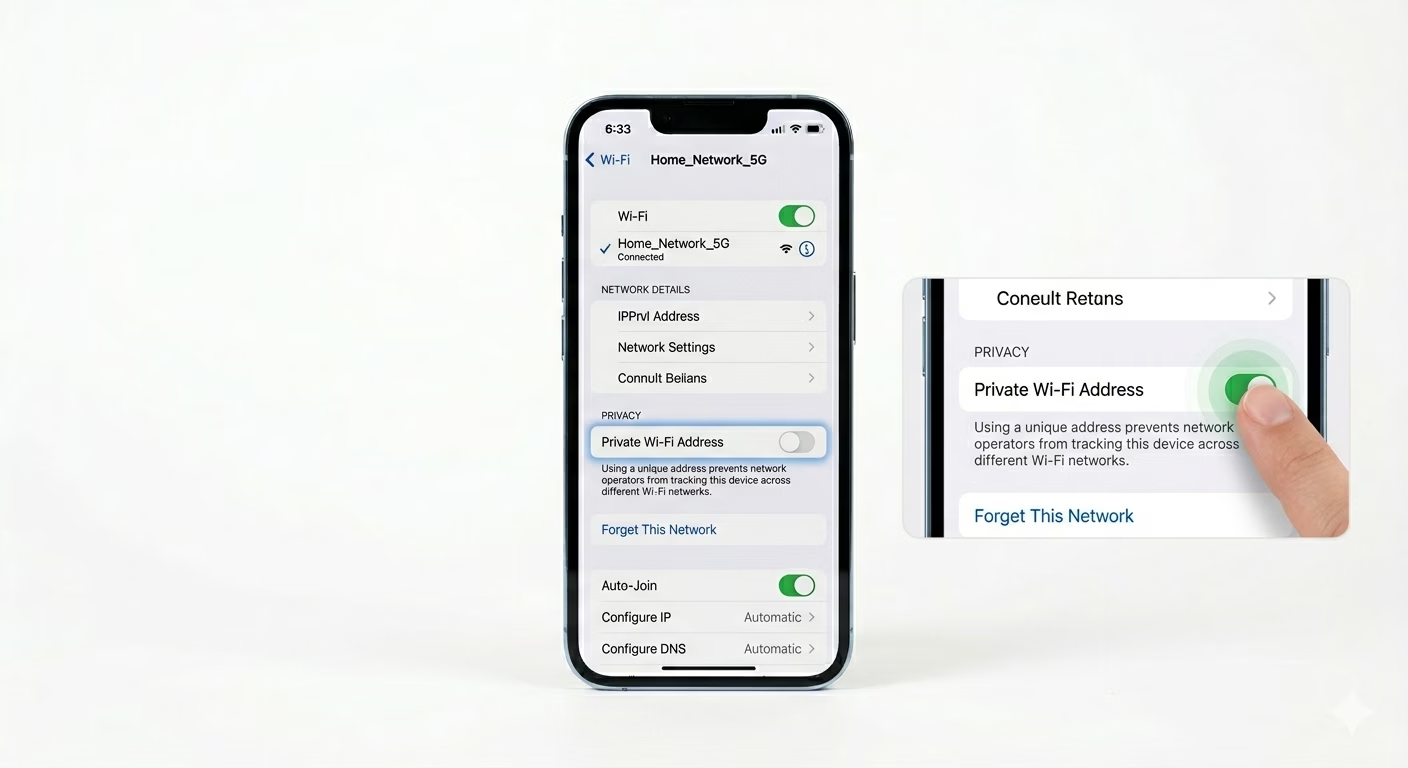
Apple uses a “Private Wi-Fi Address” feature to help protect your privacy, but sometimes routers block these random addresses. Go to Settings > Wi-Fi, tap the (i) next to your network, and try turning Private Wi-Fi Address OFF. If your connection works better, your router was probably blocking the private address.
Why This Happens?
- Corrupted network credentials or DNS cache
- Router firmware issues or IP address conflicts
- iOS system glitches after a recent update
- Hardware interference or a failing Wi-Fi antenna
Pro Tips:
- Router Reboot: Unplug your router for 60 seconds. This clears its internal memory and often fixes "Authentication Errors."
- Check Case: Some metallic or thick rugged cases can interfere with the Wi-Fi signal. Try connecting without the case.
- DNS Fix: In Wi-Fi settings, tap 'Configure DNS' and change it to 8.8.8.8 for a more reliable connection.
Frequently Asked Questions
Why is my Wi-Fi button greyed out?
If you can’t turn Wi-Fi on at all (the button is grey), it’s usually a hardware problem. Try a factory reset. If Wi-Fi is still greyed out, your iPhone’s Wi-Fi chip may need professional repair.
What does 'No Internet Connection' mean?
This means your iPhone is talking to the router, but the router isn’t getting internet from your provider. Double-check the cables on your DSL or fiber modem.