Quick Fixes:
- Call your own number to see if the voicemail box is actually active
- Turn Airplane Mode ON and OFF to refresh your network
- Check if Call Forwarding is accidentally turned on
- Ensure you have a stable Cellular Data connection
Steps to Troubleshoot and Fix Voicemail
1 Update Carrier Settings
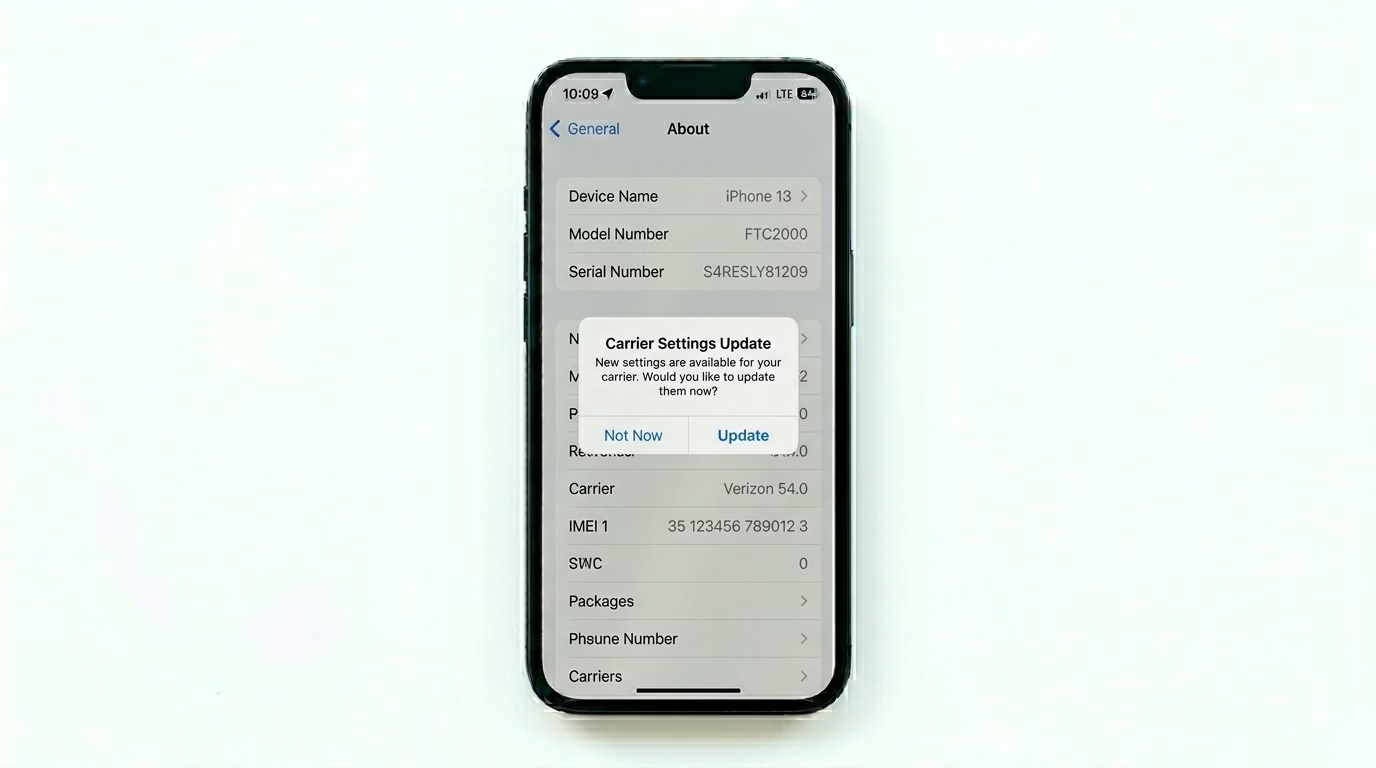
Voicemail is a service provided by your carrier (Verizon, AT&T, T-Mobile, etc.). If their settings are outdated on your phone, Visual Voicemail may stop working. Go to Settings > General > About. Wait for 15–30 seconds. If an update is available, a pop-up will appear saying "Carrier Settings Update." Tap Update to refresh your voicemail settings.
2 Reset Cellular Network Configuration
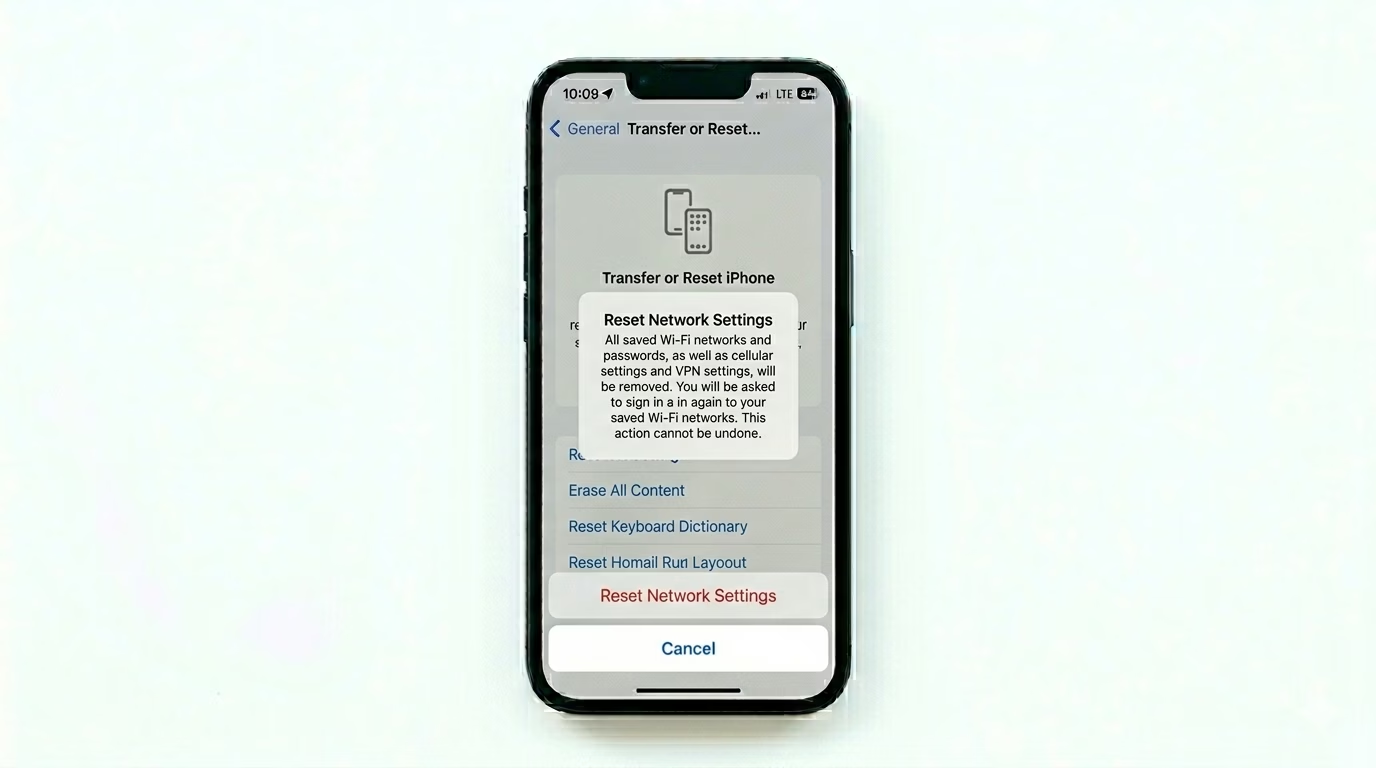
If your voicemail notifications are delayed or not showing up, your network handshake might be stuck. Go to Settings > General > Transfer or Reset iPhone > Reset > Reset Network Settings. This will clear your saved Wi-Fi passwords and cellular settings, forcing your iPhone to establish a fresh connection with your carrier’s voicemail server.
3 Refresh Cellular Connection
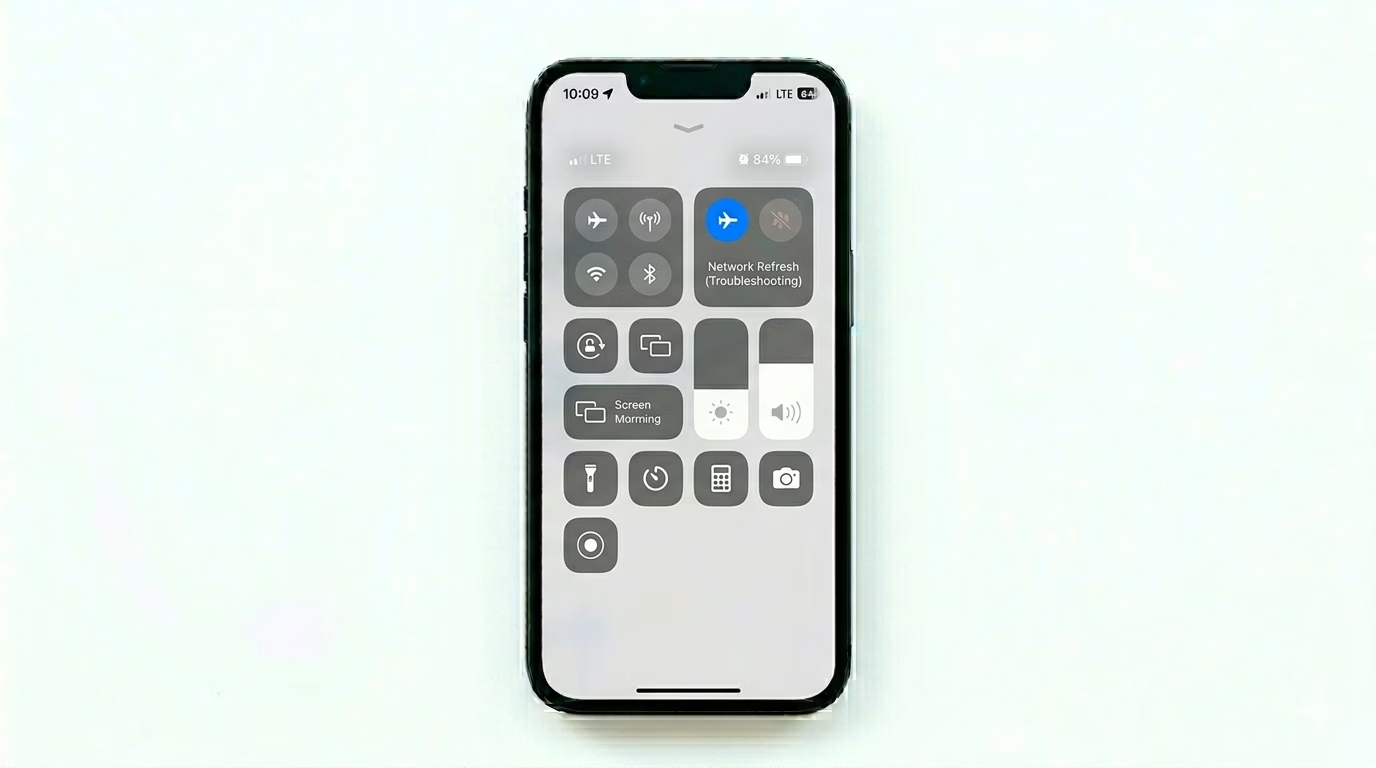
Visual Voicemail needs a cellular data connection to download your messages. Go to Settings > Cellular and make sure Cellular Data is turned ON. If it’s already on, switch Airplane Mode ON for about 10 seconds, then turn it OFF. This quick “power cycle” often fixes sync issues between your phone and your carrier’s mailbox.
Common Reasons for Failure:
- Full Mailbox: If your carrier's mailbox is full, new callers cannot leave messages.
- Expired Password: Some carriers require you to reset your voicemail password periodically.
- Poor Signal: Visual Voicemail won't download messages on a weak "Edge" or "1x" signal.
- Software Glitch: A temporary bug in the Phone app prevents the UI from updating.
Pro Tips:
- Live Voicemail: In iOS 17 and later, make sure Live Voicemail is ON in Settings > Apps > Phone to see real-time transcripts.
- Call your Provider: If nothing works, dial your carrier’s helpline (e.g., 111 or 333) and ask them to "Reset my Voicemail Box" from their end.
- Check Set Up: Go to the Phone app > Voicemail. If you see a "Set Up Now" button, your previous configuration might have been lost during an update.
Frequently Asked Questions
Why do I only get voicemail when my phone is off?
This happens when Do Not Disturb or Silence Unknown Callers is turned on. Incoming calls go straight to voicemail, and you’ll only see them afterward.
Does Visual Voicemail use my data plan?
Yes, Visual Voicemail uses a small amount of cellular data to download the audio messages from your carrier’s server to your iPhone.