Quick Fix:
- Try your original Apple ID and Password
- Check if the "Device Passcode" option appears to unlock
- Ensure you have an active Wi-Fi connection for verification
- Contact the previous owner if the device was bought used
Methods to Bypass or Remove Activation Lock
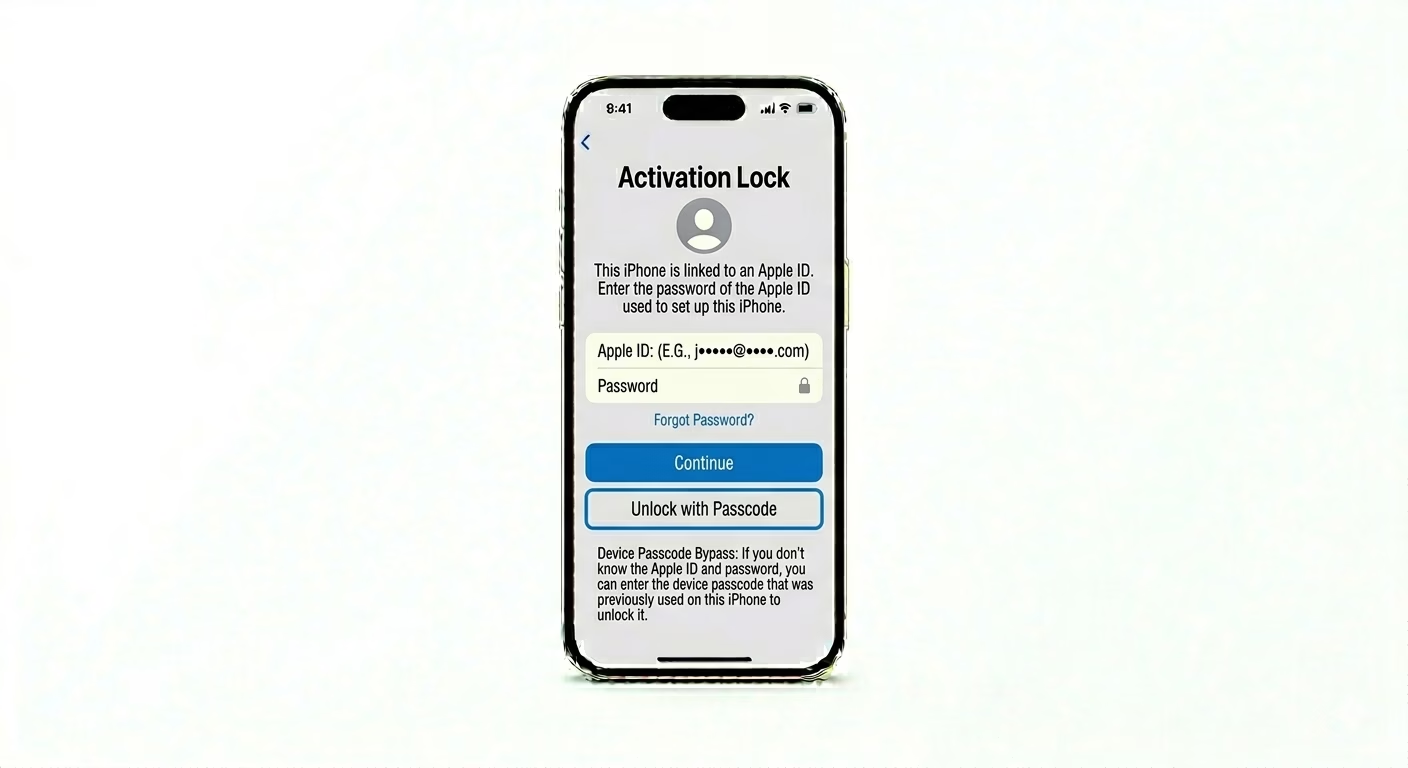
1 Unlock with Device Passcode
If you’re on iOS 17 or later, Apple may let you unlock Activation Lock with your old screen passcode. On the iCloud screen, look for a link that says “Unlock with Passcode?” Tap it and enter the 4- or 6-digit code you used before. This is the quickest way to get past the Apple ID prompt.
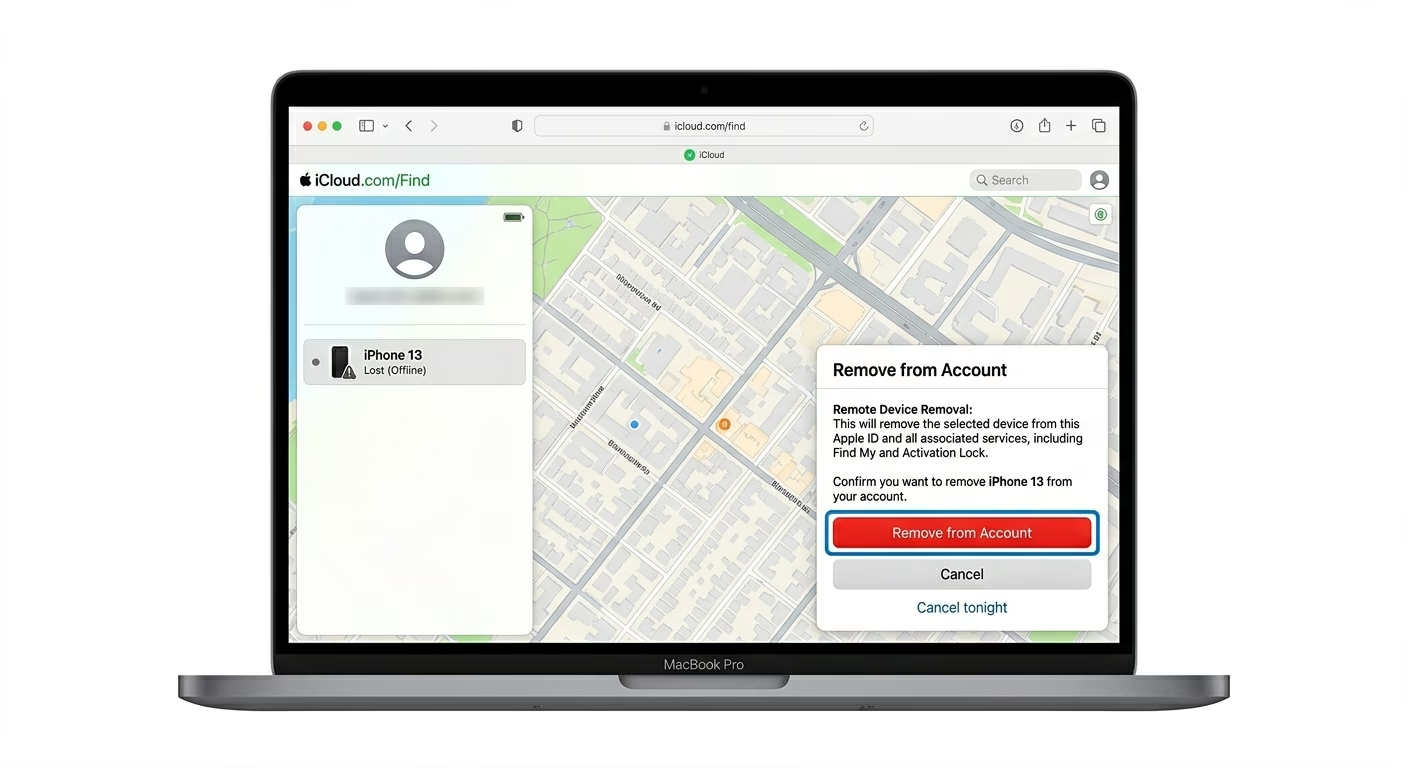
2 Remove Device from iCloud Web
If you don’t have the phone with you or bought it from someone else, you can unlock it remotely. Go to iCloud.com/find on another device, sign in with the Apple ID linked to the locked iPhone, and select the device from the list. Click “Remove from Account.” After that, restart the locked iPhone and the activation screen should disappear.
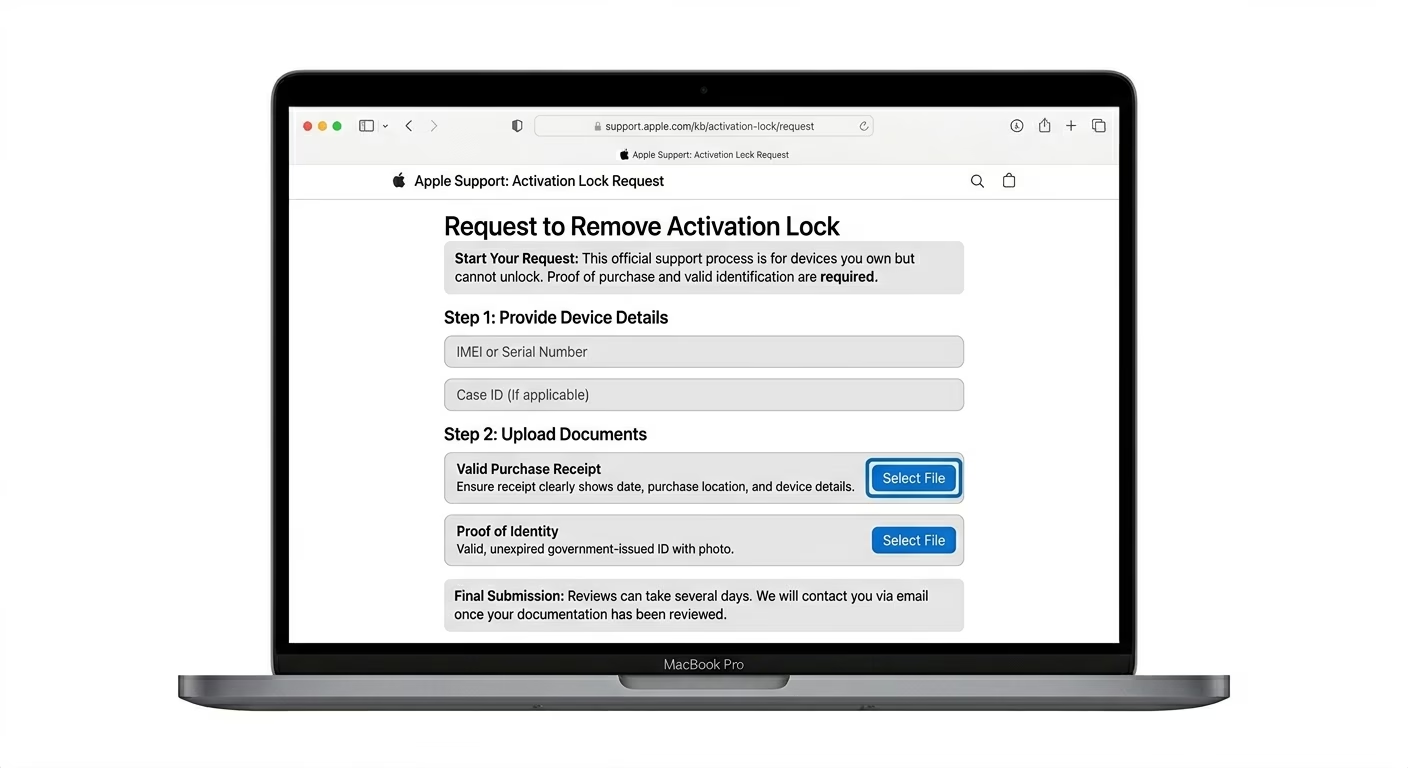
3 Start an Activation Lock Support Request
If you’re the original owner but can’t access your account, Apple can help unlock your device. You’ll need your Original Purchase Receipt (invoice) showing the device’s IMEI or Serial Number. Go to the official Apple Support “Activation Lock” page and submit your documents. Apple usually processes these requests within 3–7 days.
Why This Happens?
- "Find My" was active when the device was factory reset
- The device was marked as "Lost" by the previous owner
- Multiple incorrect password attempts triggered a security lock
- Purchasing a second-hand device that wasn't properly signed out
Pro Tips:
- DNS Bypass: Avoid "DNS Bypass" methods found online; they are temporary, insecure, and don't actually unlock the phone's full features.
- Recovery Key: If you have a 28-character "Recovery Key" generated previously, use it to reset your Apple ID password immediately.
- Check IMEI: Before buying a used iPhone, always check if "Find My" is OFF by using an online IMEI checker.
Frequently Asked Questions
Can I bypass Activation Lock without the Apple ID?
Legally, only the original owner or Apple Support can remove Activation Lock. Third-party tools that claim to bypass it usually leave your phone in a “semi-tethered” state, where important features like SIM and iCloud won’t work.
Does a Factory Reset remove Activation Lock?
No, a factory reset won’t remove Activation Lock. In fact, if the Apple ID wasn’t signed out first, resetting the phone actually triggers Activation Lock. This is a security feature controlled by Apple’s servers.