Quick Fix:
- Perform a Force Restart
- Plug into a power source for 30 minutes
- Connect to a computer (iTunes/Finder)
- Put the device into Recovery Mode
Steps to Fix an iPhone Stuck on Boot Screen
1 Perform a Proper Force Restart
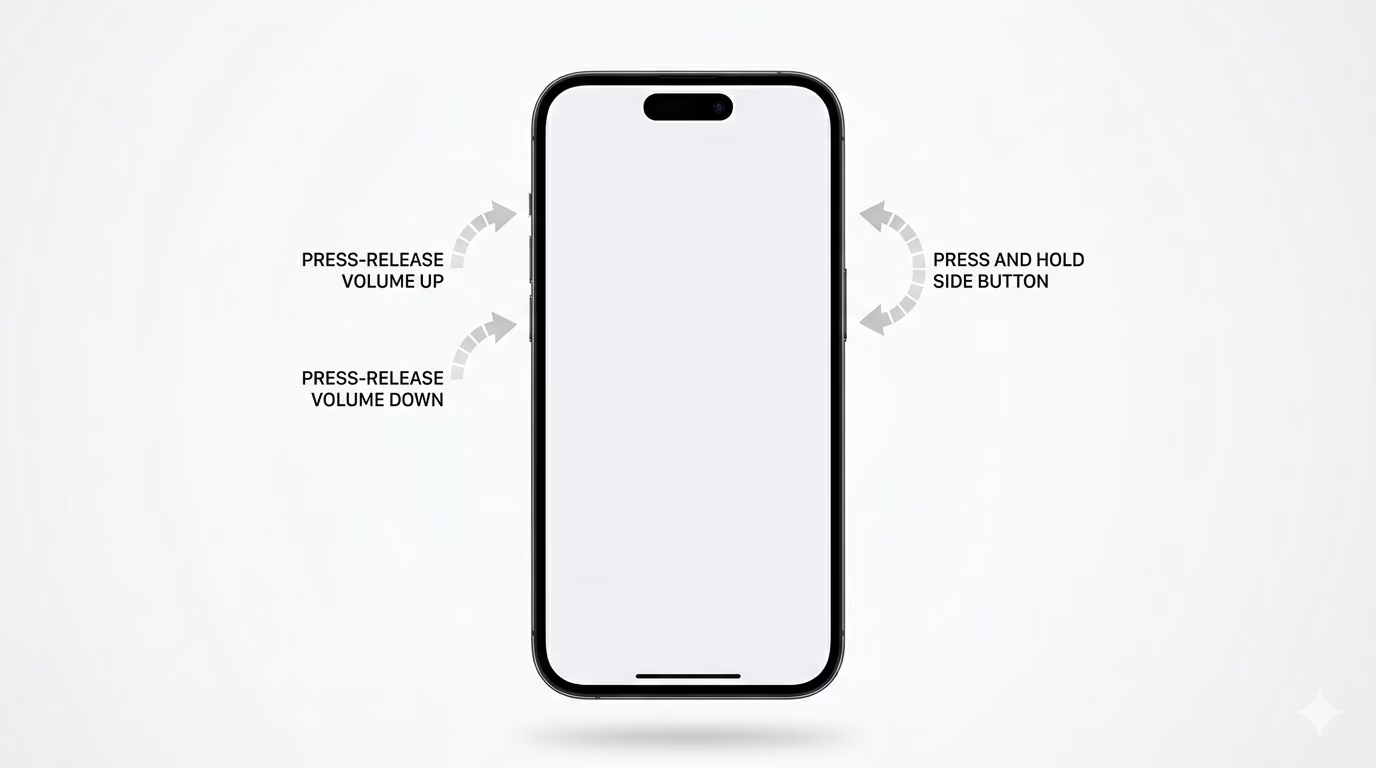
A force restart can often break the "boot loop" and force the OS to start correctly. For iPhone 8 and later: Quickly press Volume Up, then Volume Down, and then hold the Side Button. Keep holding it even when the screen goes black, and only let go when you see the Apple logo appear for the second time.
2 Use Recovery Mode with a Computer
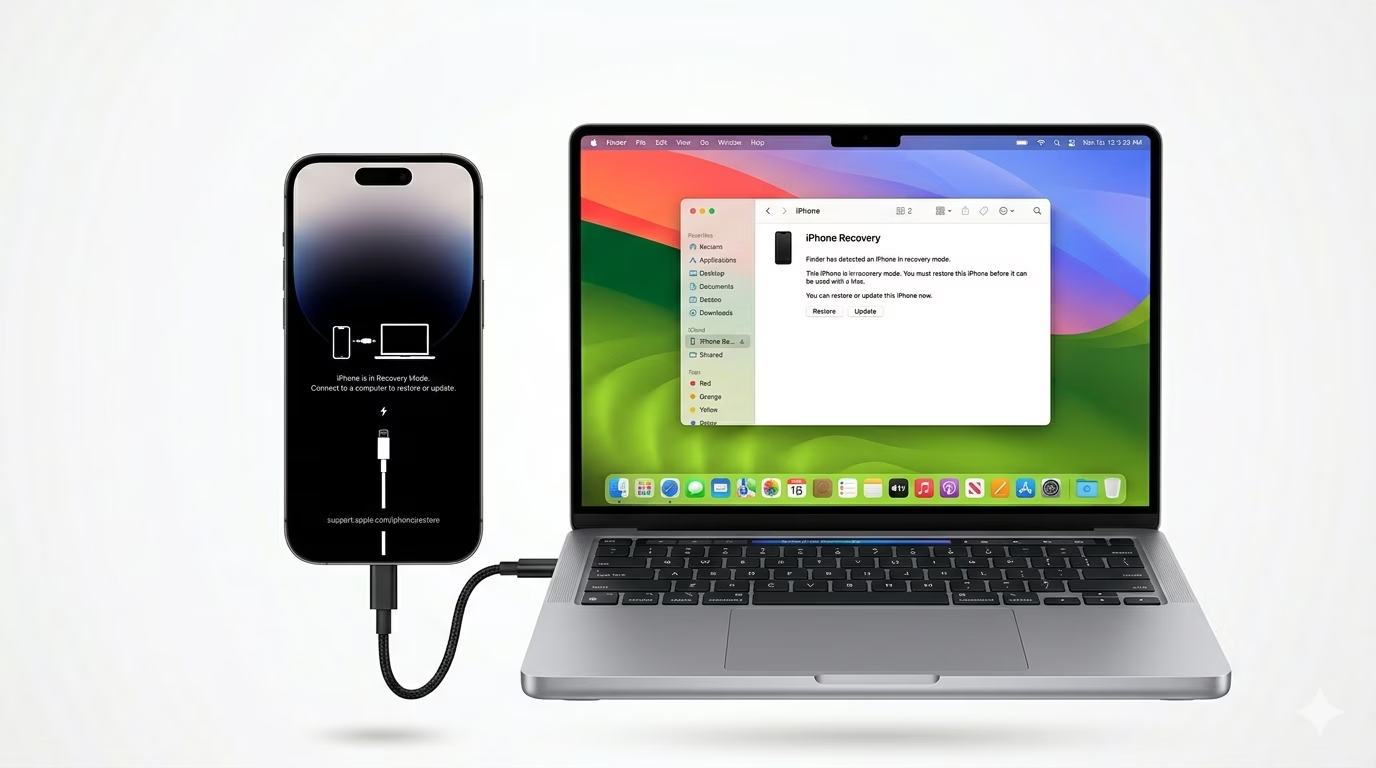
If a restart doesn't work, connect your iPhone to a computer. Open iTunes (or Finder on Mac). Put your phone into Recovery Mode. When the computer detects it, choose the "Update" option. This will attempt to reinstall iOS without erasing your personal data.
3 Address Storage Issues
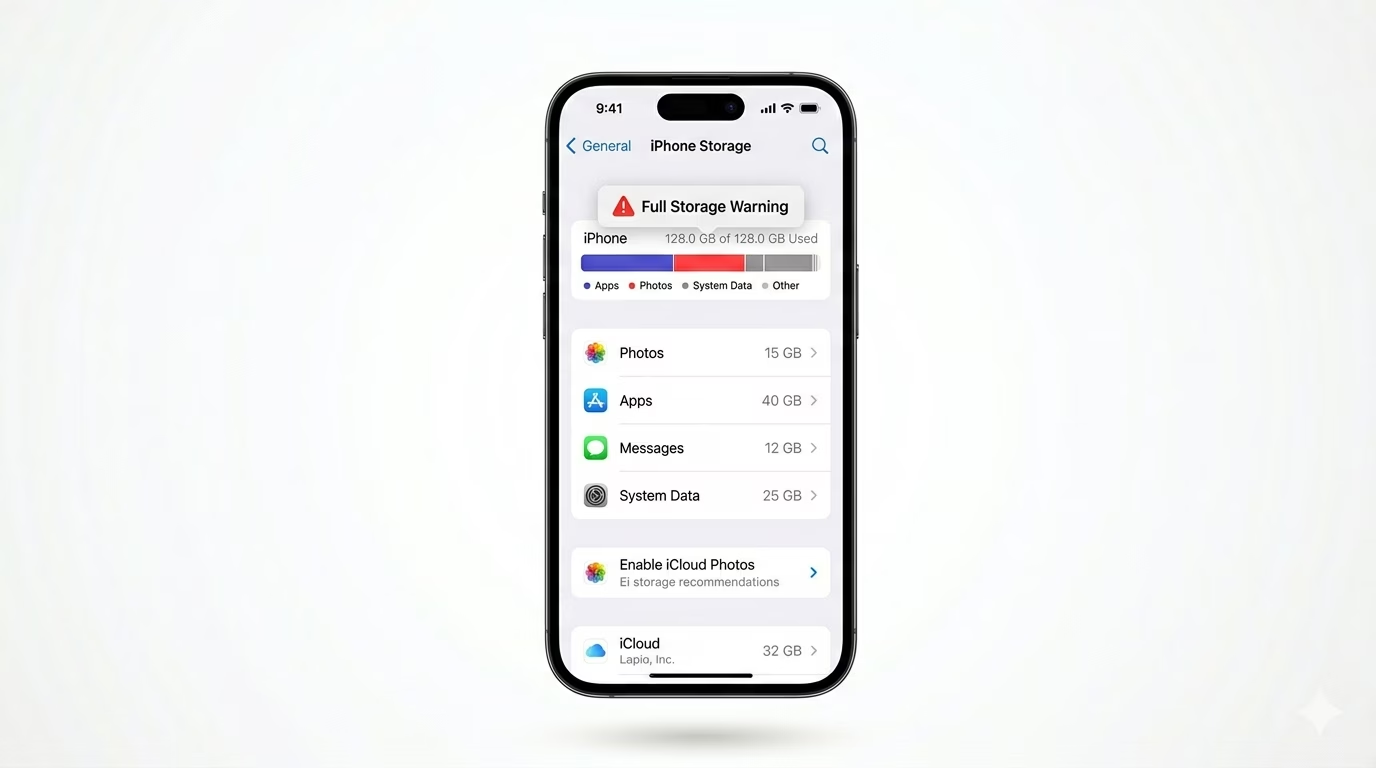
An iPhone can get stuck on the logo if the storage is 100% full, because the system doesn’t have enough space to boot up. If you recently saw a “Storage Almost Full” warning, you may need to use the “Restore” option in Recovery Mode. This will erase your device, but it should start working again.
Why This Happens?
- Incomplete or failed iOS software update
- Restoring from a corrupted backup
- Extremely low storage space (System crash)
- Hardware issues with the logic board or battery
Pro Tips:
- Always ensure your iPhone is charged at least 50% before starting a software update.
- Use an original Apple cable when connecting to a computer for Recovery Mode.
- If the "Update" fails in Recovery Mode, your last resort is "DFU Mode," but be careful—this will erase everything.
Frequently Asked Questions
Will I lose my photos if I fix this?
If you choose the “Update” option in Recovery Mode, your data should stay safe. But if the “Update” fails and you have to use “Restore,” all data will be erased unless you have a previous iCloud backup.
How long should I wait on the Apple logo?
If the logo has been on the screen for more than 20 minutes without the progress bar moving, your iPhone is officially stuck. You should try a force restart.