Instant Protection:
- Enable "Silence Unknown Callers" in Phone settings
- Download a third-party spam filter like Truecaller or Hiya
- Block individual numbers directly from your "Recents" list
- Check if your carrier offers a free "Call Filter" service
Steps to Silence and Filter Spam Calls
1 Enable "Silence Unknown Callers"
This is the best way to block spam calls. Go to Settings > Apps > Phone and tap Silence Unknown Callers. Turn it ON. Now, any call from a number not in your contacts, outgoing calls, or Siri Suggestions will go straight to voicemail. You’ll still see these calls in your Recents list.
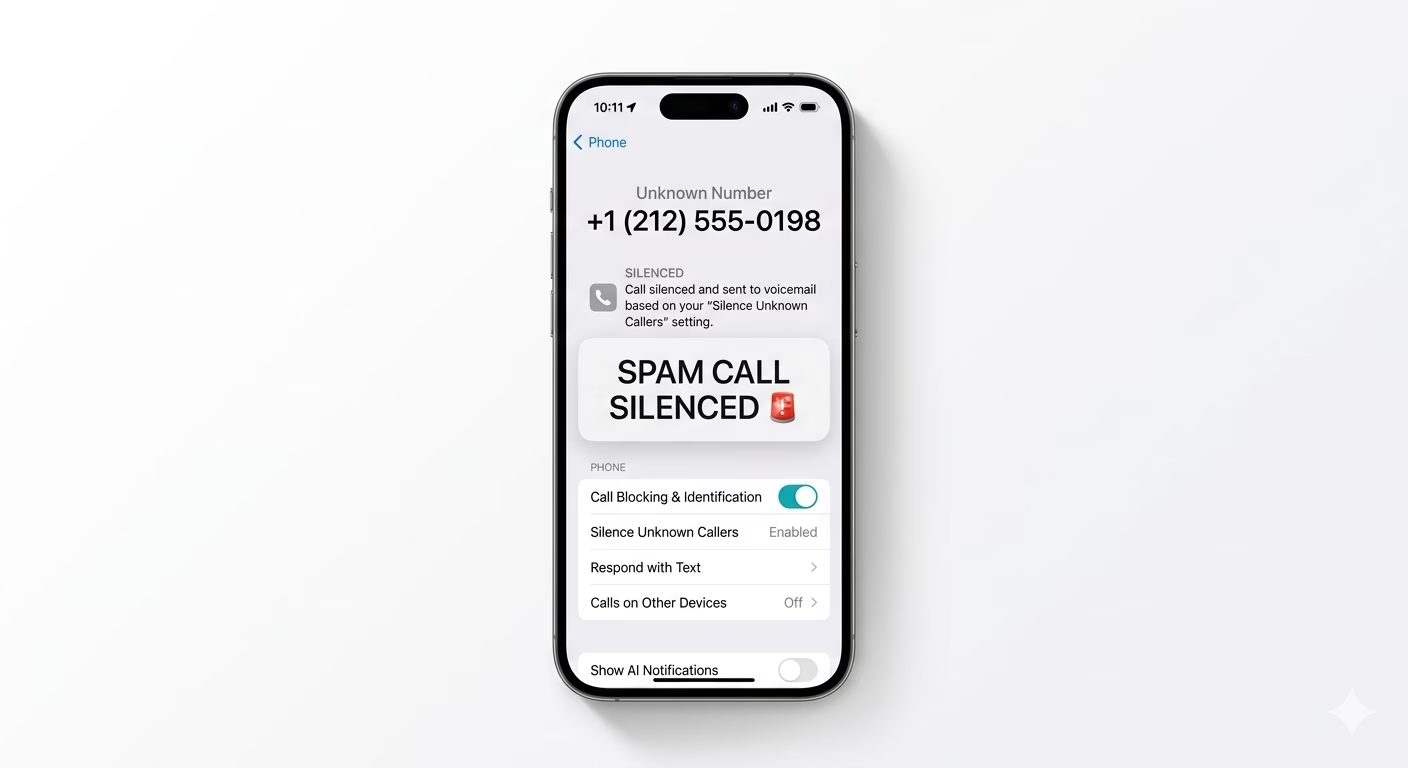
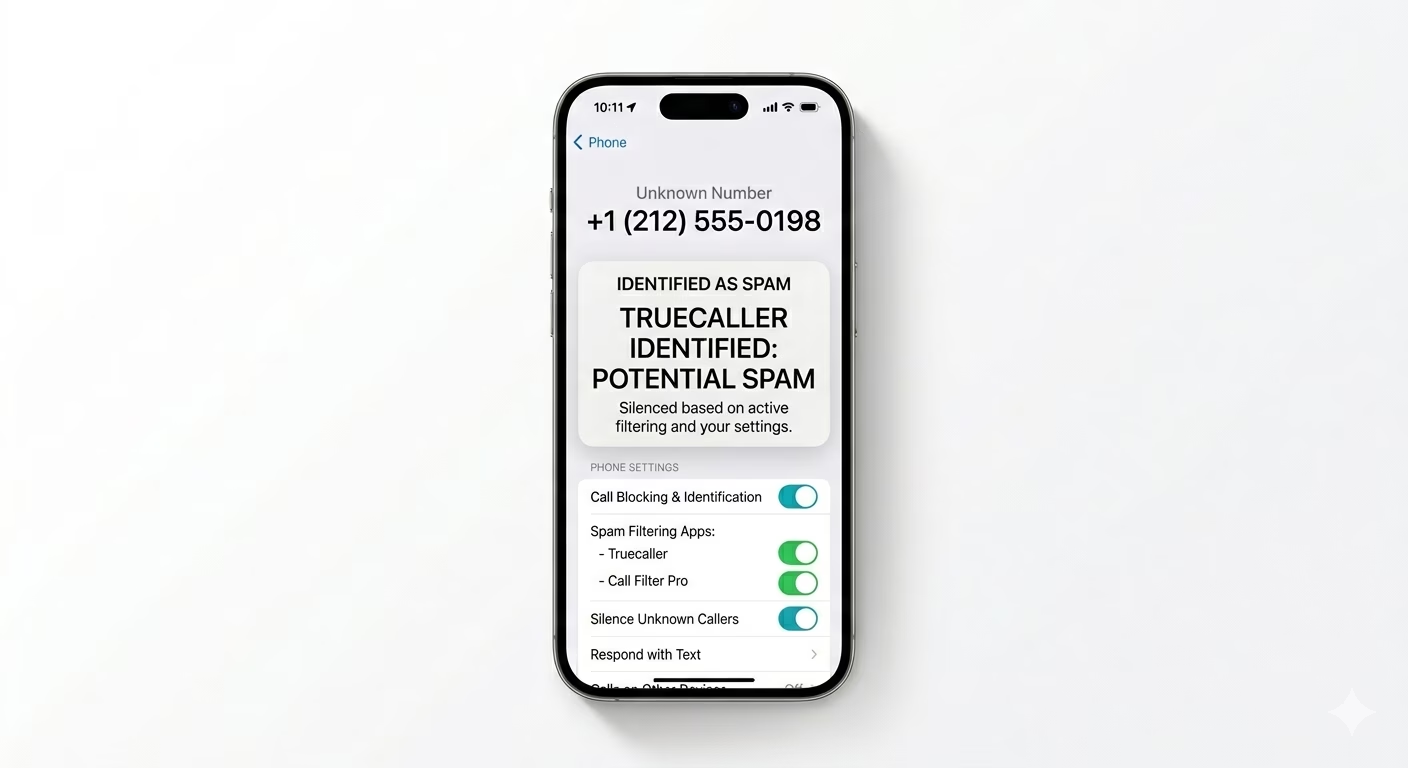
2 Use Call Blocking Extensions
If you use an app like Truecaller, you need to give it permission to filter calls. Go to Settings > Apps > Phone > Call Blocking & Identification and turn on the switches for your spam-filtering apps. This lets the app identify known scam calls and show a “Spam” label before you pick up.
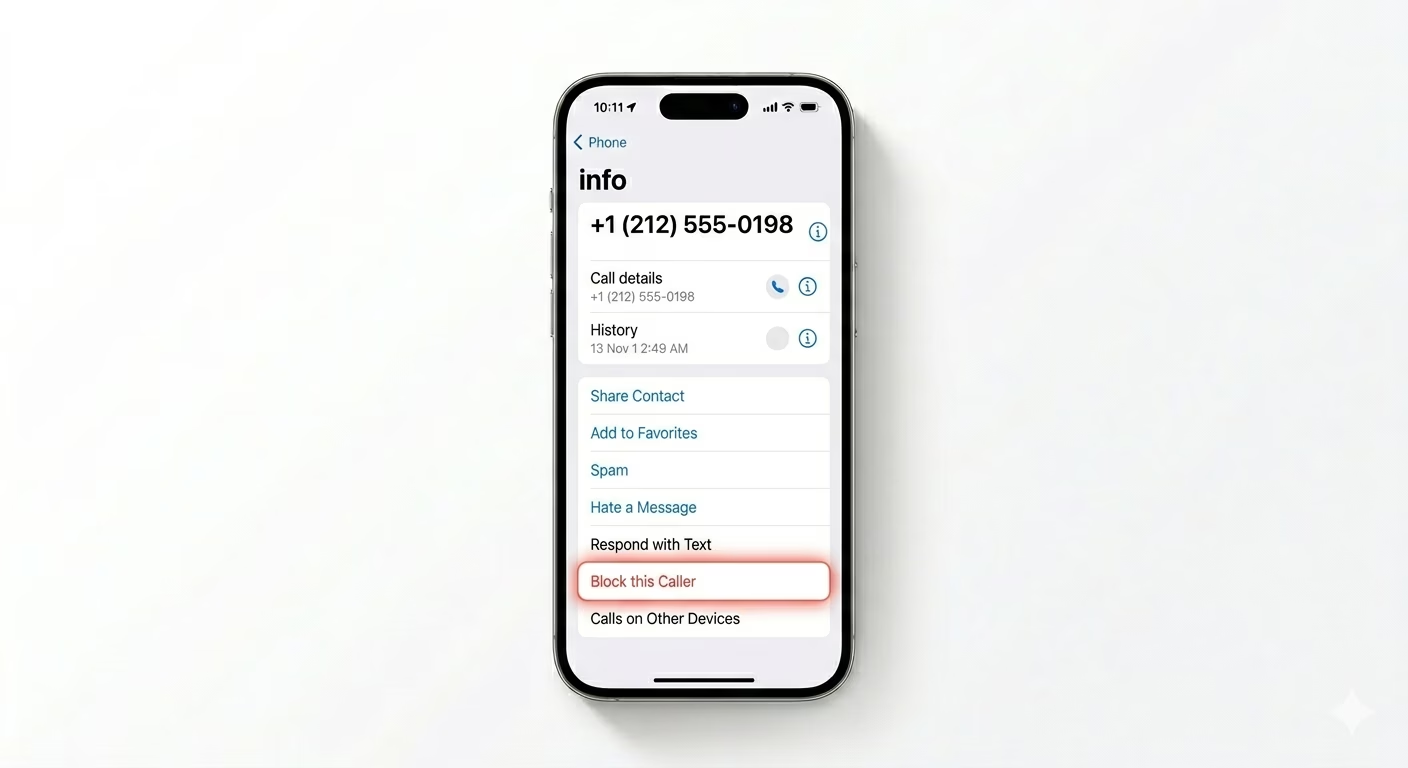
3 Manually Block Persistent Callers
If a certain number keeps bothering you, you can block it for good. Open the Phone app and go to Recents. Tap the blue “i” (info) icon next to the spam number, scroll down, and tap Block this Caller. This blocks calls, texts, and FaceTime from that number permanently.
Why Am I Getting These Calls?
- Data Breaches: Your number may have been leaked from a website or app.
- Public Listings: Providing your number on public forums or directories.
- Robocall Auto-Dialers: Scammers use software to dial thousands of random numbers.
- App Permissions: Some apps sell contact data to third-party marketing companies.
Pro Tips:
- Live Voicemail: Use iOS 17's Live Voicemail to see a real-time transcript of the call. If it's a scam, you can just ignore it without picking up.
- Don't Interact: Never press any numbers (e.g., "Press 1 to unsubscribe") as this confirms your number is active and will lead to more calls.
- Do Not Disturb: If you are getting flooded with calls, enable Focus Mode (Do Not Disturb) and only allow calls from your "Favorites" list.
Frequently Asked Questions
Will I miss important calls from doctors or deliveries?
If the number isn’t in your contacts, “Silence Unknown Callers” will mute the call. But if the caller leaves a voicemail, you’ll see it right away—so you can call back if it turns out to be important.
Is Truecaller safe to use on iPhone?
Yes, but on iPhone, spam-blocking apps are limited by iOS security. They can’t block calls automatically unless you give them permission in the settings (as described in Step 2).