Quick Silence Check:
- Check the Physical Mute Switch on the left side of your iPhone
- Ensure "Do Not Disturb" or "Focus Mode" is turned OFF
- Check if "Silence Unknown Callers" is active in Phone settings
- Verify your Ringer volume is high in Settings > Sounds & Haptics
Steps to Restore Your iPhone Ringtone
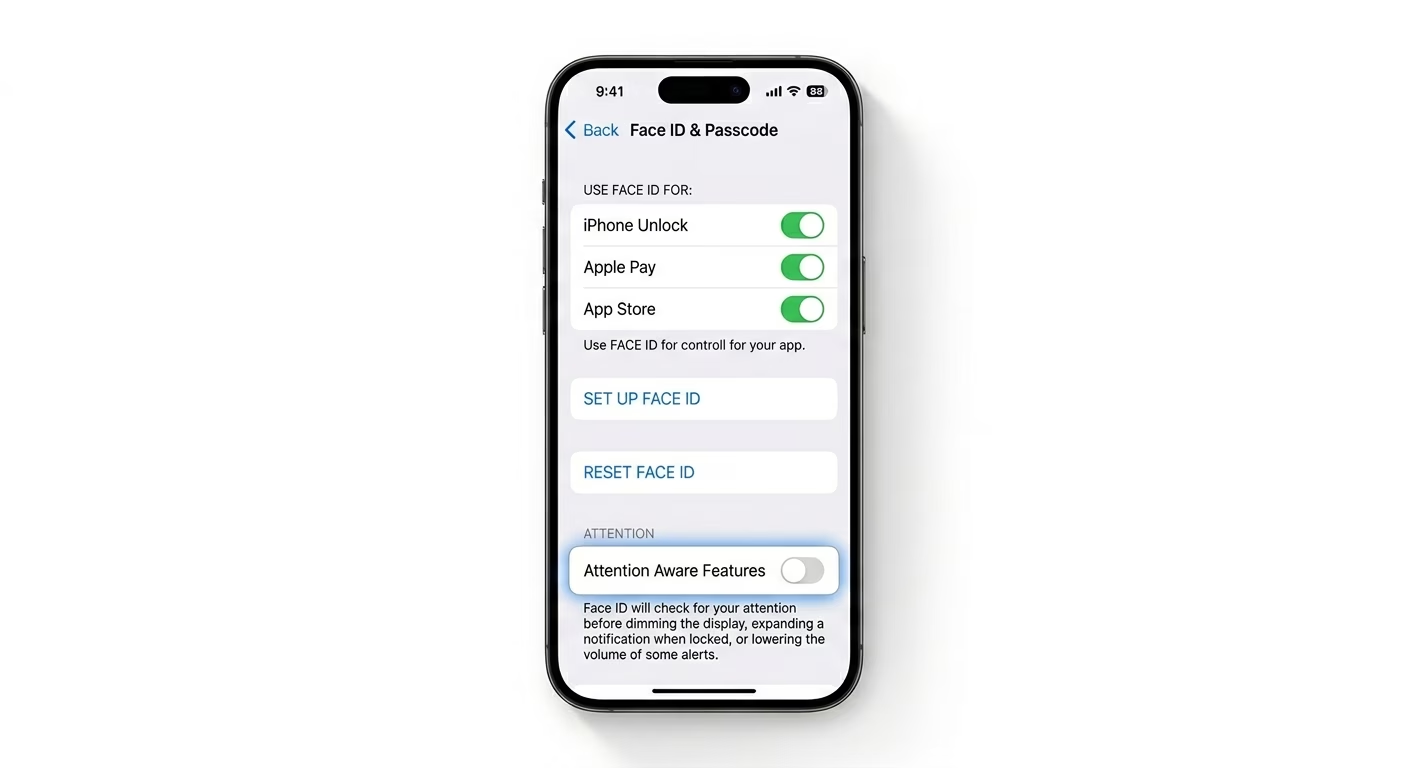
1 Disable Attention Aware Features
If your iPhone rings but the volume drops as soon as you look at it, that’s actually a feature—not a bug. Still, it can make it seem like your ringtone isn’t working. Go to Settings > Face ID & Passcode and turn OFF Attention Aware Features. This way, your ringtone will stay at the same volume, even when you’re looking at your screen.
2 Check Focus Mode Filters
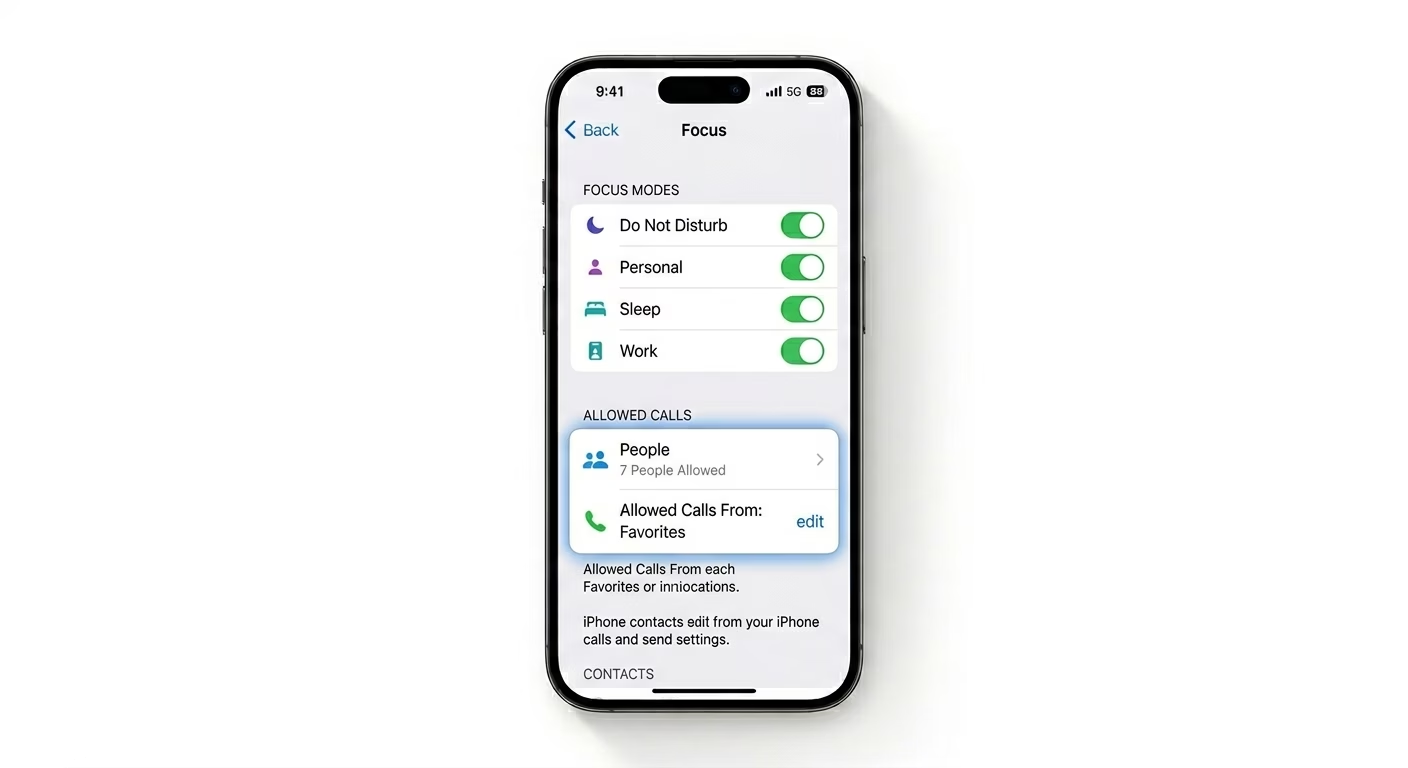
Focus modes (like Sleep, Work, or Personal) can silence calls from everyone except your “Allowed” contacts. Open the Control Center and check if any Focus icon is highlighted. To allow all calls, go to Settings > Focus and make sure no mode is active, or add “Everyone” to the allowed callers list in each Focus mode.
3 Reset Ringtone to Default
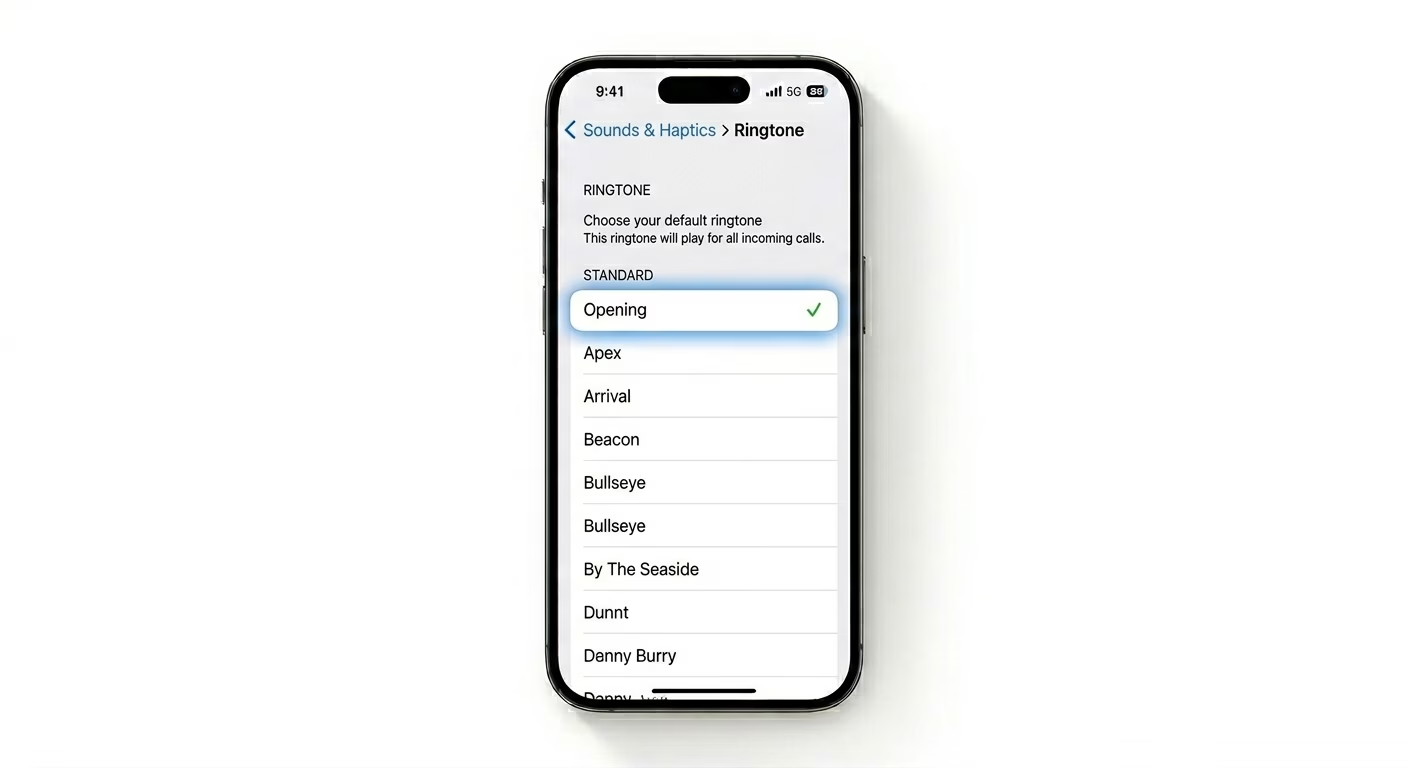
If you’re using a custom ringtone or a song from the iTunes Store, the file might be corrupted or not authorized anymore. Go to Settings > Sounds & Haptics > Ringtone and pick a standard Apple ringtone (like “Opening”). If your phone rings with the default sound, the problem was with your custom file—it’ll need to be re-synced or re-downloaded.
Why is My iPhone Silent?
- Bluetooth Connectivity: Your iPhone might be sending the ringtone to a pair of AirPods or a Bluetooth speaker in another room.
- Silence Unknown Callers: A setting that automatically sends any number not in your contacts to voicemail.
- Hardware Glitch: The mute switch might be stuck or dirty, causing it to trigger "Silent Mode" randomly.
- Software Bug: A glitch in the "Springboard" (iOS UI) preventing sound playback.
Pro Tips:
- Change with Buttons: Go to Settings > Sounds & Haptics and toggle ON "Change with Buttons" so you can adjust your ringer volume quickly using the side buttons.
- Check Bluetooth: Quickly toggle Bluetooth OFF in the Control Center to ensure the sound isn't being routed to a hidden device.
- Force Restart: If the speaker works for music but not for calls, perform a Force Restart (Vol Up, Vol Down, Hold Side Button) to reset the audio driver.
Frequently Asked Questions
Why does my iPhone only vibrate and not ring?
This usually means the Mute Switch on the left side of your iPhone is flipped down, activating Silent Mode. Check the switch—if you see a red line, your phone is set to silent.
Can a broken speaker cause this?
Yes, if you’re not hearing any sound from YouTube or Music either, your bottom speaker could be damaged and may need to be repaired.