The Golden Rule:
Stop Force-Closing Apps! iOS automatically “freezes” background apps so they don’t use CPU or battery. Manually closing them makes your iPhone reload the app from scratch, which actually uses more battery and RAM.
How to Optimize and Flush iPhone RAM
1 Perform a "Force Restart" Flush
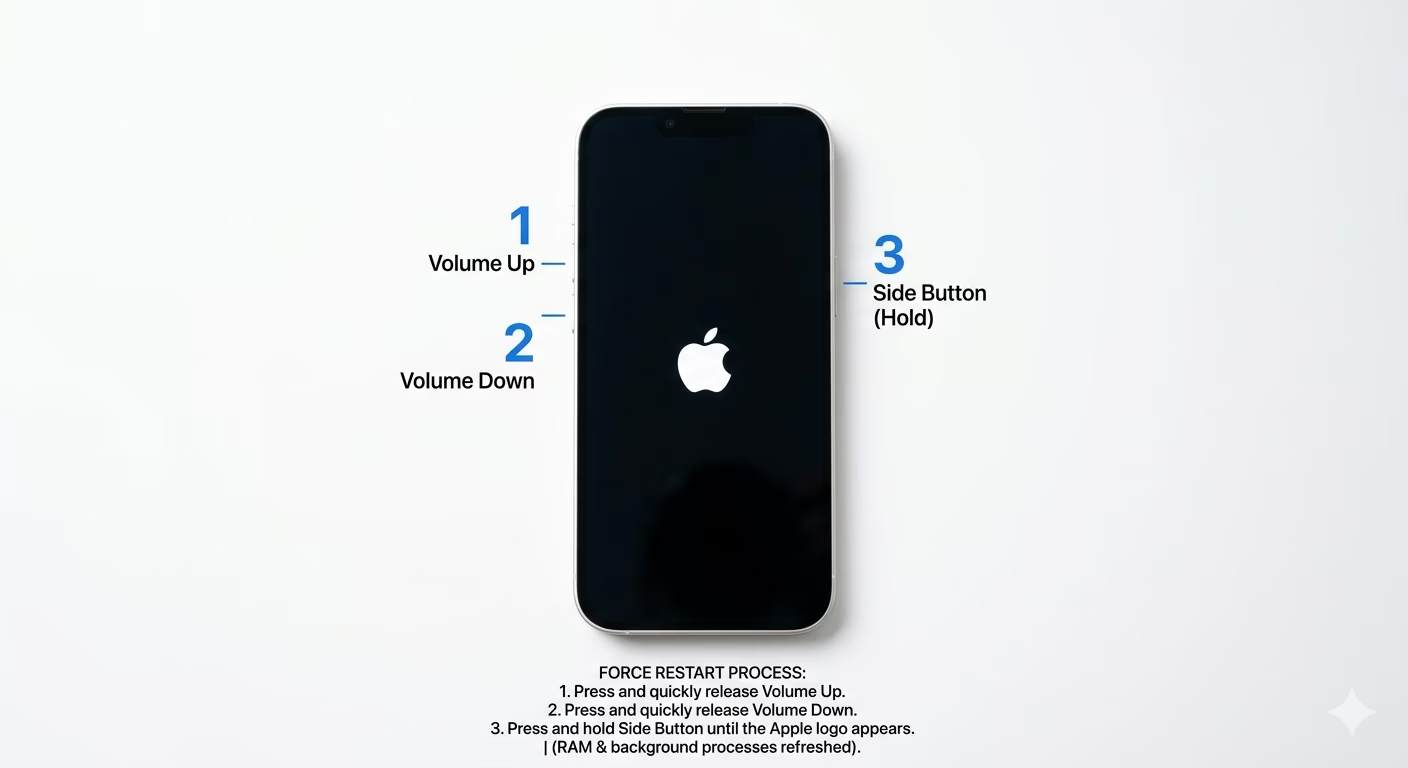
If your iPhone feels slow, the best way to clear the RAM without losing any data is to do a Force Restart. Quickly press Volume Up, then Volume Down, then hold the Side Button until you see the Apple logo. This shuts down all background processes and refreshes the memory, giving your device a fresh start.
2 Control Background Activity
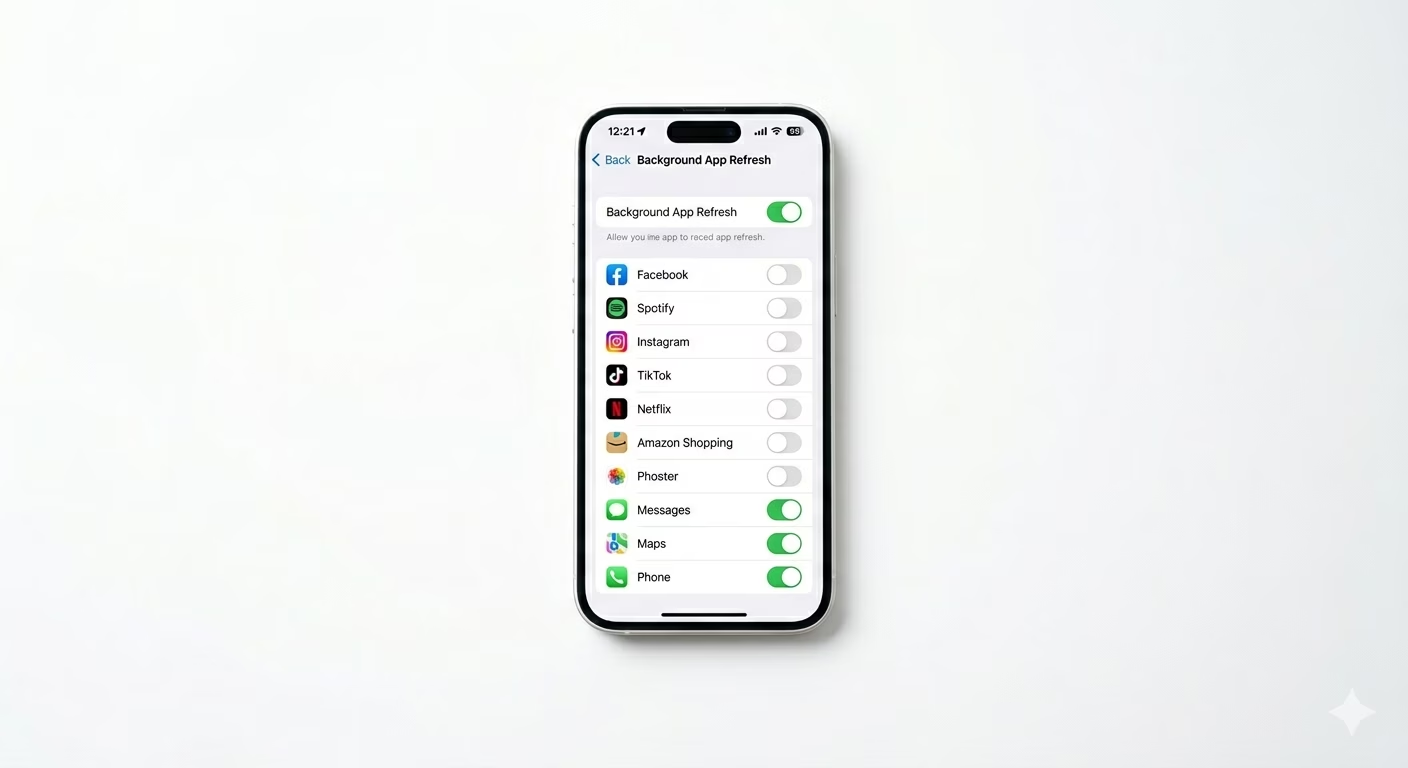
RAM management is closely linked to Background App Refresh. If too many apps have this turned on, they stay “active” in RAM and can slow things down. Go to Settings > General > Background App Refresh and turn it OFF for apps that don’t need live updates (like games or shopping apps). This helps keep your RAM available for the apps you use most.
3 Identify Apps with Memory Leaks
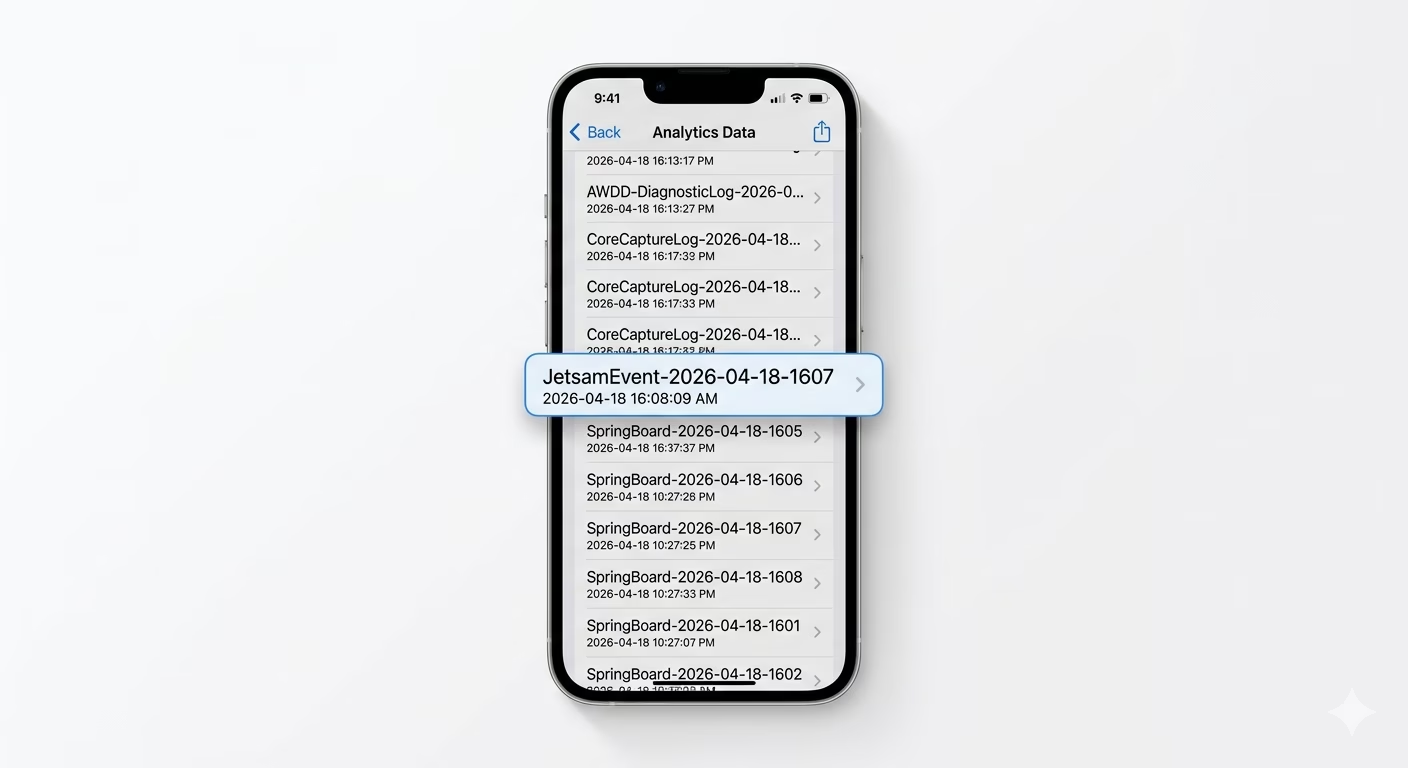
Sometimes a poorly coded app can “leak” memory, using up all your RAM and making other apps crash or reload. If one app always causes lag or reloads, go to Settings > Privacy & Security > Analytics & Improvements > Analytics Data. Look for “JetsamEvent” logs—these show the system had to close apps because of high memory pressure.
Why iOS Needs Less RAM?
- Sandboxing: Apps are restricted in how they use memory, preventing "rogue" processes.
- Fast Swap: iOS uses the fast NVMe storage as "Virtual RAM" when the physical RAM is full.
- Static Backgrounding: Apps don't truly run in the background; they save a "snapshot" and stop using RAM.
- Native Code: iOS apps run directly on the hardware without a "Virtual Machine" layer.
Pro Tips:
- Free Up Storage: RAM management depends on storage speed. If your storage is 99% full, your RAM will feel much slower.
- Accessibility Shortcut: If you have a Home Button (or AssistiveTouch), you can hold the Power button until "Slide to Power Off" appears, then hold the Home button to flush RAM instantly.
- Update iOS: Apple constantly improves the "Memory Compressor" in new updates to make better use of existing RAM.
Frequently Asked Questions
Is 6GB or 8GB RAM enough in 2026?
Yes. Thanks to iOS’s efficient memory management, 8GB of RAM on an iPhone often works as well as 12GB or 16GB on other platforms for everyday use.
Why does my Safari tab reload?
This happens when another app—like a heavy game—needs more RAM. iOS “purges” the Safari tab from active memory and saves it to disk, so the system doesn’t crash.