Quick Search Checklist:
- Check the "Recently Deleted" folder (Items stay for 30 days)
- Look into the "Hidden" album in the Utilities section
- Ensure you are signed in with the correct Apple ID
- Verify if iCloud Photos is enabled in Settings
Steps to Recover Disappeared Photos
1 Audit Hidden and Deleted Folders
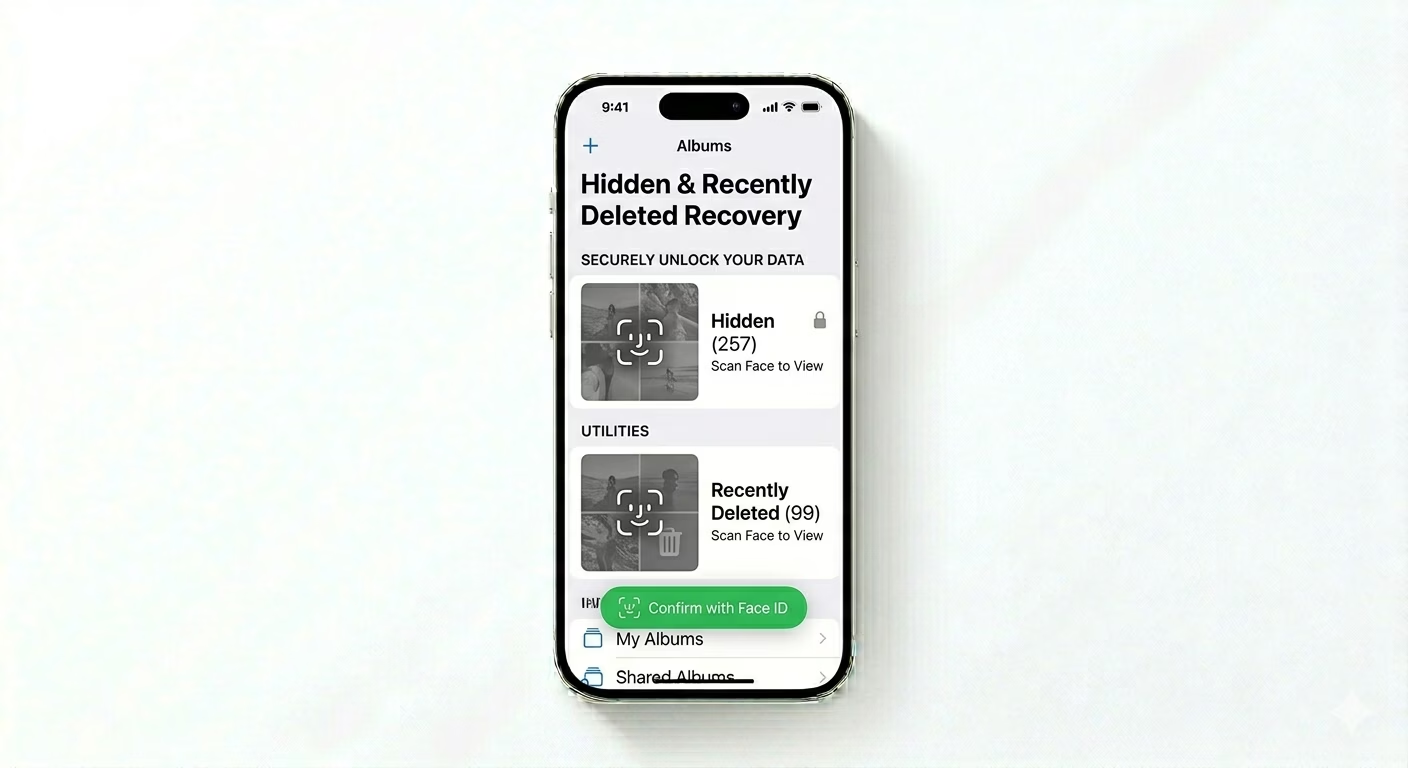
Sometimes photos are accidentally hidden or deleted. Open the Photos app, tap Albums, and scroll down to "Utilities." Check both Hidden and Recently Deleted. You’ll need Face ID or your passcode to access them. If your photos are there, tap Select > Recover or Unhide to restore them to your main library.
2 Verify iCloud Sync State
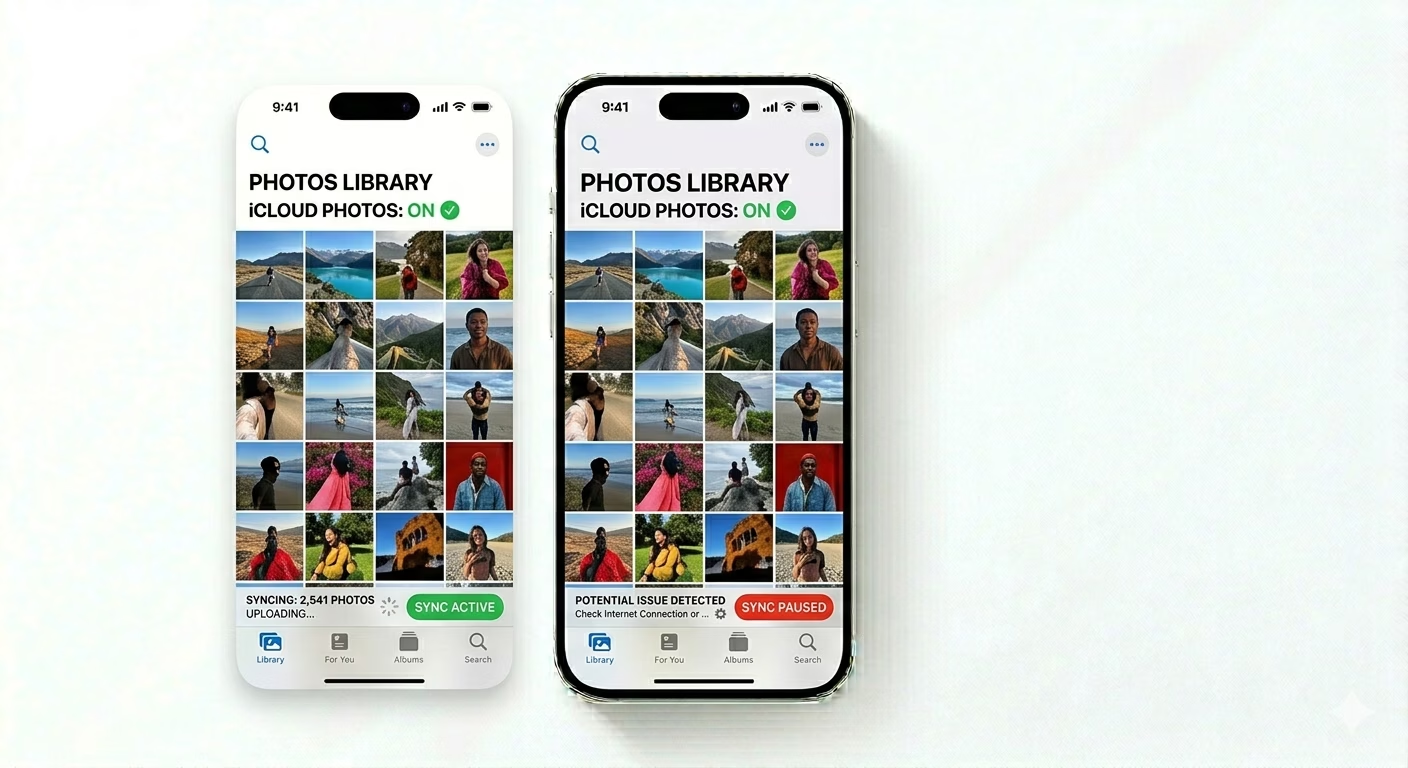
If your photos are missing after a software update or setting up a new device, they may still be downloading in the background. Go to Settings > Photos and make sure iCloud Photos is turned ON. Then scroll to the bottom of your Photos library—if you see “Syncing…” or “Paused,” connect to Wi-Fi and plug in your charger to allow full-resolution images to download from iCloud.
3 Match Apple ID & Check Storage
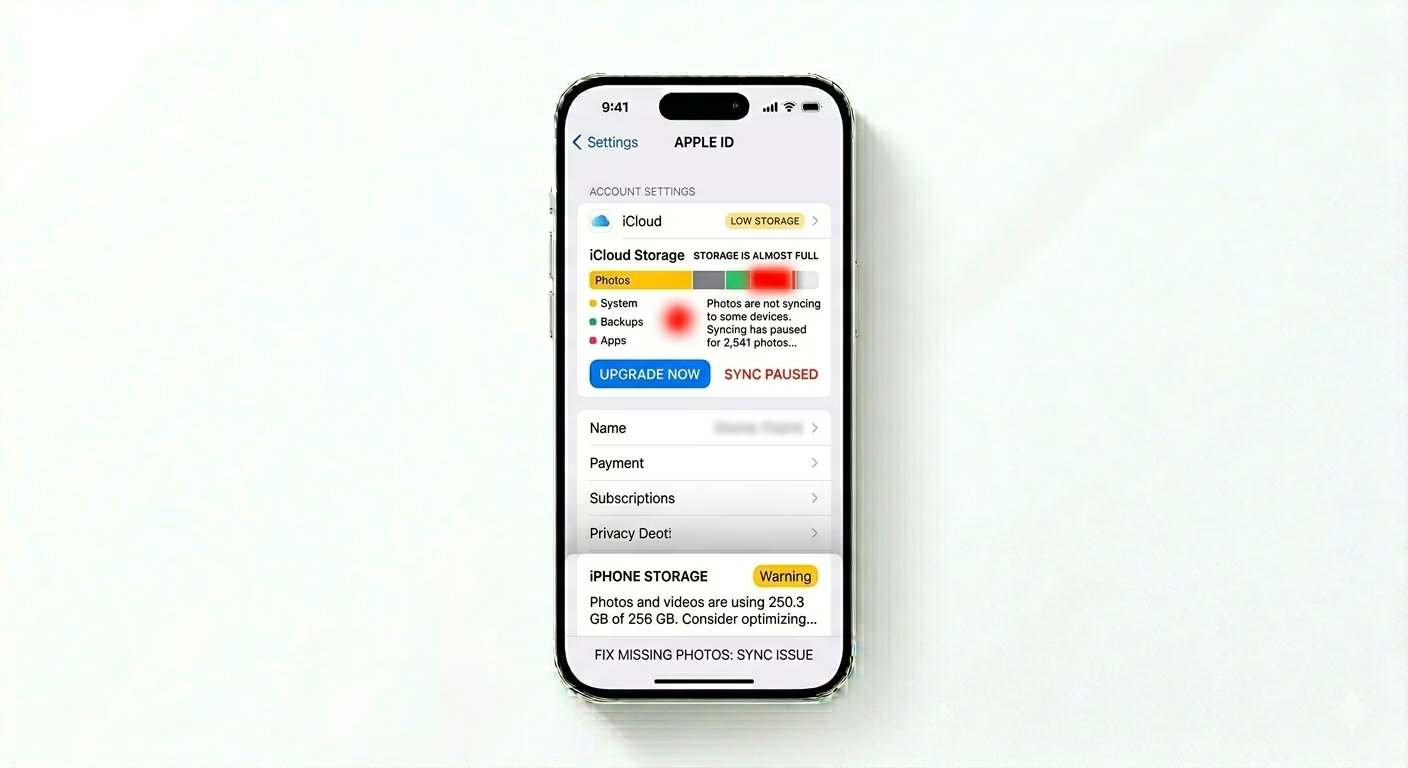
If you use multiple Apple IDs, your photos may be linked to a different account. Make sure the Apple ID in Settings > [Your Name] matches the one used for your iCloud Photos backup. Also check iPhone Storage; if your device is critically low on space (under 500MB), the Photos database may fail to load thumbnails properly, making it look like your photos are missing.
Why Do Photos Disappear?
- Accidental Deletion: Swiping and deleting without realizing it.
- Sync Interruption: Moving from one iPhone to another and stopping the iCloud download.
- Shared Library: If a photo was in a "Shared Library" and the owner deleted it, it will disappear for you too.
- Database Corruption: A rare iOS glitch that requires a library rebuild.
Pro Tips:
- Check "Shared with You": Sometimes photos sent via iMessage aren't saved to your library. Check the Shared with You section in the Photos app.
- Library Rebuild: If thumbnails are blank, try a Force Restart (Vol Up, Vol Down, Hold Side Button). This forces iOS to re-scan the media database.
- iCloud.com: Always check iCloud.com from a browser. If the photos are there, they are safe and will eventually sync back to your iPhone.
Frequently Asked Questions
How long do deleted photos stay in the trash?
Photos remain in the Recently Deleted album for 30 days. After that period, they are permanently deleted from both your device and iCloud.
What if my 'Hidden' album is also missing?
Go to Settings > Photos and make sure the Show Hidden Album toggle is turned ON. If it’s OFF, the Hidden album will not appear in the Photos app at all.