Quick Troubleshooting:
- Ensure "Do Not Disturb" or "Focus Mode" is turned off
- Check your Mute switch on the side of the device
- Verify that Wi-Fi or Cellular Data is active and stable
- Check if "Low Power Mode" is delaying background sync
Steps to Restore Real-Time Notifications
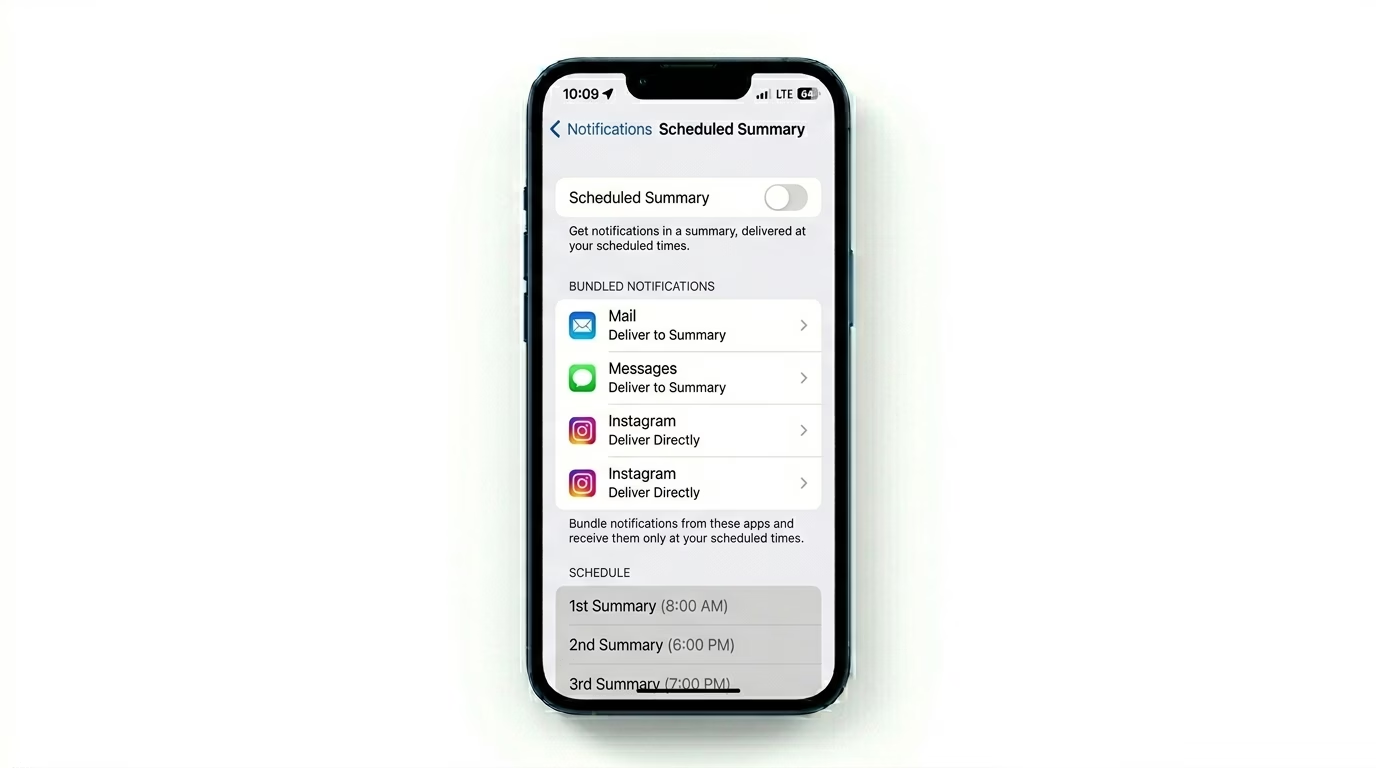
1 Disable Scheduled Summary
iOS has a feature that bundles non-urgent notifications to be delivered at a specific time. If you aren’t getting alerts instantly, go to Settings > Notifications > Scheduled Summary. If it’s ON, check if your important apps (like WhatsApp or Mail) are included in the summary. Turn it OFF for real-time delivery of all alerts.
2 Audit Your Focus Filters
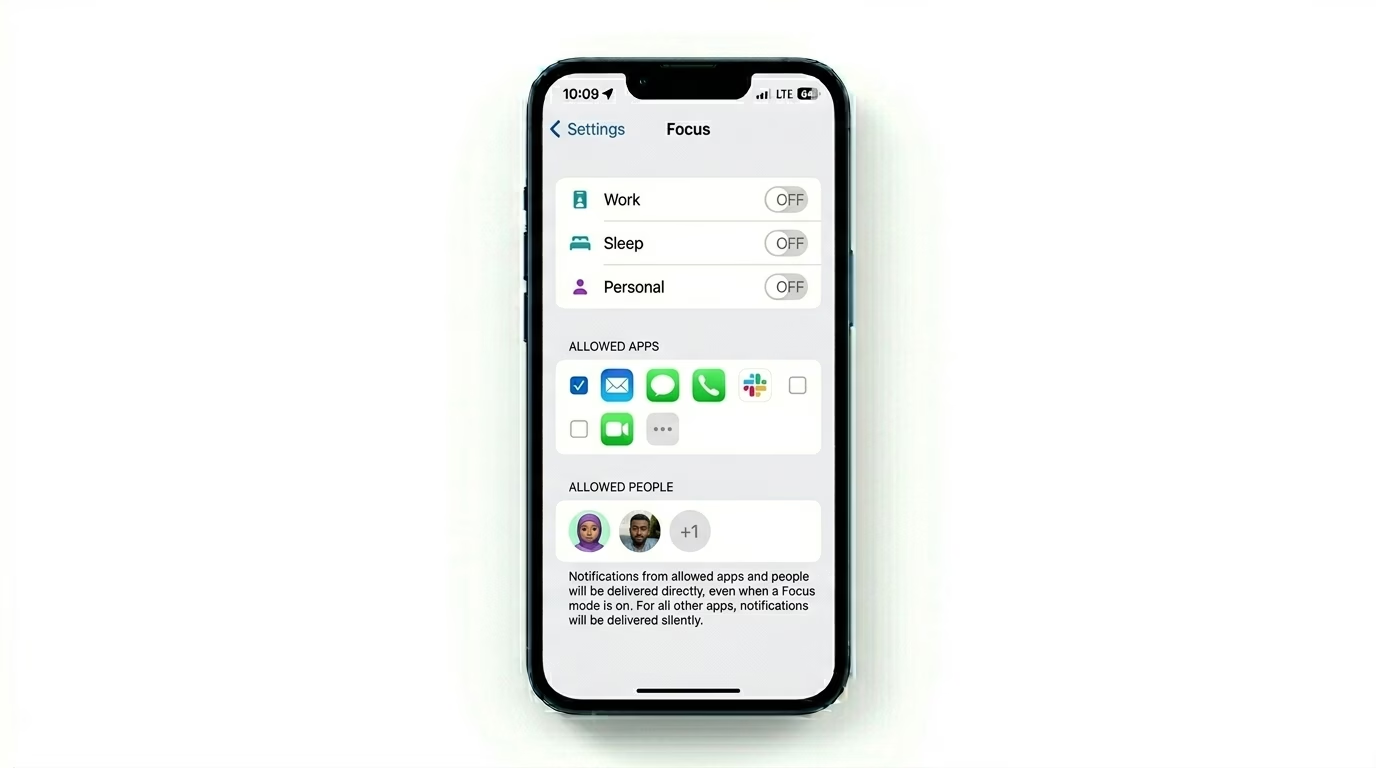
Focus modes (Work, Sleep, Personal) can sometimes block your notifications by default. Just head over to Settings > Focus. Tap your active Focus mode and check the People and Apps sections. Make sure your must-have contacts and apps are in the “Allowed” list, or simply turn off Focus mode from the Control Center to get all your alerts right away.
3 Reset Individual App Alerts
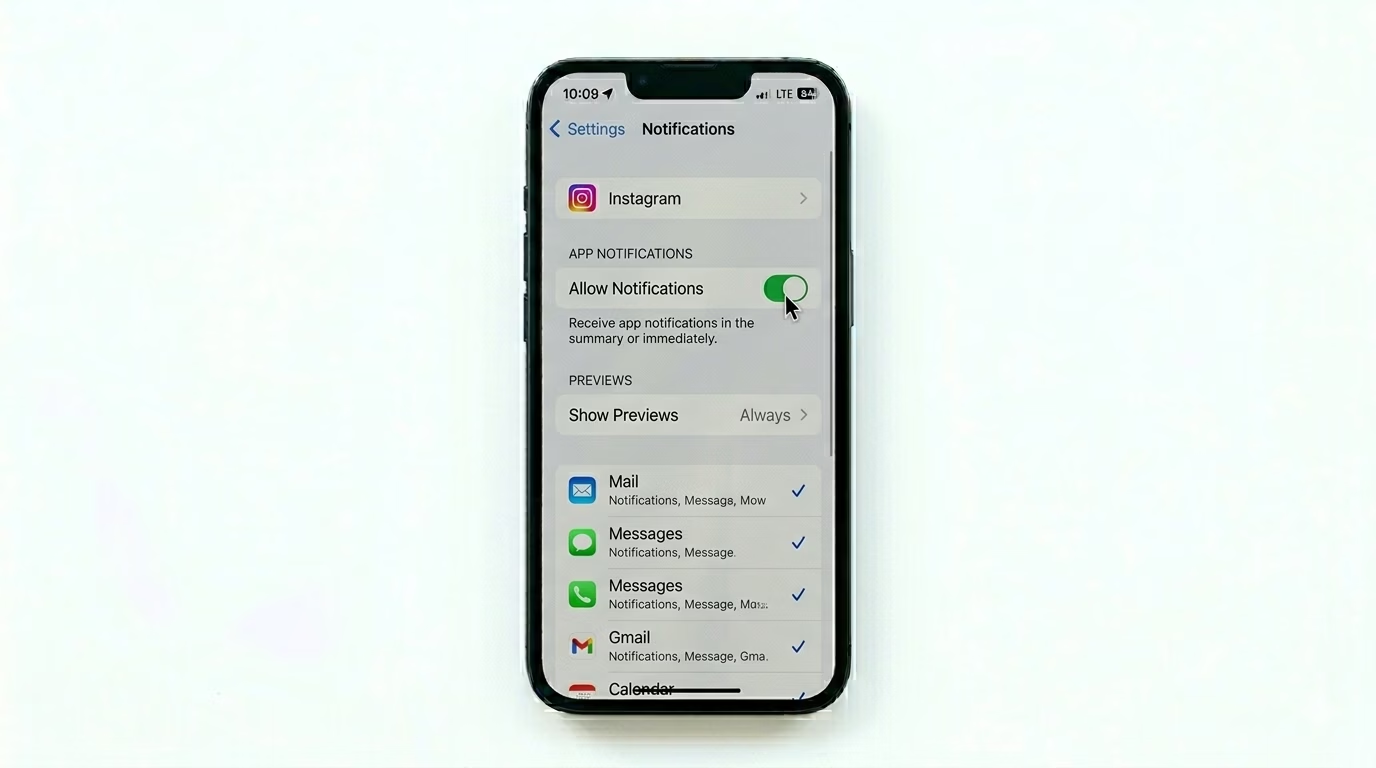
If just one app isn’t sending notifications, its notification token might be stuck. Go to Settings > Notifications, find that app, and toggle Allow Notifications OFF, then ON again. For security or home automation apps, also check that “Critical Alerts” is turned on if the option is available.
Why Are Alerts Missing?
- Background App Refresh: If disabled, apps can't check for new data.
- Connection Issues: A weak Wi-Fi signal can cause a "heartbeat" delay in alerts.
- Notification Silencing: The "Share Across Devices" setting might be silencing your iPhone because you are active on your iPad.
- Software Bug: A glitch in the iOS notification daemon (Springboard).
Pro Tips:
- Force Restart: A force restart (Vol Up, Vol Down, Hold Side Button) is often the only way to kickstart a stalled notification system.
- Show Previews: Go to Notifications > Show Previews and set it to "Always" if you want to see alert details even when the phone is locked.
- Check System Status: Sometimes the issue is on Apple's end (iCloud notification servers). Check the Apple System Status page online.
Frequently Asked Questions
Why do my notifications only show up when I unlock my phone?
This usually happens because of Low Power Mode or a strict Focus Mode. Your phone is putting the internet connection to sleep to save battery, and only wakes it up when you turn the screen on.
What are 'Critical Alerts'?
Critical Alerts go through even if your phone is muted or Do Not Disturb is on. They're reserved for important apps like medical, security, or emergency services.