Quick Fix:
- Ensure you are signed in with the same Apple ID on all devices
- Check if your Wi-Fi or Mobile Data is active
- Ensure "Contacts" is toggled ON in iCloud settings
- Restart your iPhone to refresh the background sync engine
Steps to Fix iCloud Contact Sync Issues
1 Refresh the Contacts Sync Toggle
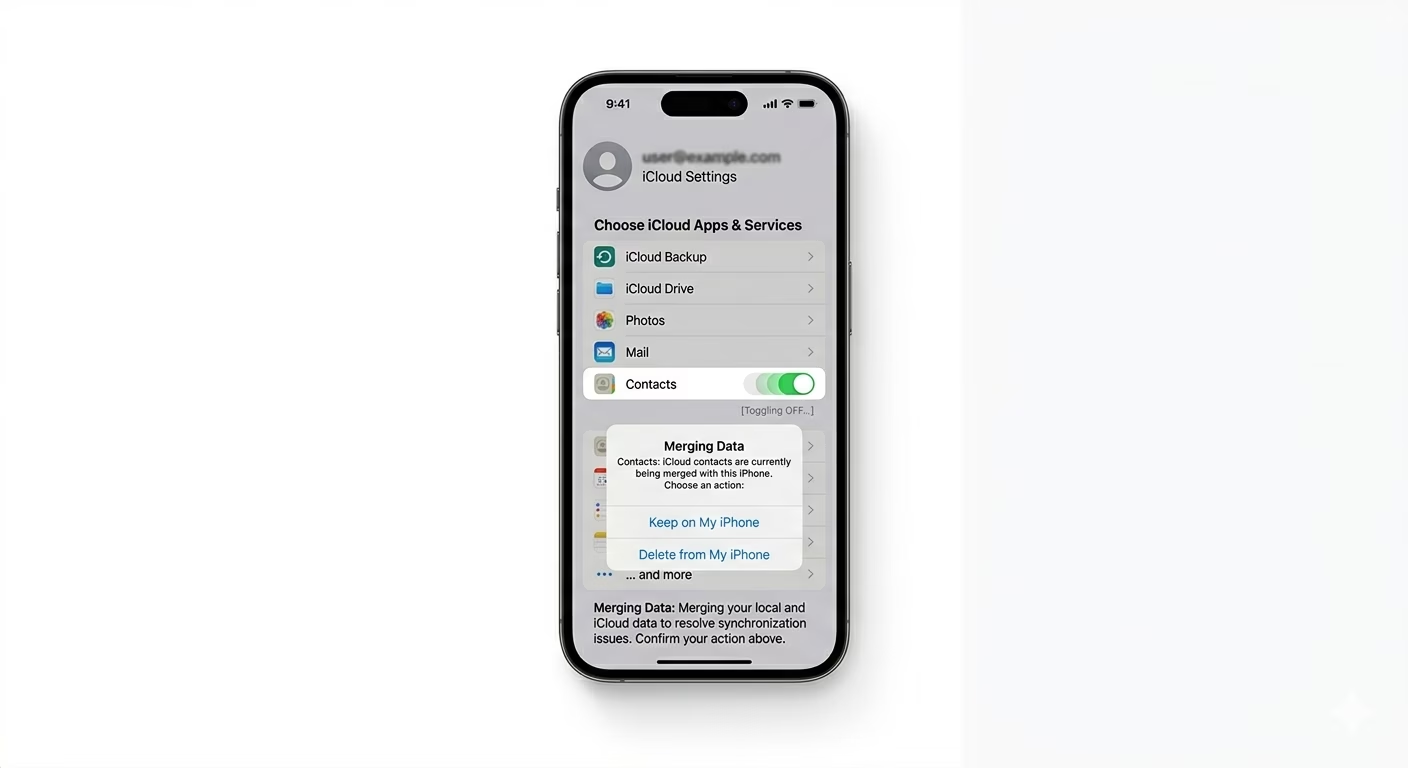
Sometimes the link between the Contacts app and iCloud gets stuck. Go to Settings > [Your Name] > iCloud > Show All, find Contacts, and turn it OFF. When asked, choose “Keep on My iPhone”. Wait 30 seconds, then turn Contacts back ON and select “Merge.” This forces iCloud to re-scan and combine your contacts from your phone and the cloud.
2 Change the Default Contact Account
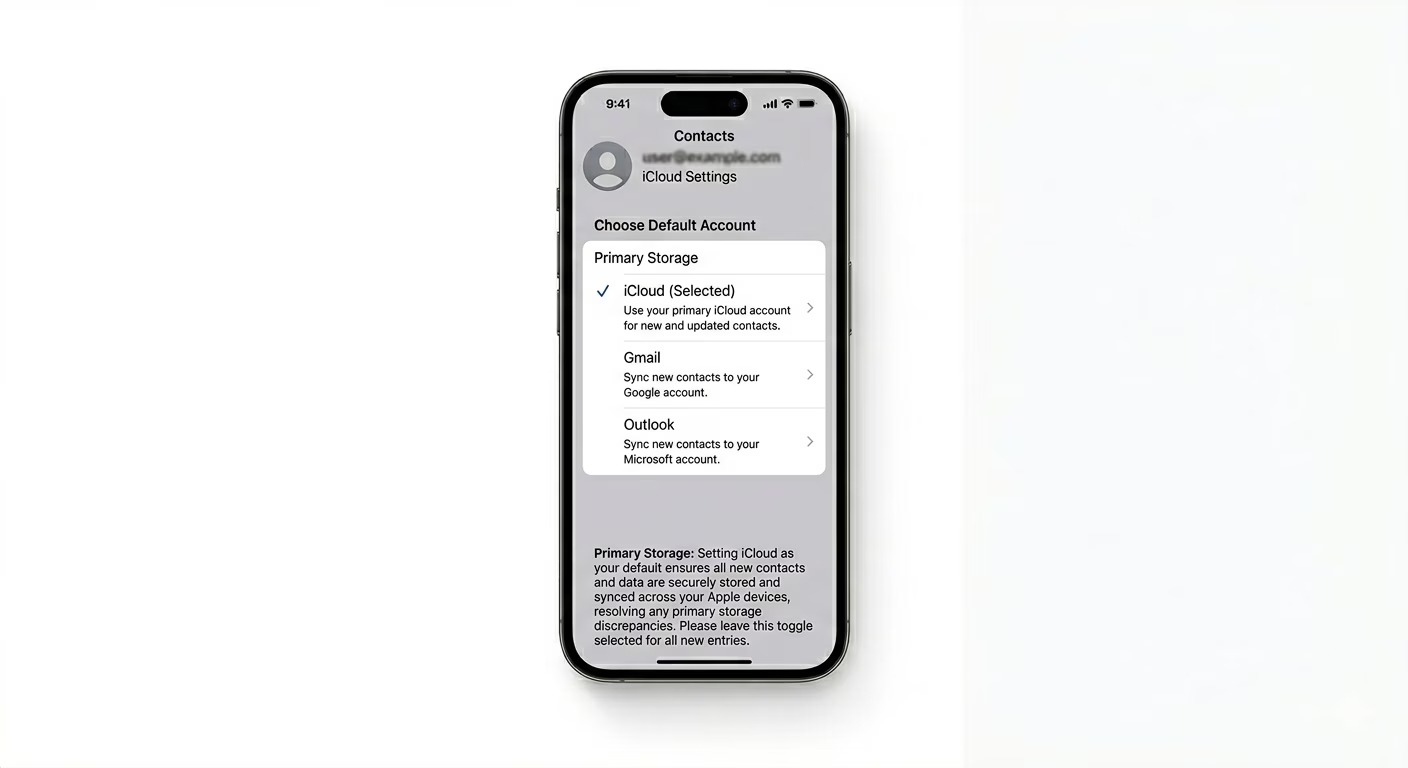
If you use Gmail or Outlook on your iPhone, new contacts might be saved there instead of iCloud. Go to Settings > Contacts > Default Account and make sure iCloud is selected. This way, every new contact you add will automatically sync to your Apple cloud storage.
3 Sign Out and Back into iCloud
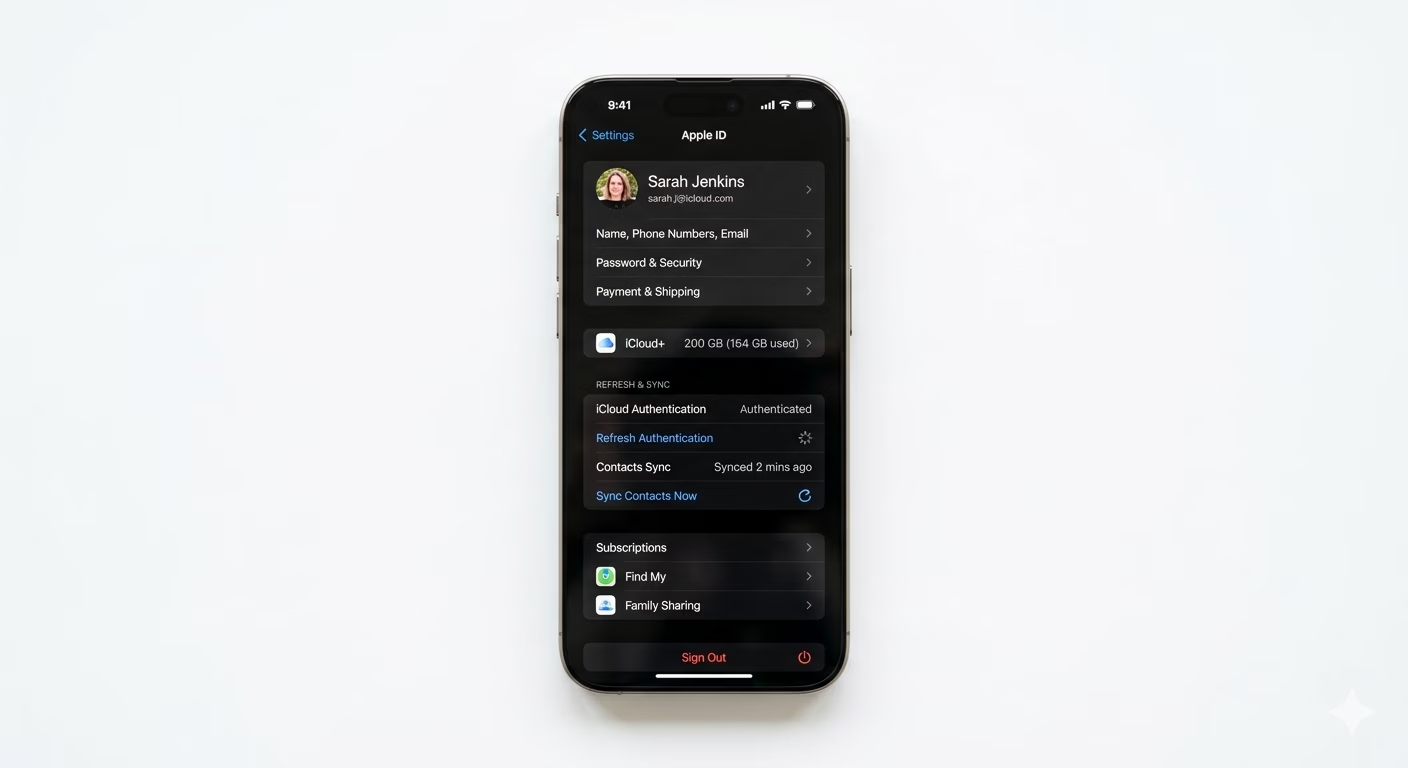
If resetting and changing the default account didn’t help, there might be an authentication problem with your Apple ID. Go to Settings > [Your Name] and tap Sign Out at the bottom. Restart your iPhone, then sign back in. This refreshes your security tokens and usually triggers a complete sync of your contacts, calendars, and notes.
Why This Happens?
- Contacts are being saved to a third-party account (Gmail/Outlook) by default
- Authentication issues with your Apple ID after a password change
- Low storage on iCloud preventing new data from being written
- Software glitches in the background "Address Book" sync process
Pro Tips:
- Check iCloud.com: Log in to iCloud via a browser to see which contacts are actually backed up. If they are there, the problem is with your other devices.
- Merge Duplicates: Use the "Duplicates Found" feature at the top of your Contacts app to clean up your list after a fresh sync.
- Avoid Multiple Accounts: Try to keep only one account (iCloud) for contacts to avoid confusion and "missing" names.
Frequently Asked Questions
Will I lose my contacts if I sign out of iCloud?
No, as long as you select “Keep on My iPhone” when asked. After you sign back in and choose “Merge,” all your contacts will be restored and synced correctly.
Why are some contacts missing names but showing numbers?
This usually happens when you remove the account (like a work email) that originally saved those contacts from your phone. Adding that account back will bring the contact names back too.