Quick Troubleshooting:
- Force close the Music app and relaunch it
- Check if Apple Music servers are online
- Verify your subscription is still active
- Ensure you have a stable internet connection
Steps to Restore the Music App Performance
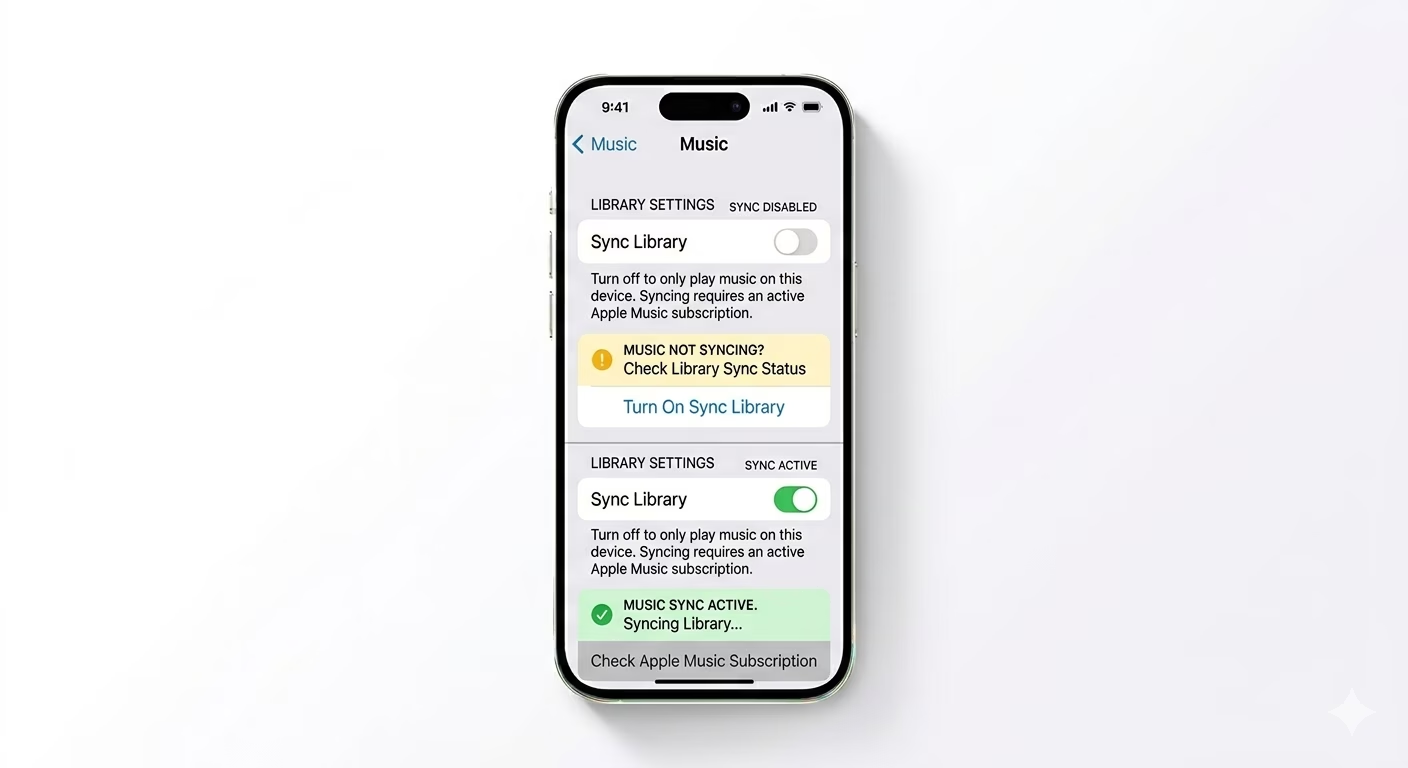
1 Re-Sync Your Music Library
If your songs are missing or your library appears empty, the sync connection may be interrupted. Go to Settings > Apps > Music. Toggle Sync Library OFF, wait a few seconds, then turn it back ON. This forces your iPhone to re-sync and re-download your playlists and saved tracks from iCloud.
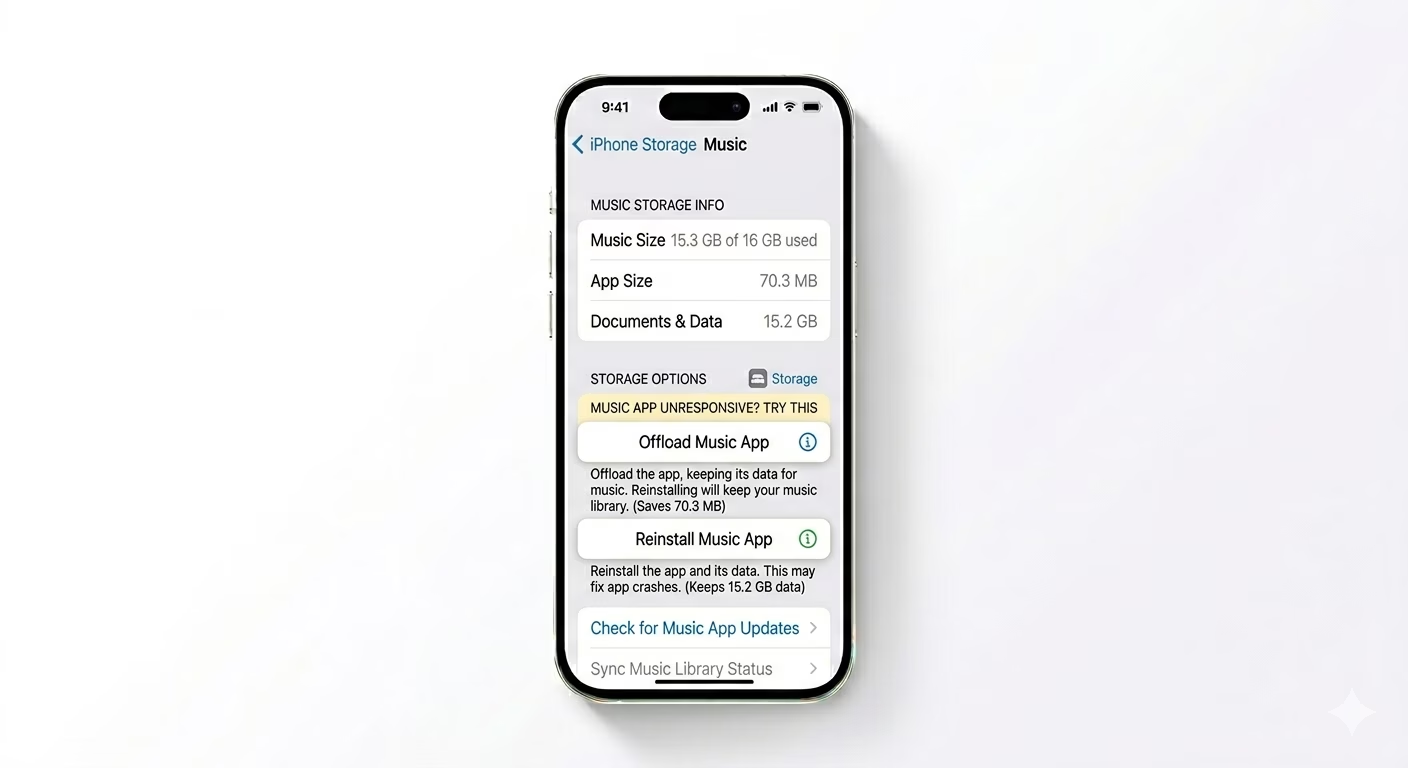
2 Flush Corrupted App Data
If the app keeps crashing, it may be dealing with corrupted temporary files. Go to Settings > General > iPhone Storage > Music. Tap Offload App. This removes the app code while keeping your library data intact. Then tap Reinstall App to download a fresh, clean version of the Music app from the App Store.
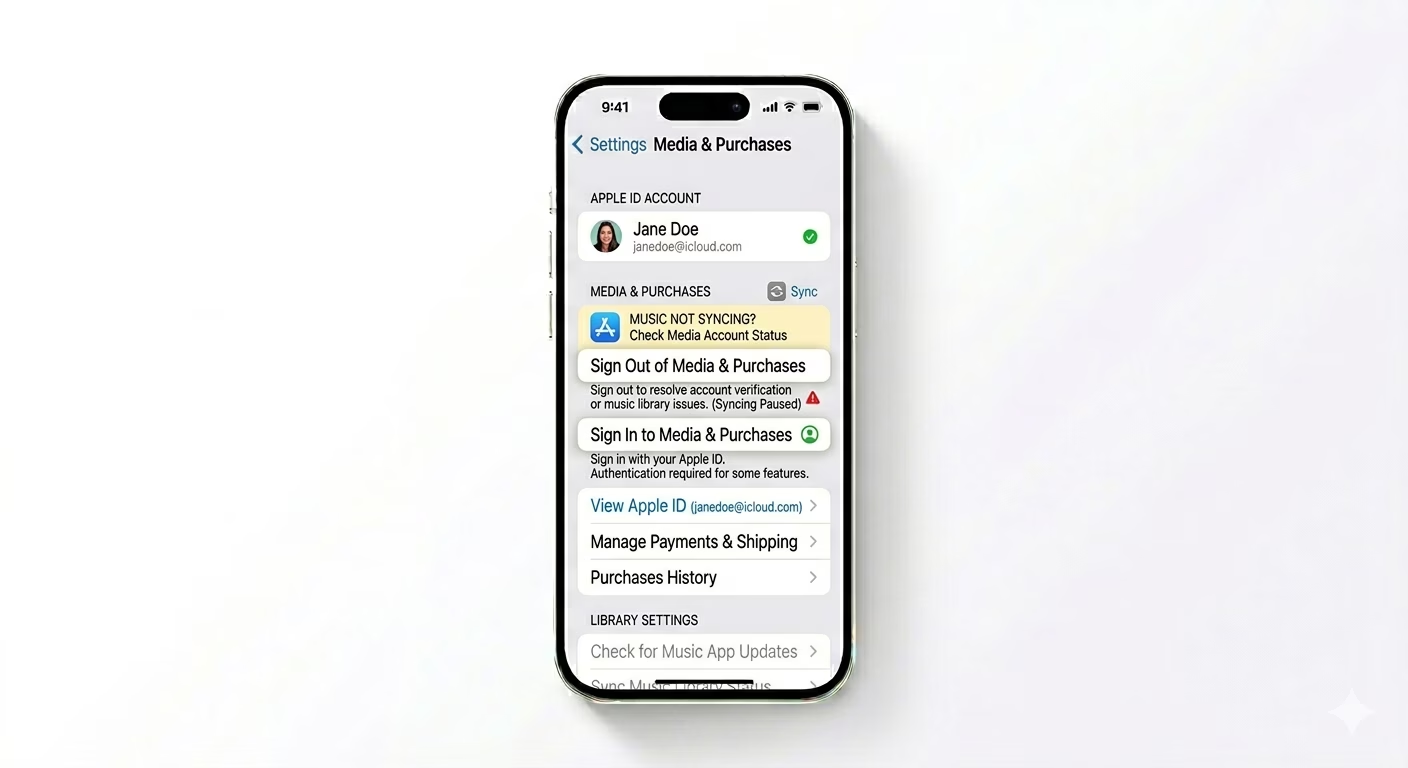
3 Reset Apple ID Authentication
Sometimes the Music app runs into issues due to an Apple ID authentication glitch. Go to Settings > [Your Name] > Media & Purchases. Tap Sign Out, then sign back in. This refreshes your digital licenses and often fixes "This song is not available" or playback restriction errors.
Why is My Music Not Working?
- Storage Constraints: The app needs cache space to buffer and play high-quality tracks.
- Region Restrictions: Some songs may be removed from your region due to licensing.
- iOS Beta Bugs: If you are on a beta version, app stability can be compromised.
- Network Throttling: Some public Wi-Fi networks block high-bandwidth music streaming.
Pro Tips:
- Force Restart: If the app is totally frozen, perform a Force Restart (Vol Up, Vol Down, Hold Side Button) to clear the system RAM.
- Check Restrictions: Ensure the Music app isn't restricted in Settings > Screen Time > Content & Privacy Restrictions.
- Update iOS: Apple often releases "Modem Firmware" and app patches in iOS updates that fix playback bugs.
Frequently Asked Questions
Will offloading the app delete my downloaded songs?
Yes, offloading or deleting the app removes locally downloaded files, but your Library and Playlists stay safe in the cloud and reappear once you reinstall and sign back in.
Why does the music stop randomly?
This is often caused by a poor internet connection or Low Power Mode restricting background data usage. Try turning off Low Power Mode while streaming to improve playback stability.