Quick Fix:
- Toggle Airplane Mode ON, wait 10 seconds, and turn it OFF
- Restart your iPhone twice to refresh carrier logs
- Ensure Cellular Data is toggled ON in Settings
- Check if you have an active data plan with your provider
Steps to Fix Cellular Data Issues
1 Check for Carrier Settings Update
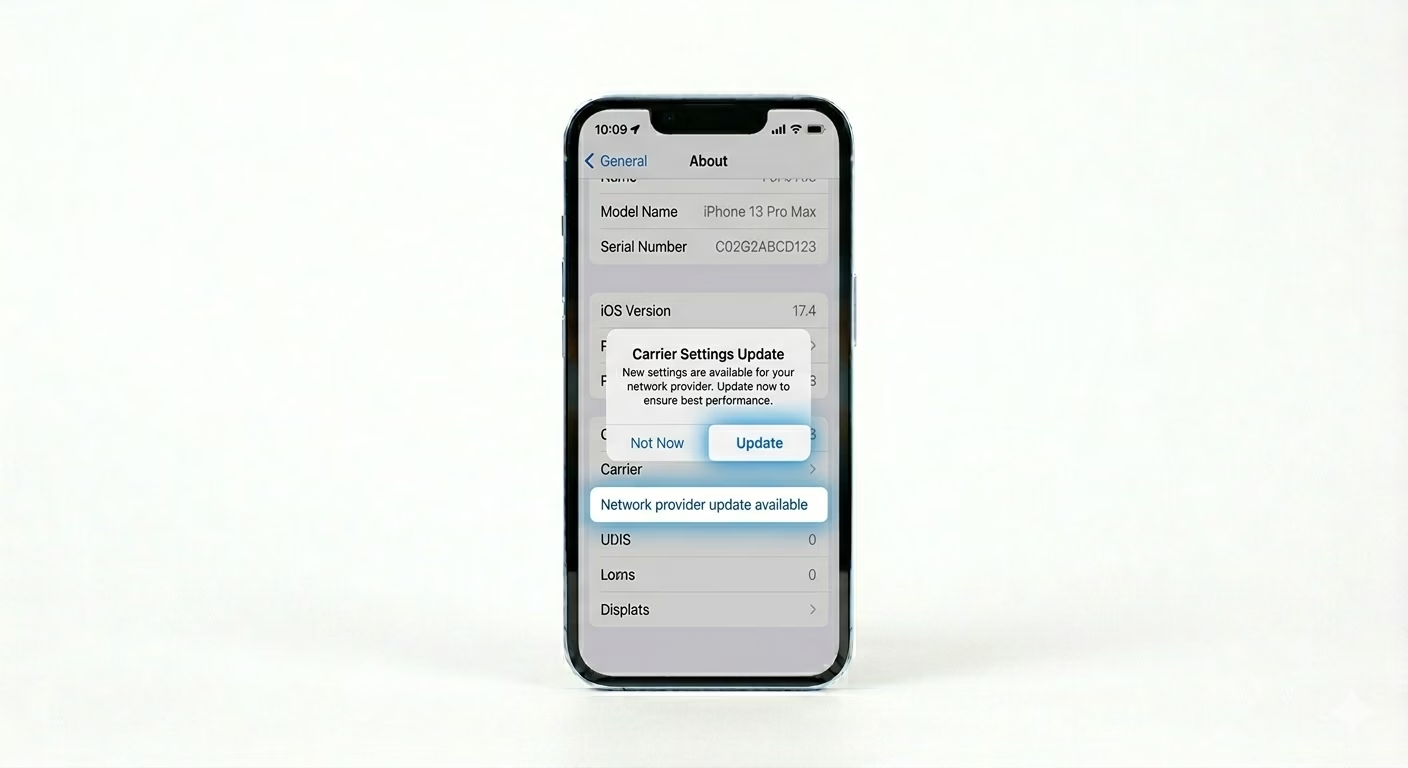
Carriers often send out small updates to help your phone work better on their network. Go to Settings > General > About and stay there for 15–30 seconds. If you see a popup that says “Carrier Settings Update.” tap Update to refresh your network settings.
2 Reseat the SIM Card
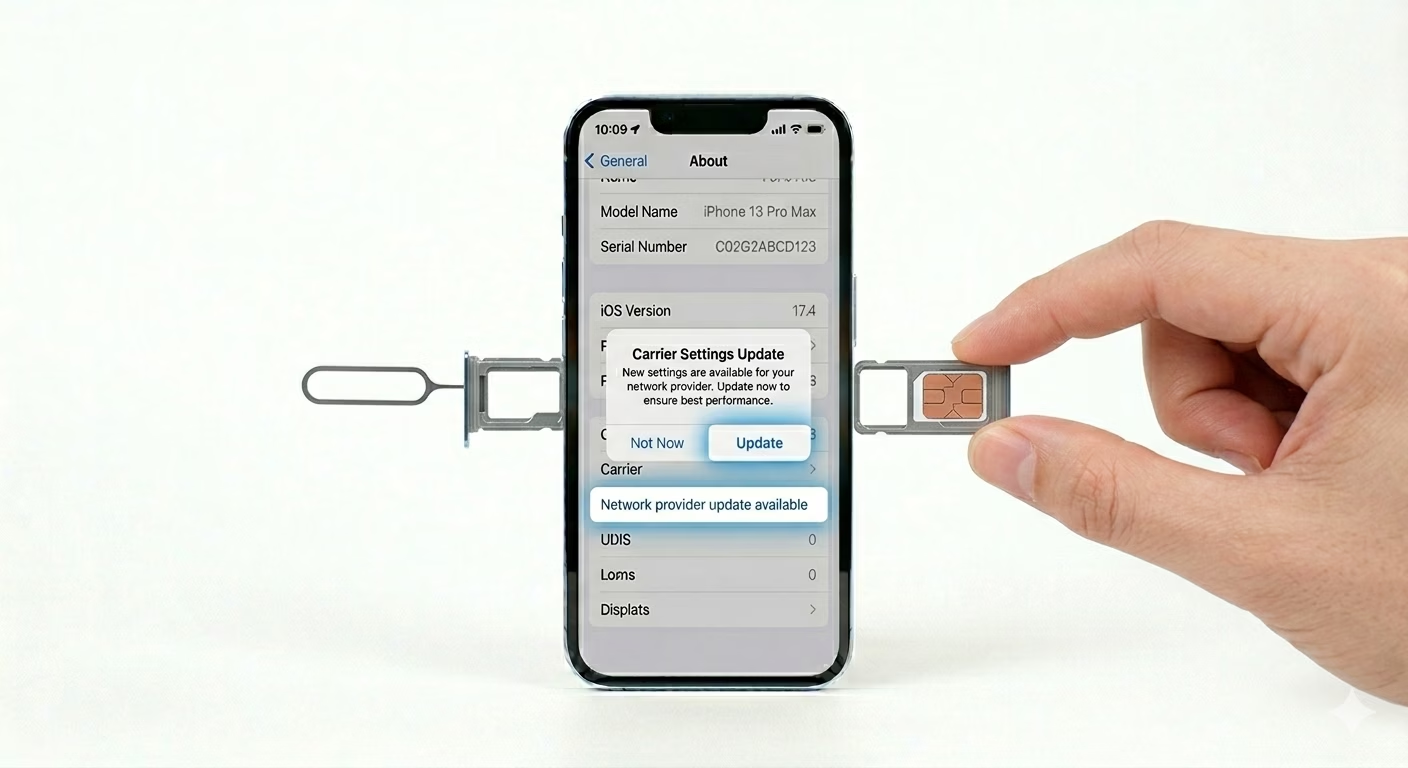
A loose or dusty SIM card can make your data connection drop. Use a SIM ejector tool to take out the tray, wipe the gold part of the SIM with a dry cloth, and put it back in firmly. For eSIM users, go to Settings > Cellular and make sure your eSIM line is turned “ON” and set as your main data line.
3 Perform a Network Reset
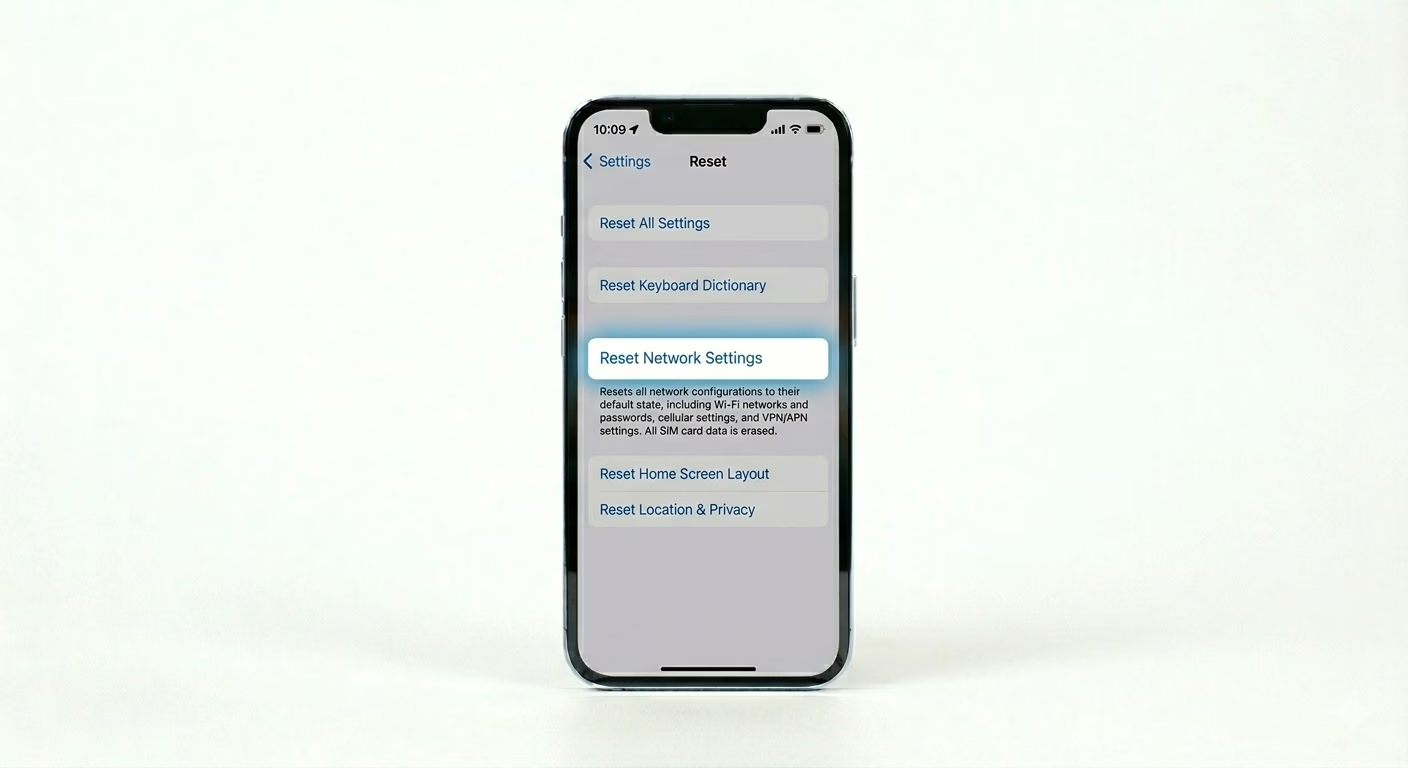
If your iPhone’s cellular data software is corrupted, you’ll need to reset it. Go to Settings > General > Transfer or Reset iPhone > Reset > Reset Network Settings. This will clear your carrier logs, APN settings, and Wi-Fi passwords. After your phone restarts, it will automatically download the right data settings from your carrier.
Why This Happens?
- Temporary tower maintenance in your local area
- Outdated carrier settings incompatible with current iOS
- Incorrect APN configurations after a travel or SIM swap
- Hardware failure of the baseband/cellular modem chip
Pro Tips:
- Data Roaming: If you are traveling, ensure Data Roaming is toggled ON in Settings > Cellular > Cellular Data Options.
- 5G Auto: Set your Voice & Data to "5G Auto" or "LTE". Sometimes a weak 5G signal can cause data to hang; forcing LTE can provide a more stable link.
- Check VPN: A stuck VPN can block all cellular traffic. Disable any VPN apps to test the connection.
Frequently Asked Questions
Why is my data slow even with 4 bars of signal?
This is often caused by “Network Congestion” or “Throttling.” Your carrier may slow down your data if you’ve hit your monthly usage limit or if a lot of people are using the same cell tower at once.
What does 'No Service' vs 'Searching' mean?
“No Service” means you’re out of range, while “Searching” means your iPhone is trying to find a signal but can’t connect to the tower—often because of a SIM or software issue.