Symptoms of Infection:
- Sudden and extreme battery drain or overheating
- Unfamiliar apps appearing on your home screen
- Constant pop-up ads appearing even when the browser is closed
- Unexpected spikes in cellular data usage
Steps to Clean and Secure Your iPhone
1 Audit and Delete Unknown Apps
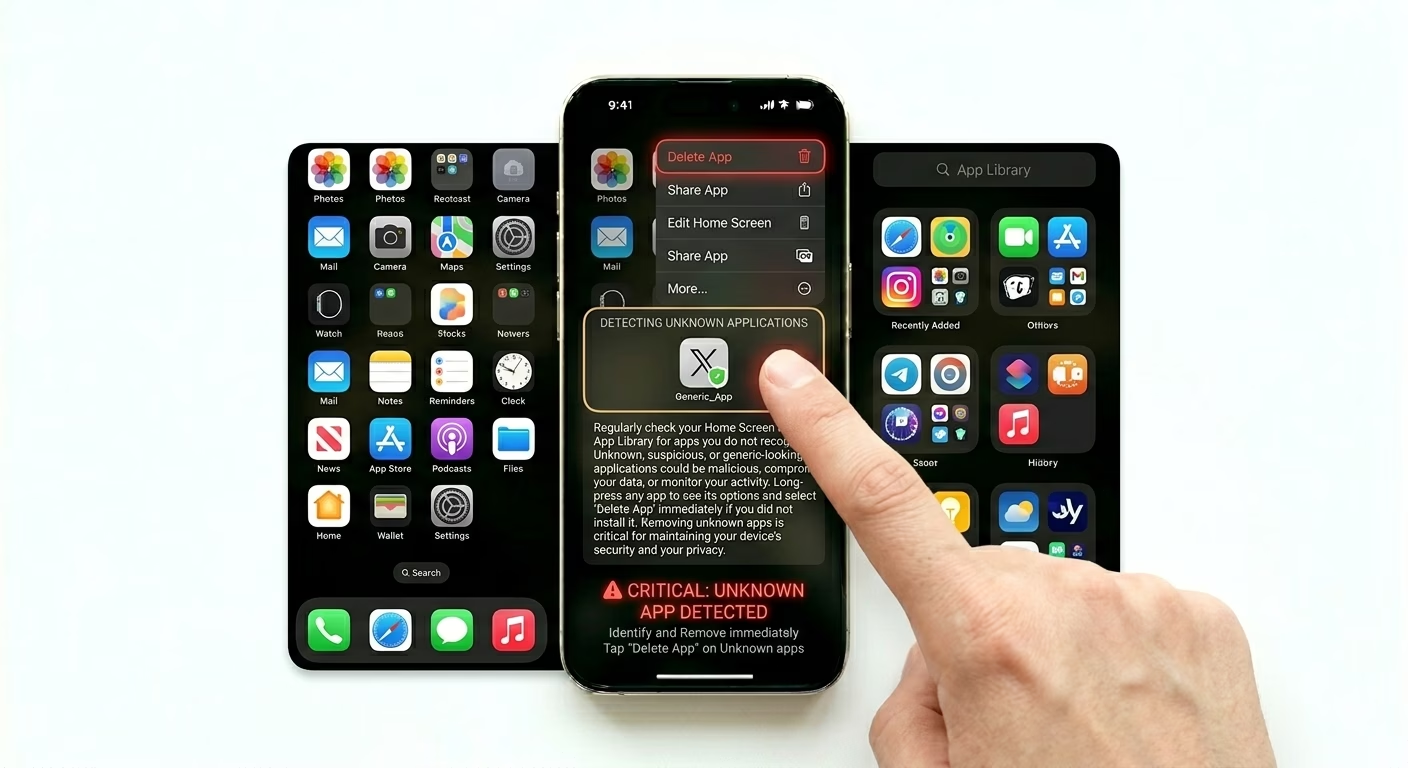
Malware often hides in “free” utility apps like flashlight tools, document converters, or third-party keyboards. Go through all the apps on your home screen and in your App Library. If you find anything you didn’t install yourself, long-press the app icon and choose Remove App > Delete App. This is your first step to getting rid of malicious software.
2 Flush Browser Scripts and Profiles
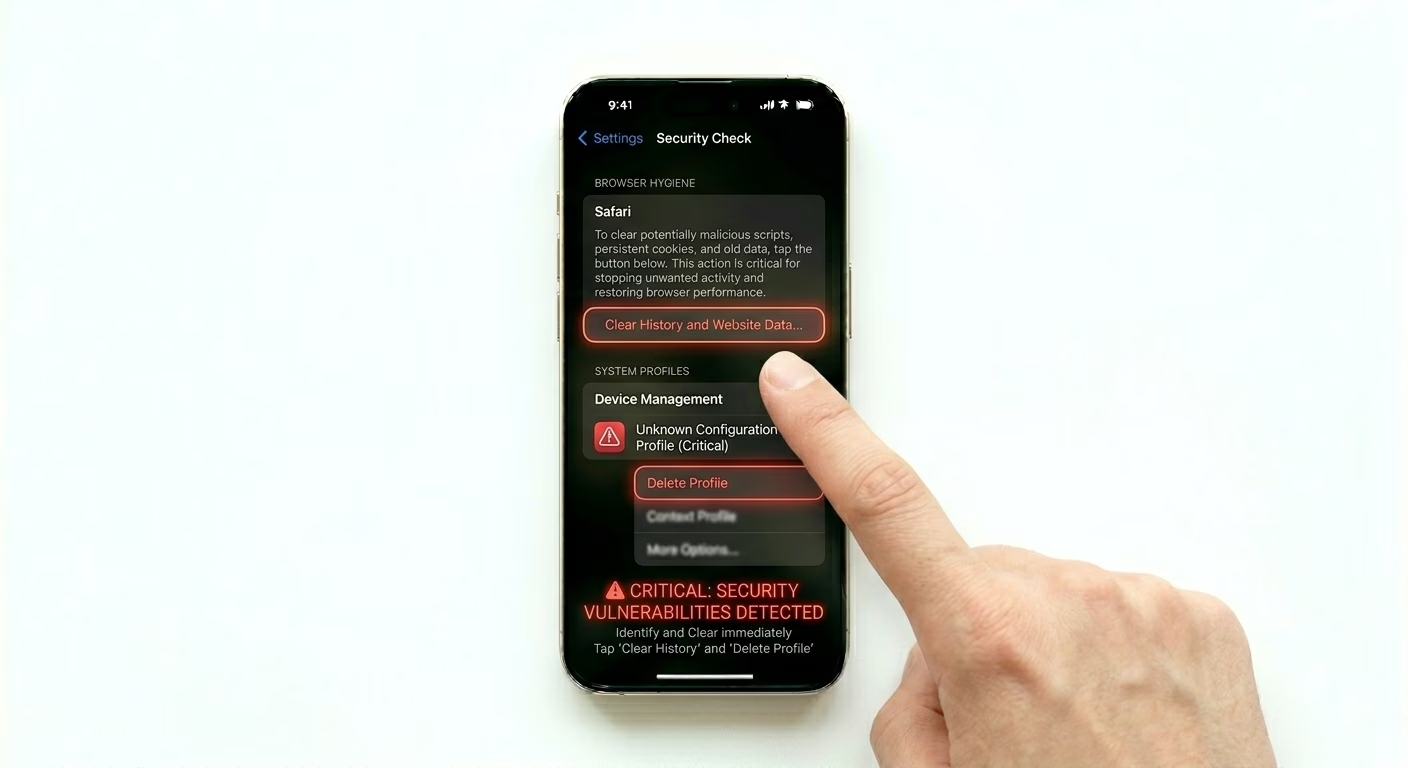
Most “iPhone viruses” are just malicious browser scripts. Go to Settings > Apps > Safari and tap Clear History and Website Data. Then, check for suspicious system profiles by going to Settings > General > VPN & Device Management. If you see any profiles you don’t recognize, delete them right away—these can bypass iOS security.
3 Install Latest Security Updates
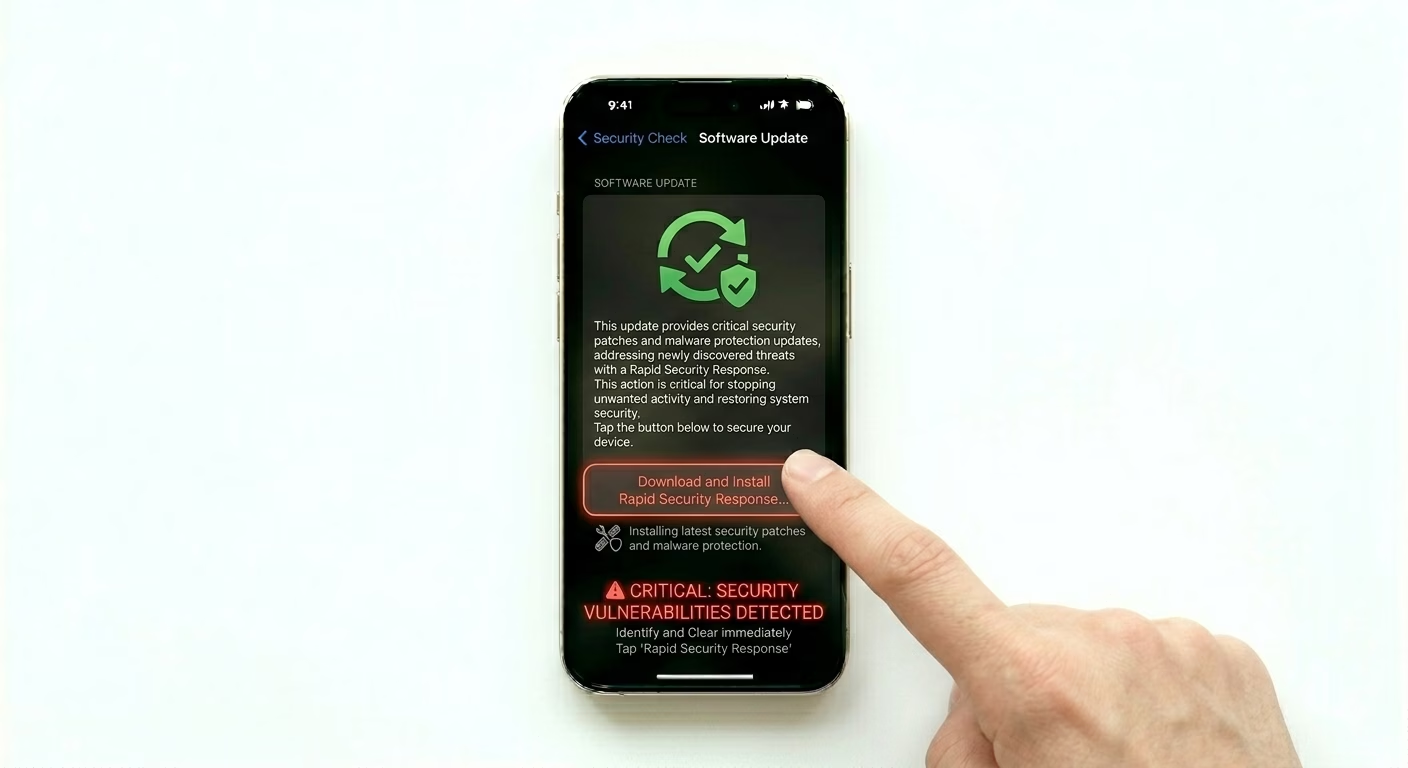
Apple releases “Rapid Security Responses” to fix malware vulnerabilities quickly. Go to Settings > General > Software Update and make sure your iPhone is running the latest iOS version. These updates include the newest protections against viruses and patch security holes that malware could use to infect your device.
How Malware Enters?
- Jailbreaking: Removing iOS restrictions allows unverified apps to run.
- Malicious Profiles: Installing "Beta" or "Market" profiles from the web.
- Phishing Links: Clicking on suspicious links in SMS or Emails.
- Unsecured Wi-Fi: Using public networks that allow man-in-the-middle attacks.
Pro Tips:
- Lockdown Mode: If you are a high-risk target, enable Lockdown Mode in Privacy settings for extreme protection.
- App Tracking Transparency: Always deny tracking requests from apps you don't trust to keep your data private.
- Safety Check: Periodically run Settings > Privacy & Security > Safety Check to see which apps have access to your data.
Frequently Asked Questions
Do I need an Antivirus app for my iPhone?
Generally, no. Due to “sandboxing,” apps can’t scan or access each other on iOS. Most antivirus apps for iPhone are just web filters. Keeping your iOS updated is the best way to stay protected.
What is 'Sandboxing'?
Sandboxing is a security feature where each app runs in its own separate “box.” This isolation means that if a virus infects one app, it can’t access your photos, messages, or other apps—keeping the rest of your device safe.