Quick Speed Boost:
- Force quit the lagging app and reopen it
- Check for app updates in the App Store
- Ensure your iPhone has at least 10% free storage space
- Restart your iPhone to clear temporary background processes
Steps to Fix App Performance & Lag
1 Clear RAM with a Force Restart
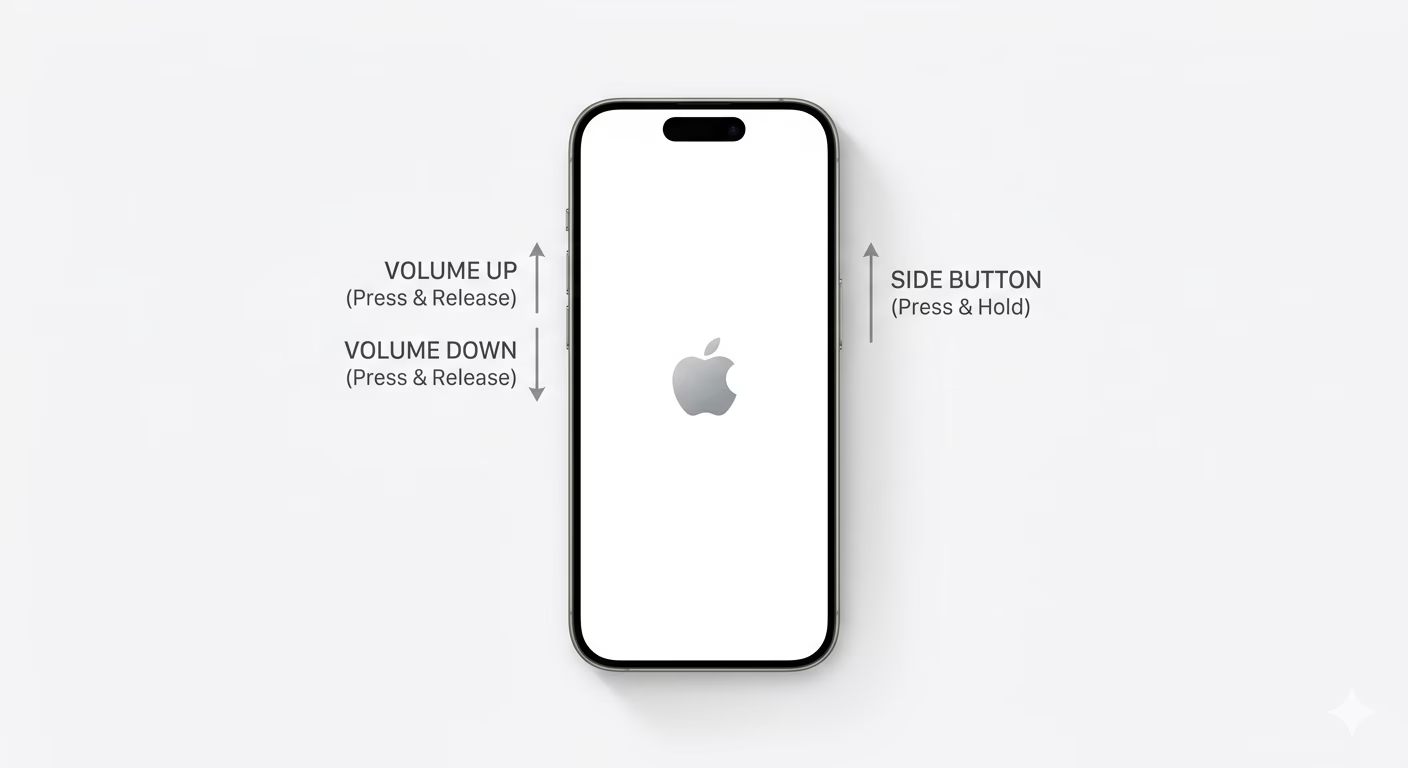
If your apps are lagging, your iPhone’s RAM might be clogged with background tasks. To clear it, quickly press Volume Up, then Volume Down, then hold the Side Power Button until you see the Apple logo. This hard reset clears the temporary memory cache—without deleting your data—and usually makes apps run much faster.
2 Disable Background App Refresh
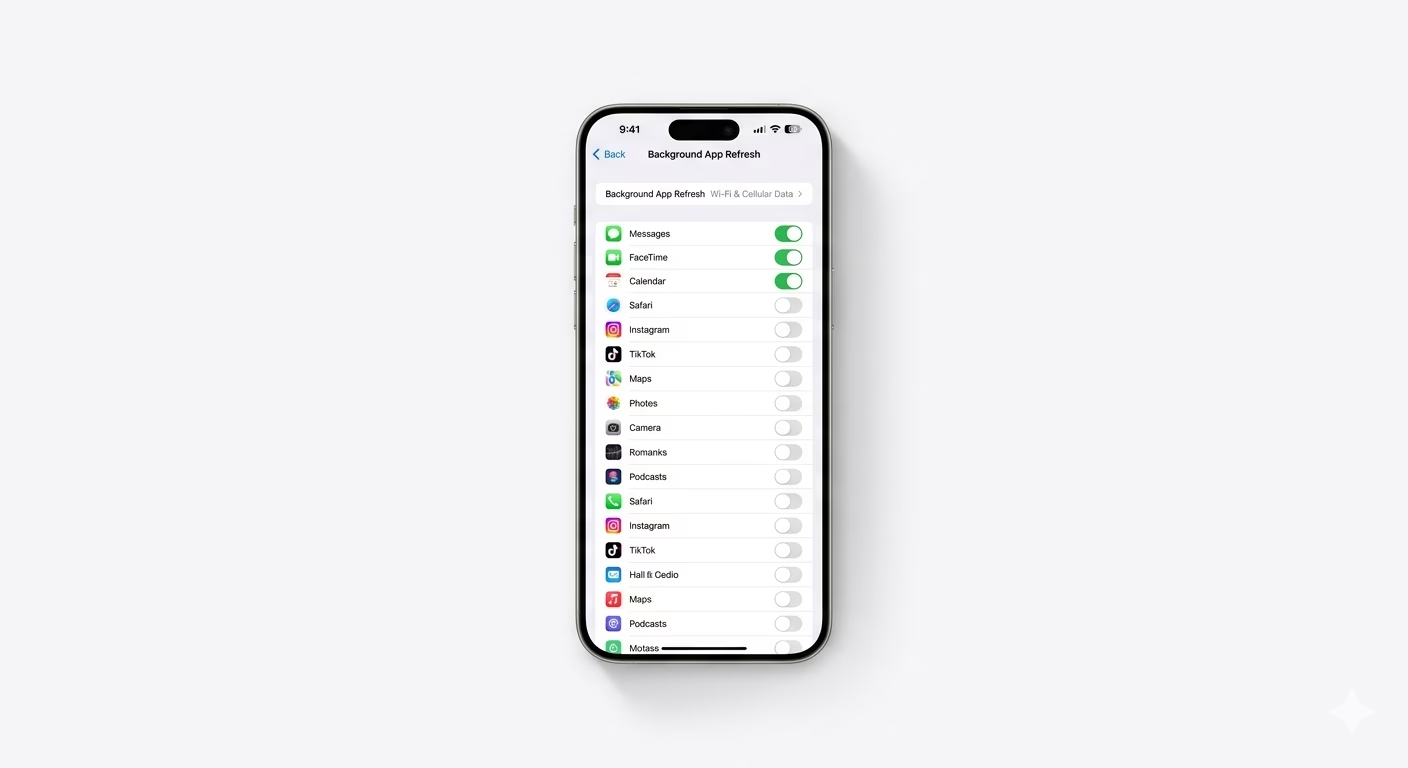
Too many apps running in the background can slow down the one you’re using. Go to Settings > General > Background App Refresh. You can turn it off completely or allow only essential apps (like Maps or Mail). This cuts down on CPU usage and helps heavy apps like games or video editors run smoother.
3 Reset All Settings (No Data Loss)
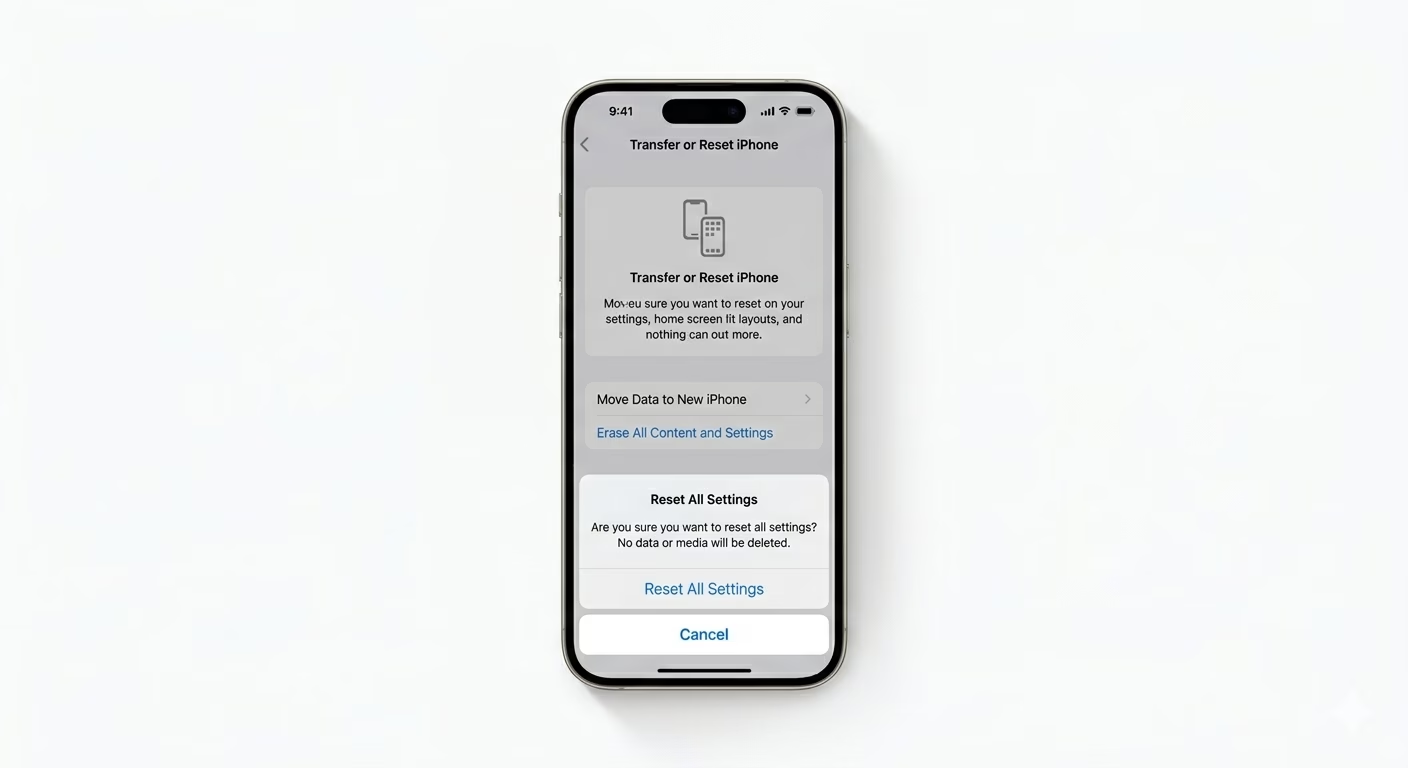
If lag continues in all your apps, there might be a corrupted system setting. Go to Settings > General > Transfer or Reset iPhone > Reset > Reset All Settings. This will reset your preferences (like Wi-Fi passwords, wallpaper, and alerts) but won’t delete your photos or apps. It’s a strong fix for deep software lag.
Why Are My Apps Lagging?
- Low Storage: iPhone needs "breathing room" to move data around.
- Outdated iOS: Old software might struggle with newer app versions.
- Battery Health: If your battery health is below 80%, iOS may throttle performance to prevent crashes.
- Overheating: The iPhone CPU slows down (thermal throttling) when it gets too hot.
Pro Tips:
- Reduce Motion: Go to Settings > Accessibility > Motion and toggle on Reduce Motion to make the UI feel snappier.
- Delete & Reinstall: If only one specific app is lagging, delete it and reinstall it from the App Store to clear its internal corrupted cache.
- Check Battery: Review Settings > Battery > Battery Health & Charging. If it says "Peak Performance Capability" is not supported, it's time for a battery replacement.
Frequently Asked Questions
Will clearing my RAM delete my open tabs?
No, a force restart just closes your apps. When you reopen your browser, your tabs will still be there. It only clears the active memory, not your saved data.
Does Low Power Mode cause lag?
Yes. Low Power Mode slows down the CPU and turns off smooth animations to save battery, which can make apps feel laggy or less responsive.