Quick Fix:
- Perform a Force Restart immediately
- Check for a pending iOS software update
- Remove your SIM card to check for signal-related crashes
- Ensure your iPhone isn't overheating
Steps to Fix iPhone Restart Loop
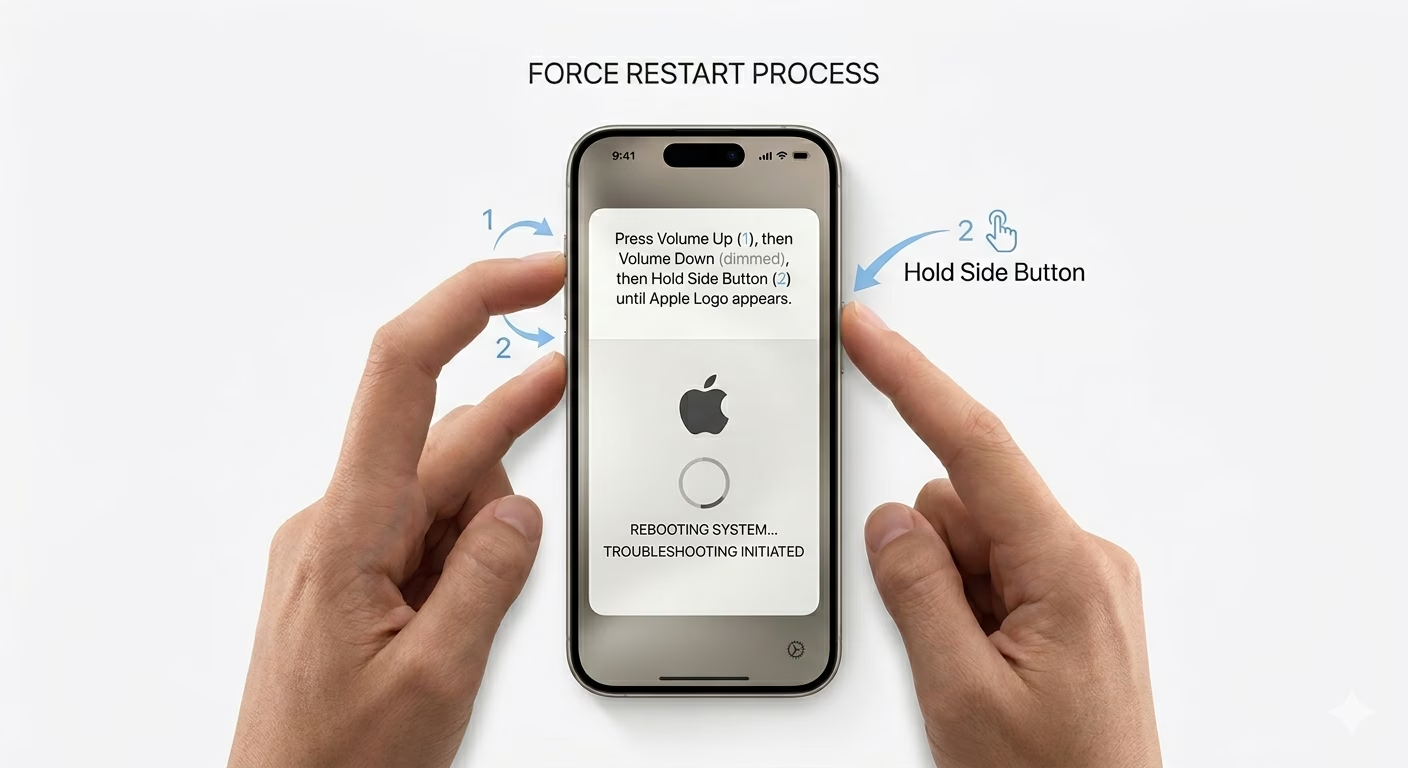
1 Force Restart Your iPhone
A force restart can fix temporary system errors that might be making your iPhone restart over and over. Quickly press and release the Volume Up button, then the Volume Down button, and finally press and hold the Side Button until you see the Apple logo. This simple step often stops the restart loop.
2 Inspect Battery Health Settings
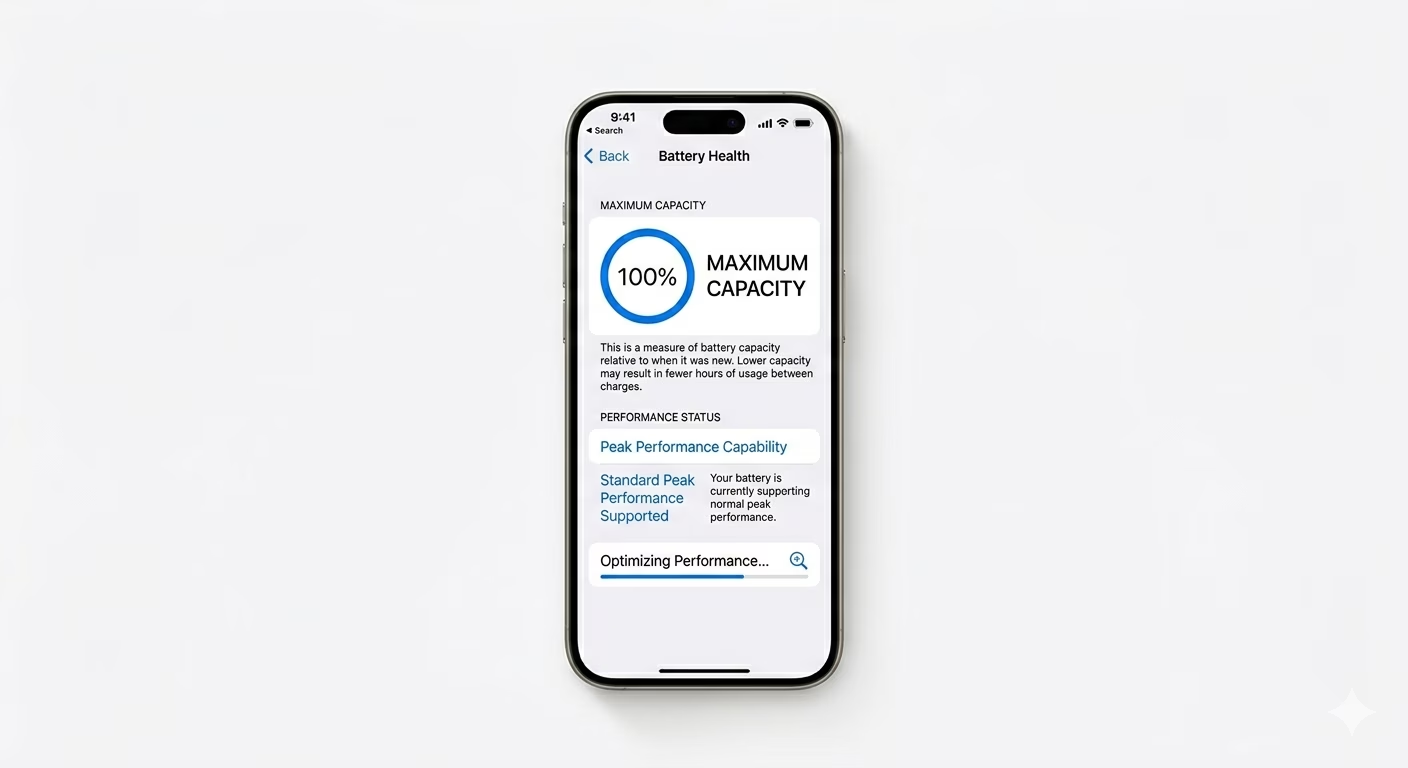
If your battery is worn out, it might not give your iPhone enough power, which can make it shut down unexpectedly. Go to Settings > Battery > Battery Health & Charging. If the "Maximum Capacity" is below 80% or you see a message about "Peak Performance Capability," it’s probably time to replace your battery.
3 Reset All Settings (No Data Loss)
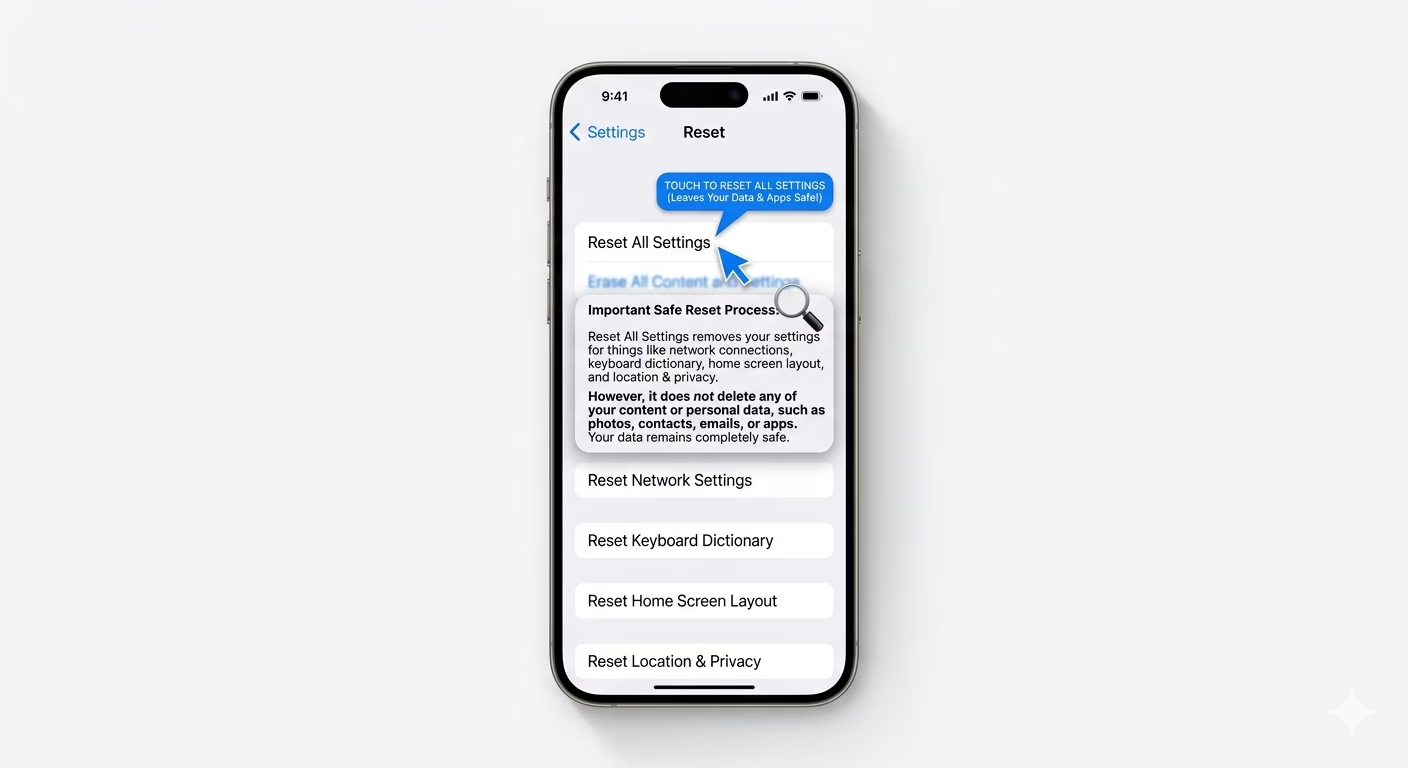
Sometimes, problems with your system settings or network setup can make your iPhone restart unexpectedly. To fix this, go to Settings > General > Transfer or Reset iPhone > Reset > Reset All Settings. This will put your settings back to default (like Wi-Fi passwords and wallpaper) but will not delete your photos or apps.
Why This Happens?
- Corrupted software after an interrupted update
- Low storage space preventing the OS from functioning
- Aging battery unable to handle system tasks
- Hardware fault in the logic board or charging port
Pro Tips:
- Update to the latest iOS; Apple often releases patches for known rebooting bugs.
- Check Settings > Privacy > Analytics > Analytics Data. If you see many "Panic Full" logs, it usually indicates a hardware problem.
- Free up at least 5GB of storage to prevent system-level crashes.
Frequently Asked Questions
Is my iPhone restarting because it's hacked?
It’s very unlikely that a restart loop is caused by a security breach. Most of the time, these problems happen because of software bugs or hardware issues, like a stuck power button or an old battery.
What if my phone only restarts while charging?
If your iPhone keeps having charging issues, it’s often because of a bad charging cable or port. Try using an original Apple cable and a different wall adapter to check if the problem goes away.