Quick Fix:
- Move closer to your Wi-Fi router
- Toggle Wi-Fi OFF and ON in the Control Center
- Restart your iPhone and your Router
- Check if your phone is in Low Power Mode
Steps to Fix Wi-Fi Dropping Issues
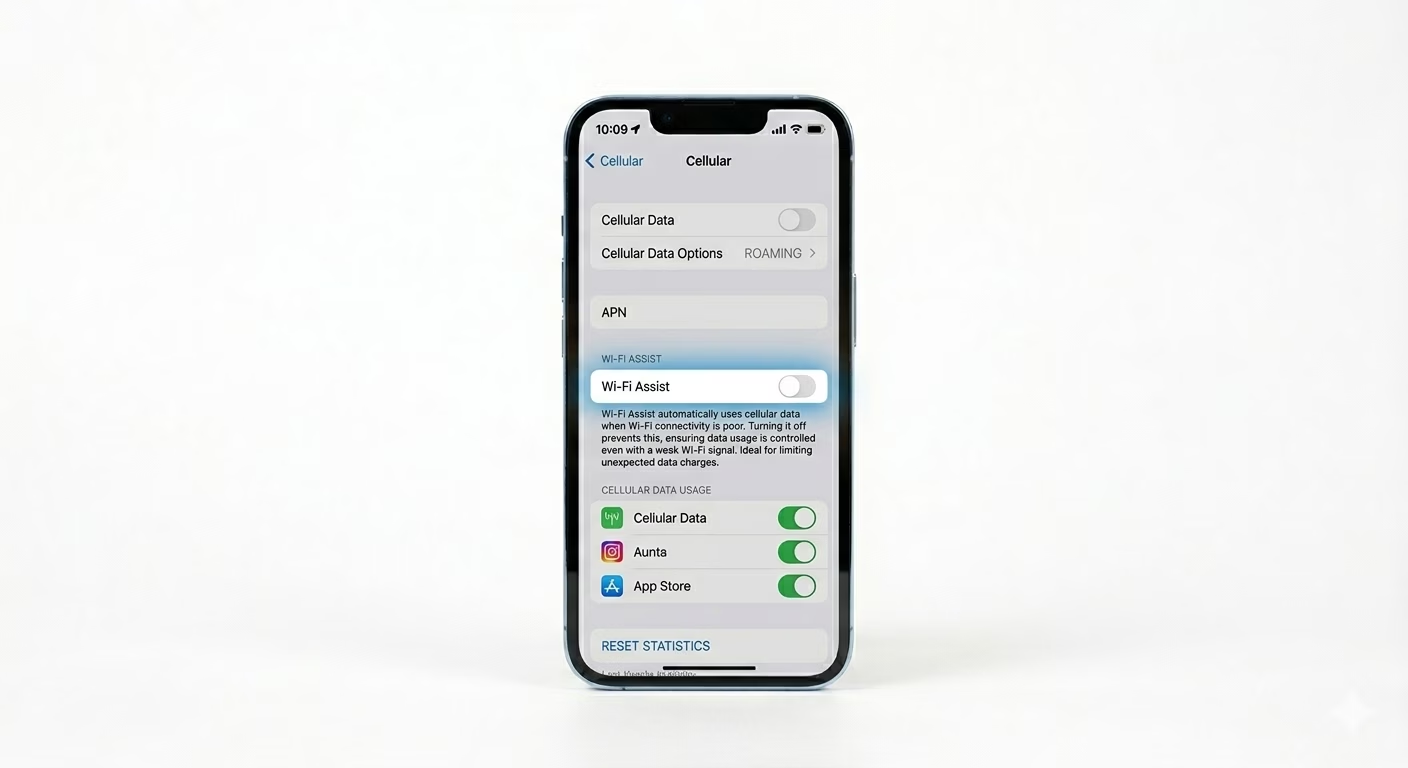
1 Turn Off Wi-Fi Assist
Wi-Fi Assist is a feature that automatically switches your iPhone to cellular data if the Wi-Fi signal is even a little weak. This is the main reason for frequent disconnects. Go to Settings > Cellular (or Mobile Data), scroll to the bottom, and turn OFF Wi-Fi Assist. This will make your iPhone stick to the Wi-Fi network.
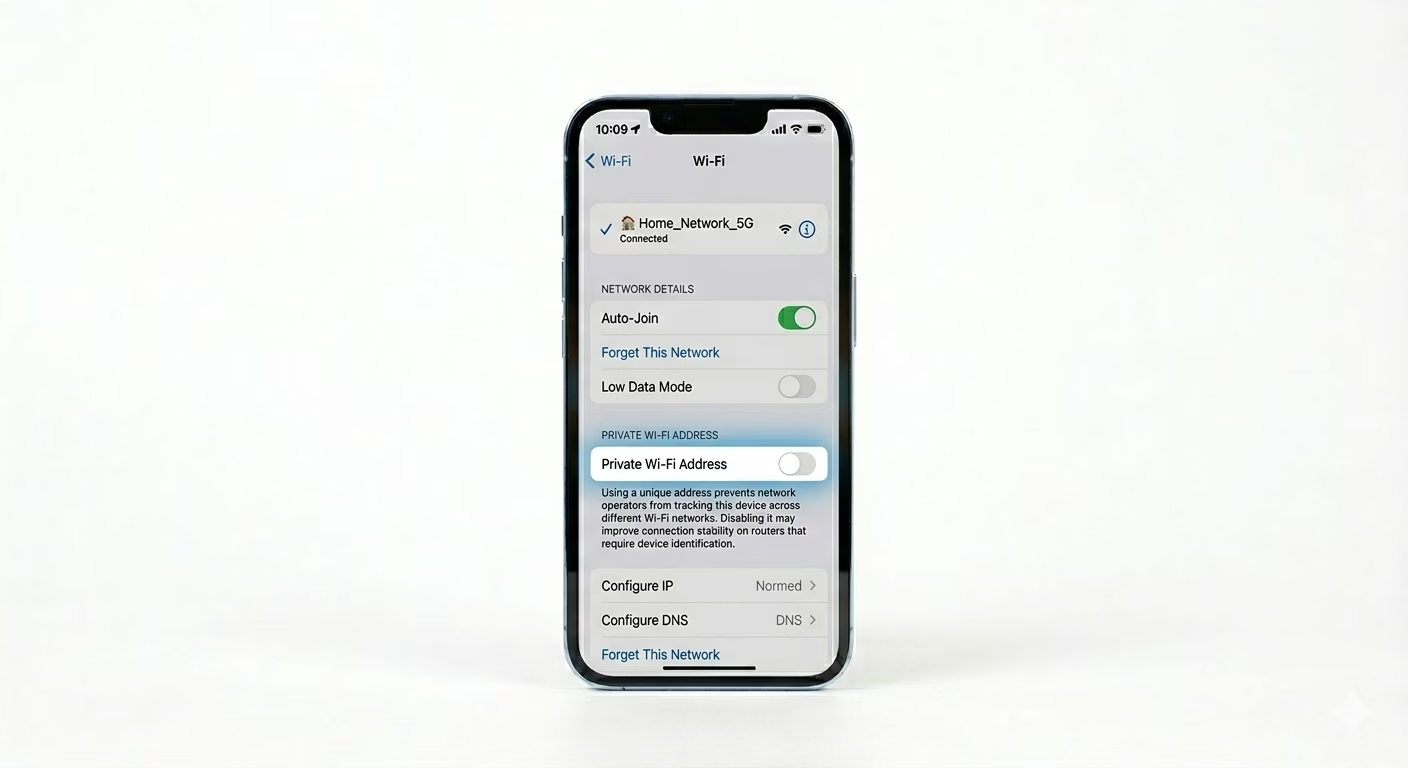
2 Toggle Private Wi-Fi Address
Apple’s privacy features change your MAC address, and this can confuse some routers, causing your device to disconnect. Go to Settings > Wi-Fi, tap the (i) next to your network, and turn OFF Private Wi-Fi Address. This gives your router a steady, static ID to recognize your iPhone.
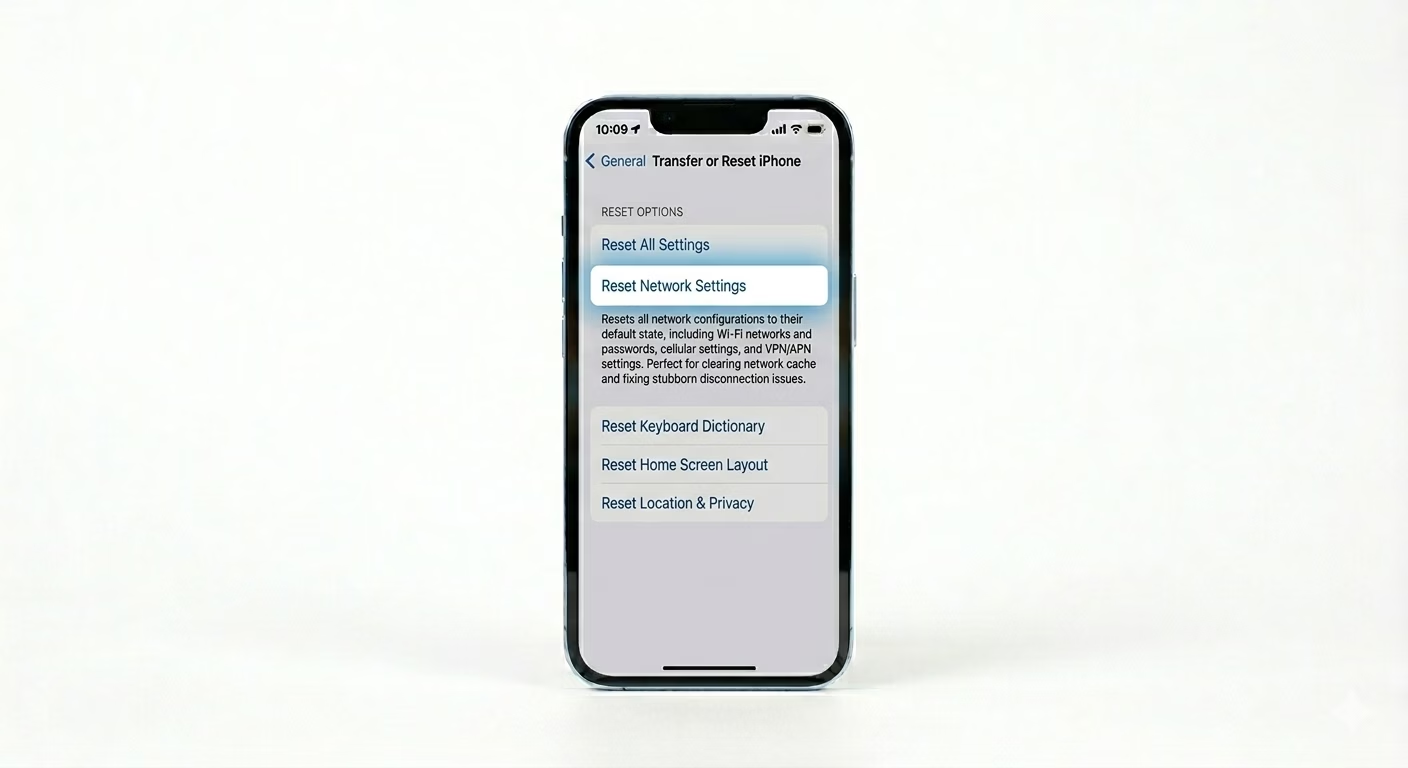
3 Reset Network Configuration
If the drops keep happening, your network cache might be corrupted. Go to Settings > General > Transfer or Reset iPhone > Reset > Reset Network Settings. This will clear out old Wi-Fi logs and connection keys. You’ll need to re-enter your Wi-Fi password, but it often fixes the disconnection problem for good.
Why This Happens?
- Signal interference from other household appliances (Microwaves, etc.)
- Wi-Fi Assist switching to Cellular during minor signal dips
- Router firmware being incompatible with the latest iOS version
- IP address conflicts with other devices on the same network
Pro Tips:
- Router Placement: Ensure your router is not inside a cabinet or near thick walls, as this causes signal fluctuation.
- 5GHz vs 2.4GHz: If your router has two bands, try connecting to the 2.4GHz band for better range, which is more stable through walls.
- Forget Network: Sometimes "Forgetting" the network and re-joining it helps clear a stuck IP lease.
Frequently Asked Questions
Why does Wi-Fi disconnect when my iPhone is locked?
To save battery, iOS sometimes puts the Wi-Fi chip to sleep when the screen is off. Keeping the phone plugged into a charger or disabling Low Power Mode can help prevent this.
Does a thick case affect Wi-Fi stability?
Yes. Metallic or heavy-duty rugged cases can weaken your iPhone’s antenna, making it harder to keep a stable signal and causing frequent disconnections.