Quick Fix:
- Toggle Cellular Data OFF and ON
- Restart both the iPhone and the device you're connecting
- Ensure "Allow Others to Join" is enabled
- Check if your cellular plan supports Hotspot tethering
Steps to Fix Hotspot Connectivity
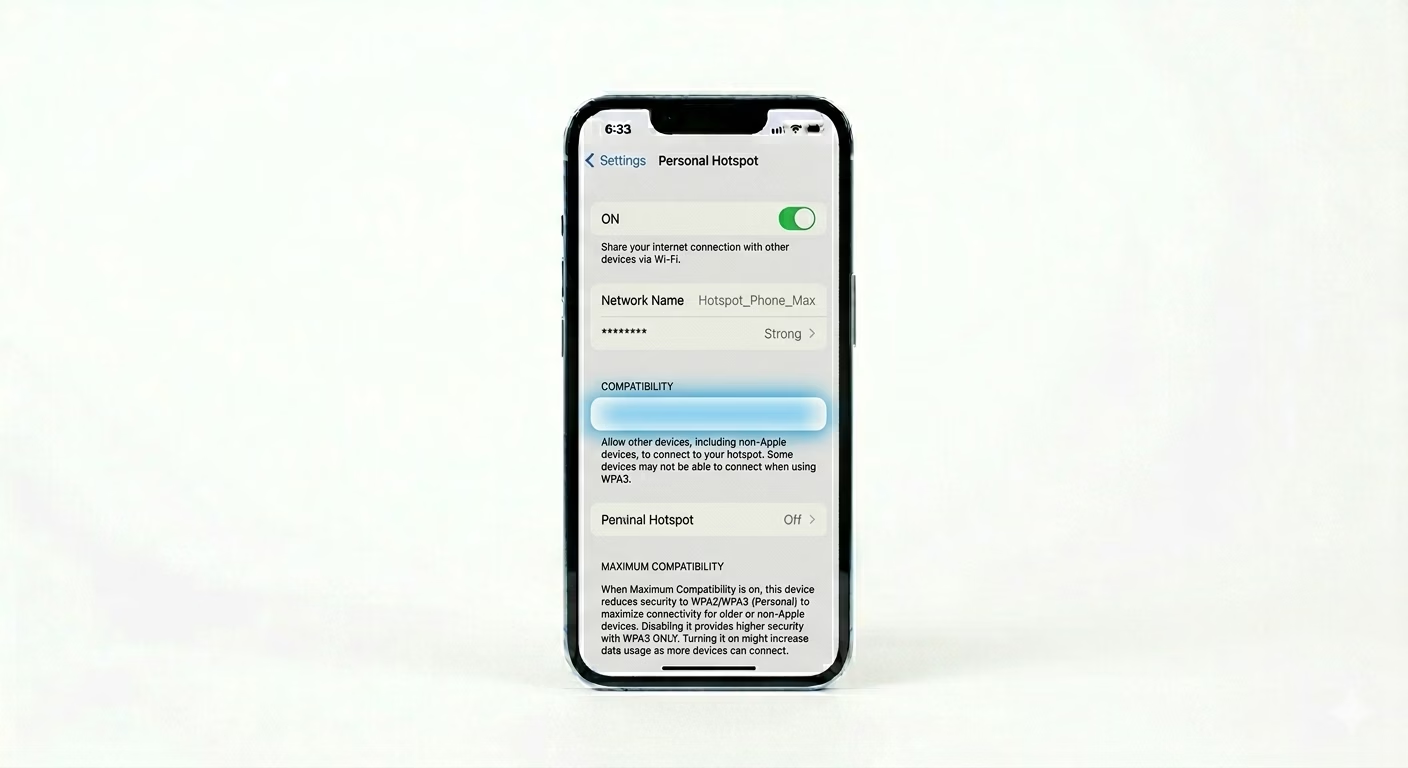
1 Enable Maximize Compatibility
Newer iPhones (iPhone 12 and up) use a 5GHz Wi-Fi band for hotspots, which some older laptops or devices can’t see. Go to Settings > Personal Hotspot and turn ON Maximize Compatibility. This switches your hotspot to the 2.4GHz band so older devices can find it.
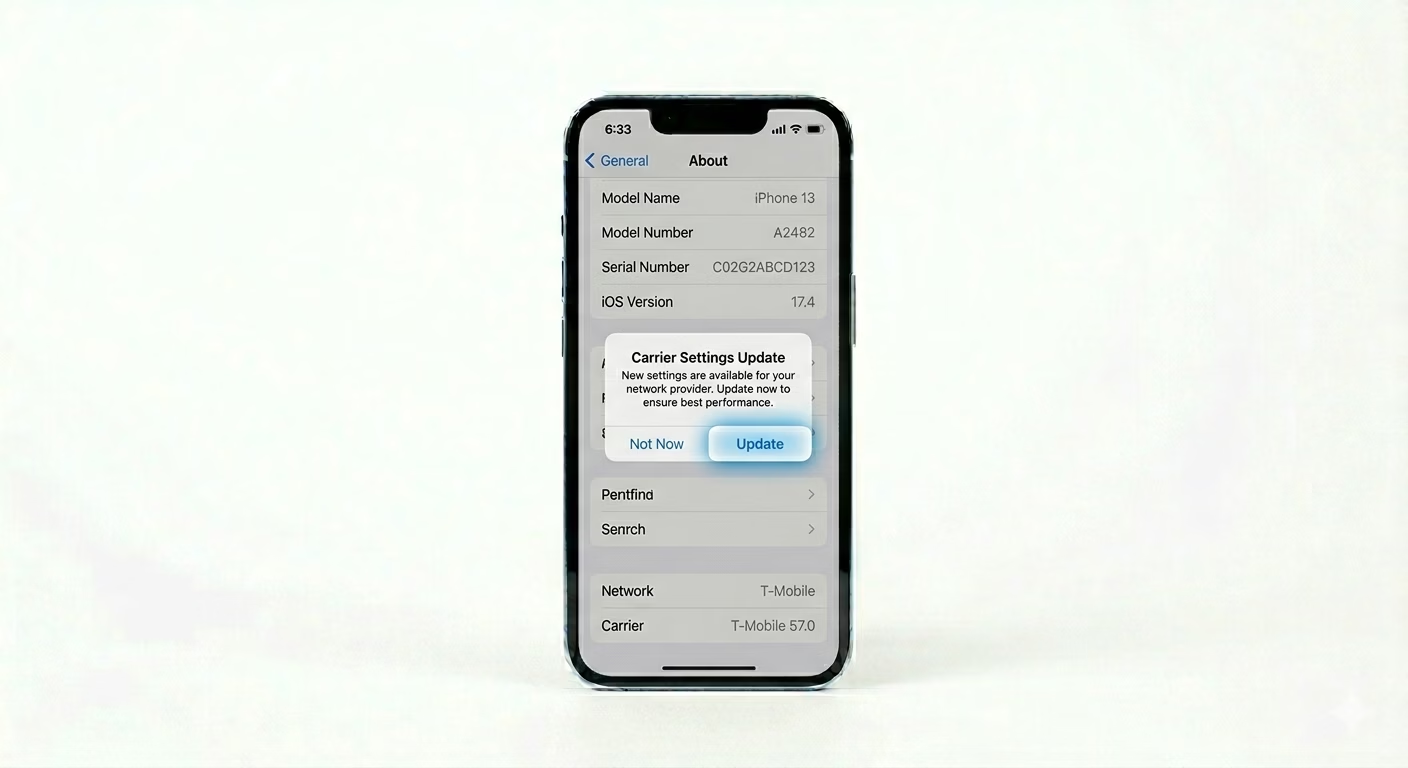
2 Check for Carrier Settings Update
Hotspot features depend on your carrier. If the hotspot toggle is missing, your network provider may need an update. Go to Settings > General > About and stay there for 15 seconds. If an update is available, you’ll see a popup—just tap Update to refresh your network’s hotspot permissions.
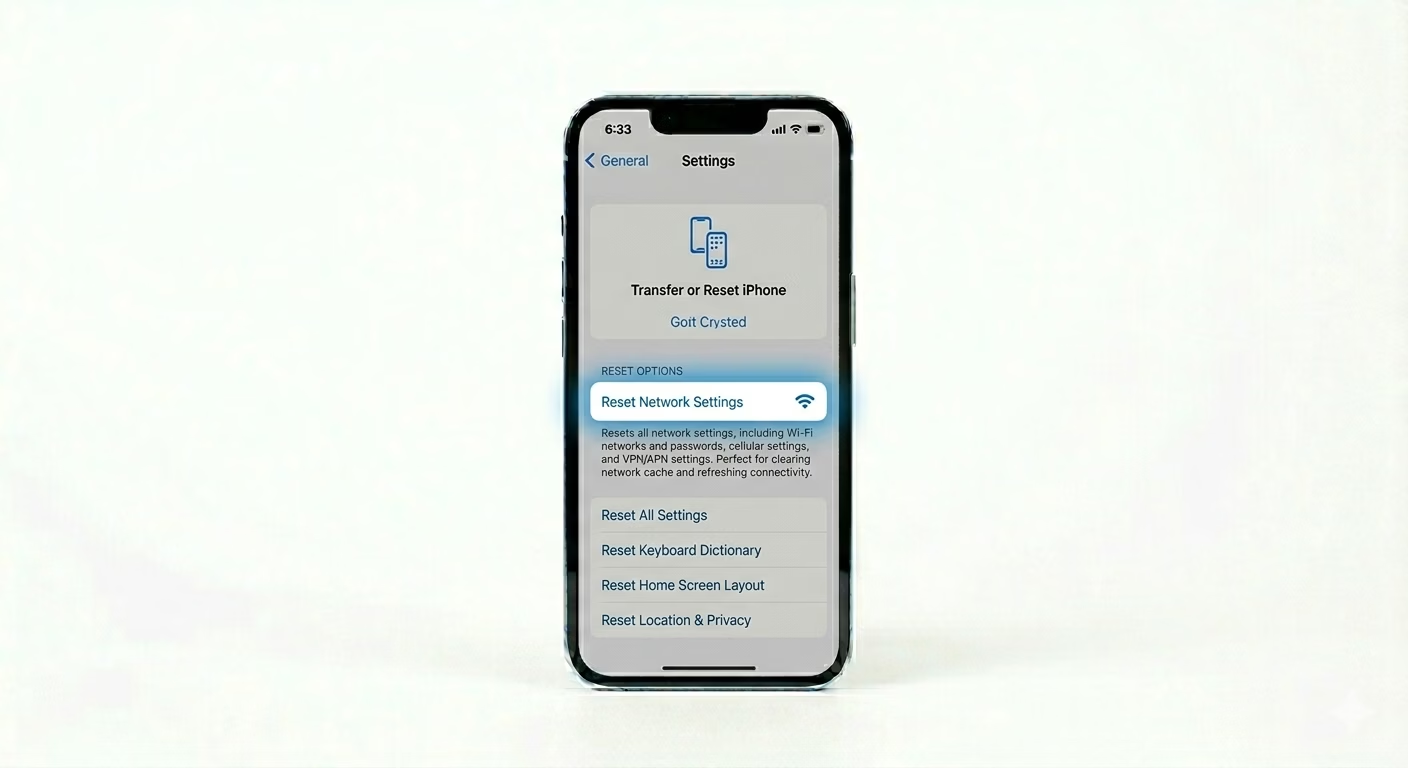
3 Reset Network Cache
If your hotspot connects but says “No Internet,” your iPhone’s network system might be glitched. Go to Settings > General > Transfer or Reset iPhone > Reset > Reset Network Settings. This will clear your hotspot passwords, Wi-Fi info, and cellular logs so your iPhone can reconnect cleanly to your carrier’s data network.
Why This Happens?
- Cellular plan restrictions on data tethering
- Incorrect APN (Access Point Name) settings for the carrier
- Software conflicts with VPNs or older iOS versions
- Hardware band incompatibility (5GHz vs 2.4GHz)
Pro Tips:
- USB Tethering: If Wi-Fi hotspot fails, try connecting your iPhone to your laptop via a lightning/USB-C cable. It's often more stable.
- Change Password: Use a simple alphanumeric password. Sometimes special characters can cause connection issues for certain devices.
- Stay on the Screen: Leave the Personal Hotspot settings page open on your iPhone while the other device is trying to find the network.
Frequently Asked Questions
Why is my Hotspot option greyed out?
This usually means your cell plan doesn’t include hotspot access, or your carrier hasn’t approved your SIM for tethering. Contact your service provider for help.
Does Hotspot drain battery quickly?
Yes. Sharing Wi-Fi with other devices uses a lot of battery. It’s a good idea to keep your iPhone on the charger while using Personal Hotspot.