Red Alert Signs:
- Receiving Apple ID verification codes you didn't request
- Unrecognized apps or outgoing messages in your history
- Your battery draining significantly faster than usual
- Random pop-ups or your phone acting "on its own"
Steps to Reclaim and Secure Your iPhone
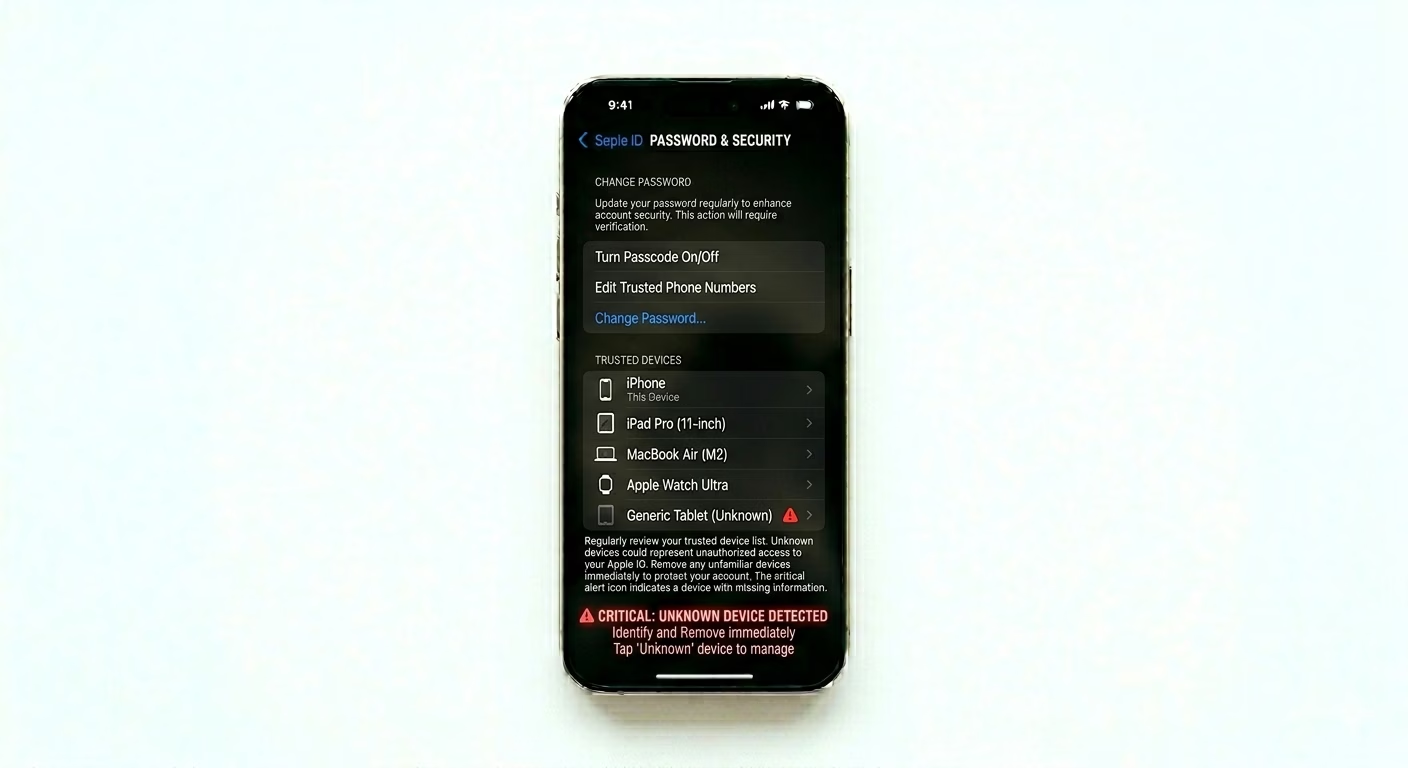
1 Change Apple ID Password & Review Devices
Your Apple ID is the foundation of your iPhone’s security. Go to Settings > [Your Name] > Sign-In & Security > Change Password and change your password. Then, scroll down to the list of Trusted Devices. If you see any device you don’t recognize, tap it and choose Remove from Account—this will immediately kick the hacker out of your iCloud.
2 Run a "Safety Check" Audit
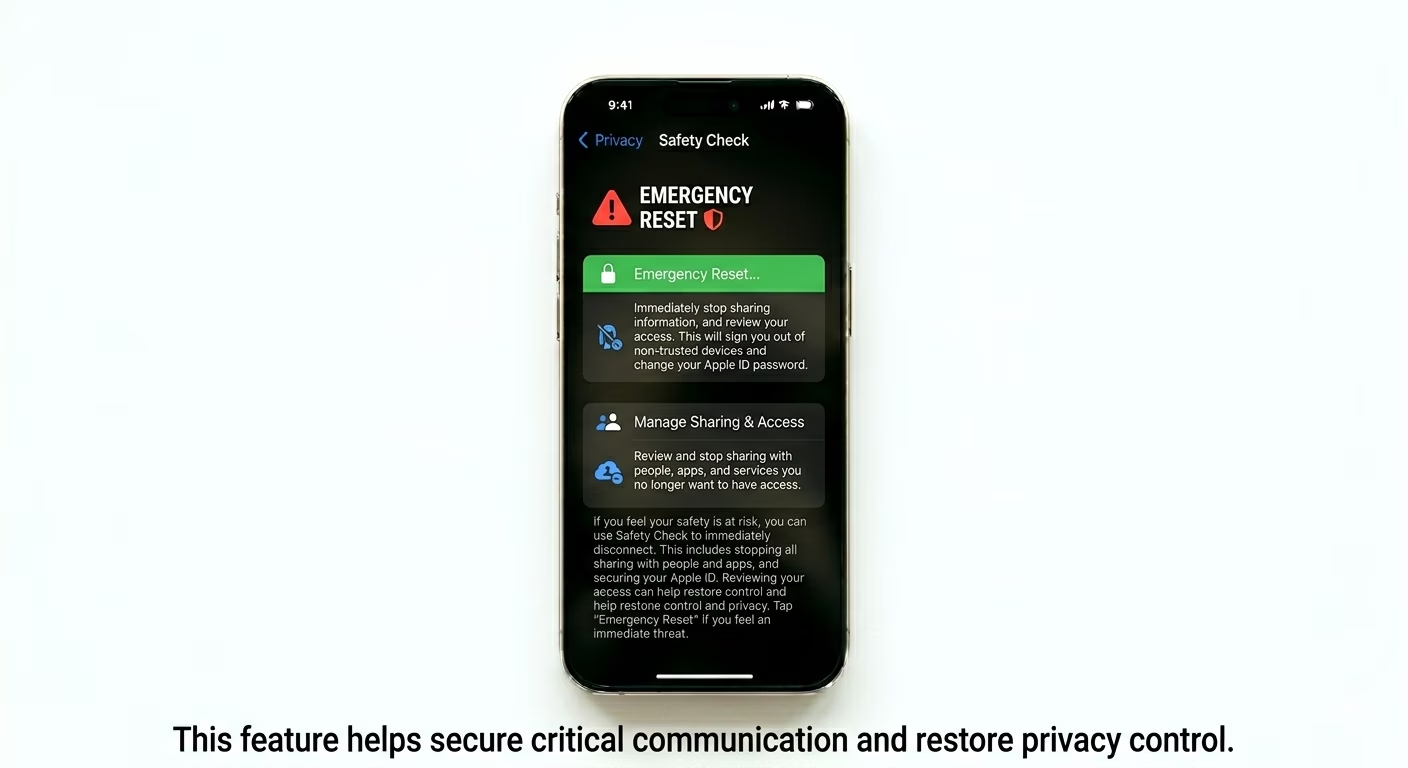
iOS has a tool called Safety Check. Go to Settings > Privacy & Security > Safety Check and use the Emergency Reset option. This instantly stops sharing your information—like location, photos, and notes—with everyone and every app. It’s the quickest way to cut off access if someone is tracking you remotely.
3 Delete Hidden Monitoring Profiles
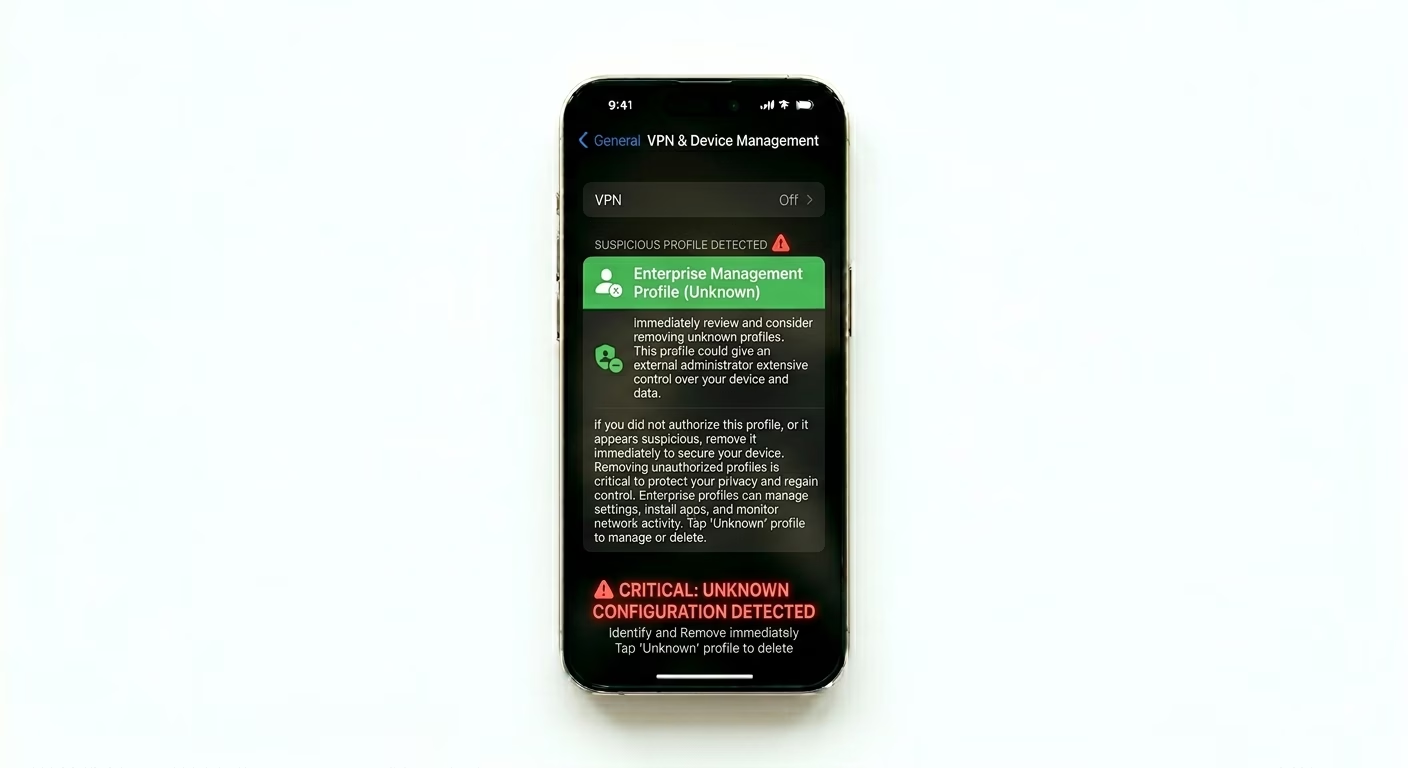
Hackers sometimes use configuration profiles to spy on your data. Go to Settings > General > VPN & Device Management. If you see any profile or VPN setup you didn’t install yourself—especially ones labeled “Enterprise” or “Management”—delete it right away. These profiles can bypass normal security and intercept your information.
How Did This Happen?
- Phishing: You might have entered your credentials on a fake website.
- Public Wi-Fi: Using unencrypted networks allowed someone to intercept your data.
- Weak Password: Your password was easy to guess or leaked in a data breach.
- Spyware: Installing "Jailbreak" software or unverified third-party apps.
Pro Tips:
- Two-Factor Authentication: Always keep 2FA ON. It is your strongest defense against remote hacking.
- Lockdown Mode: If you believe you are being targeted by sophisticated hackers, enable Lockdown Mode in Privacy settings.
- Factory Reset: If the phone still acts strange, perform a Factory Reset and set it up as a "New iPhone" instead of restoring from a potentially infected backup.
Frequently Asked Questions
Can someone see me through my iPhone camera?
iOS has built-in hardware protections. When an app uses your camera or mic, you’ll see a green or orange dot at the top of your screen. If you notice this dot when no app is open, it’s a sign your phone may be compromised.
Can a hacker read my WhatsApp or iMessages?
Both iMessage and WhatsApp are end-to-end encrypted. Hackers can only read your messages if they physically have your phone or if they’ve managed to link your account to another device (you can check for this in WhatsApp under “Linked Devices”).