Quick Troubleshooting:
- Ensure iMessage is toggled ON in Settings > Messages
- Check if MMS Messaging is enabled for non-Apple users
- Verify that you have a stable Cellular Data or Wi-Fi connection
- Restart your iPhone to refresh your network registration
Steps to Fix Group Chat Glitches
1 Verify MMS & Group Settings
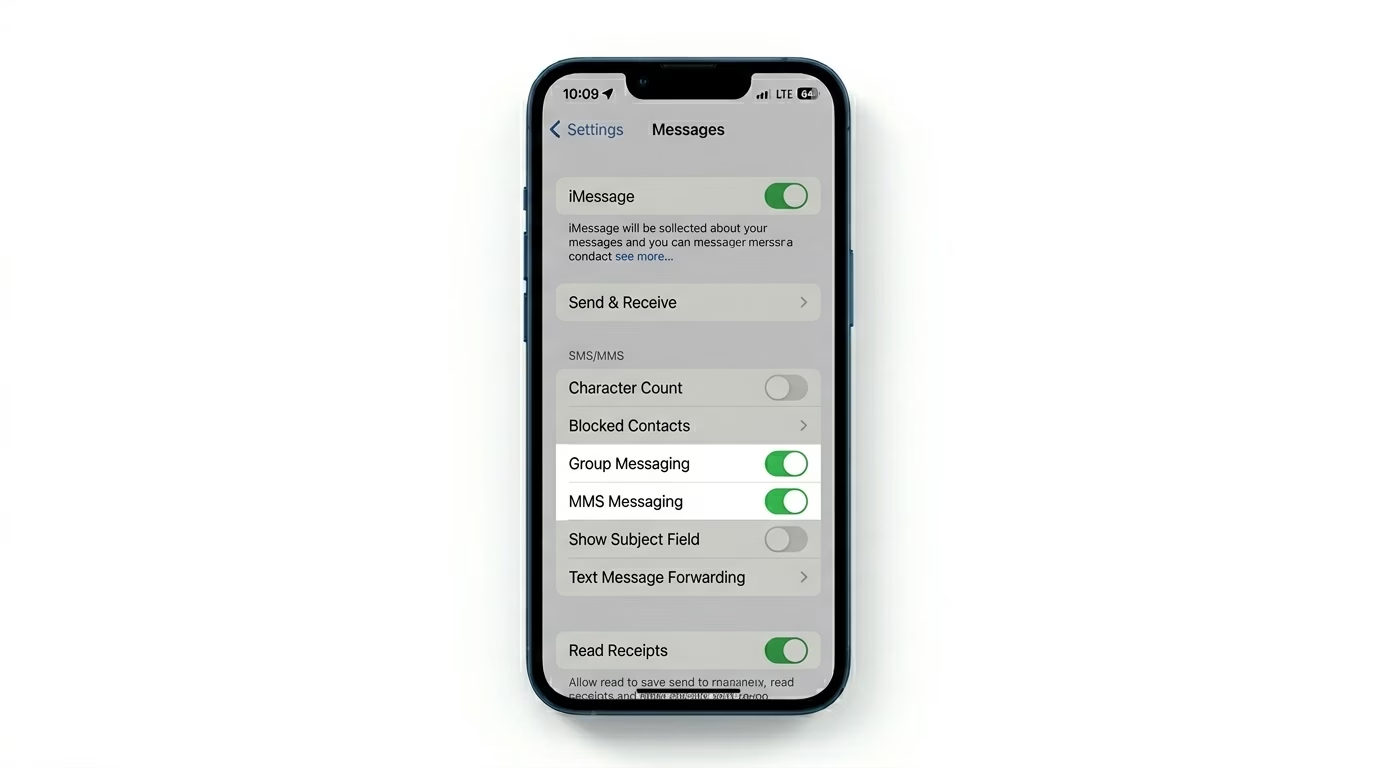
If your group has Android users, your iPhone needs to use MMS instead of iMessage. Head to Settings > Apps > Messages and make sure both MMS Messaging and Group Messaging are toggled ON. Without these turned on, your iPhone won’t be able to send or receive group messages or multimedia with a mix of Apple and Android users.
2 Refresh the Group Thread
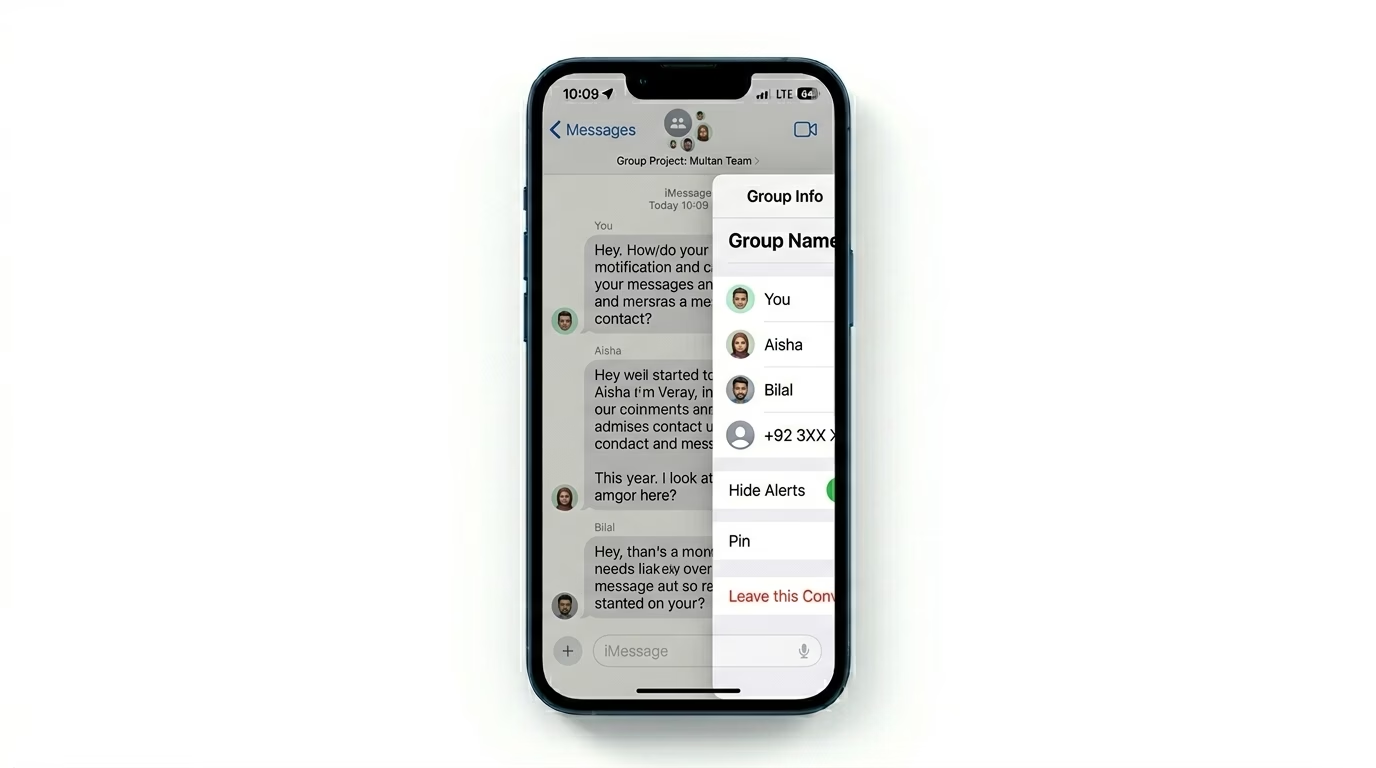
Sometimes a specific group chat thread gets corrupted. If it’s an iMessage group (all Blue bubbles), tap the group icons at the top, scroll down, and choose Leave this Conversation. Then, have someone in the group add you back. This forced re-sync usually clears up “ghost” messages or situations where you can see others, but they can’t see you.
3 Reset Cellular Network Configuration
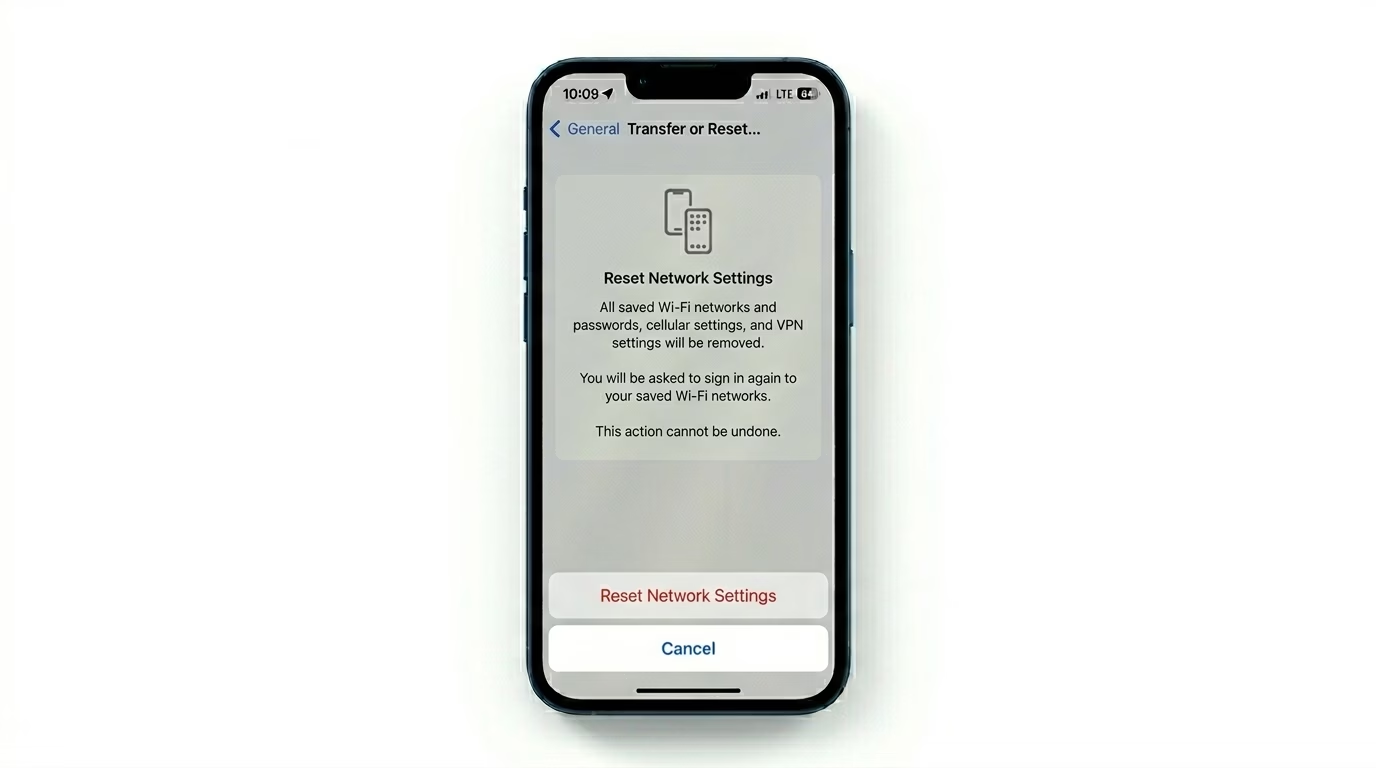
If group texts are still failing, your carrier settings might be out of sync. Go to Settings > General > Transfer or Reset iPhone > Reset > Reset Network Settings. This will clear your Wi-Fi passwords and cellular configurations. This is a powerful fix for SMS/MMS delivery failures that affect group messaging protocols.
Why Group Chats Break?
- Mixed Devices: iMessage works perfectly between iPhones, but adding one Android user forces the chat into SMS/MMS mode.
- Apple ID Sync: If you recently changed your phone number, iMessage might still be trying to use the old one.
- Carrier Limits: Some mobile carriers have limits on how many people can be in a single MMS group (usually 10-20).
- Blocked Contacts: If you have blocked even one person in the group, the entire thread might behave erratically.
Pro Tips:
- The "Blue vs Green" Rule: Blue bubbles mean everyone is on iMessage. Green means at least one person is using SMS/MMS.
- Update Carrier Settings: Go to Settings > General > About. If an update is available, a prompt will appear within seconds.
- Check Send & Receive: In Message settings, ensure your phone number is checked under "You can receive iMessages to and reply from."
Frequently Asked Questions
Why can't I leave a group chat?
You can only leave a group chat if everyone in it is using iMessage. If there’s even one SMS/MMS (Android) user, the “Leave” option will be grayed out. In that case, your only option is to Mute the conversation.
Why are my group messages out of order?
This is usually a time-sync issue. Go to Settings > General > Date & Time and make sure Set Automatically is turned ON.