Quick Fix:
- Ensure you are signed into your Apple ID/iCloud
- Check if your iPhone has an active Internet connection
- Ensure "Find My iPhone" is toggled ON in iCloud settings
- Restart your iPhone to refresh GPS and iCloud sync
Steps to Restore Find My Functionality
1 Enable System Location Services
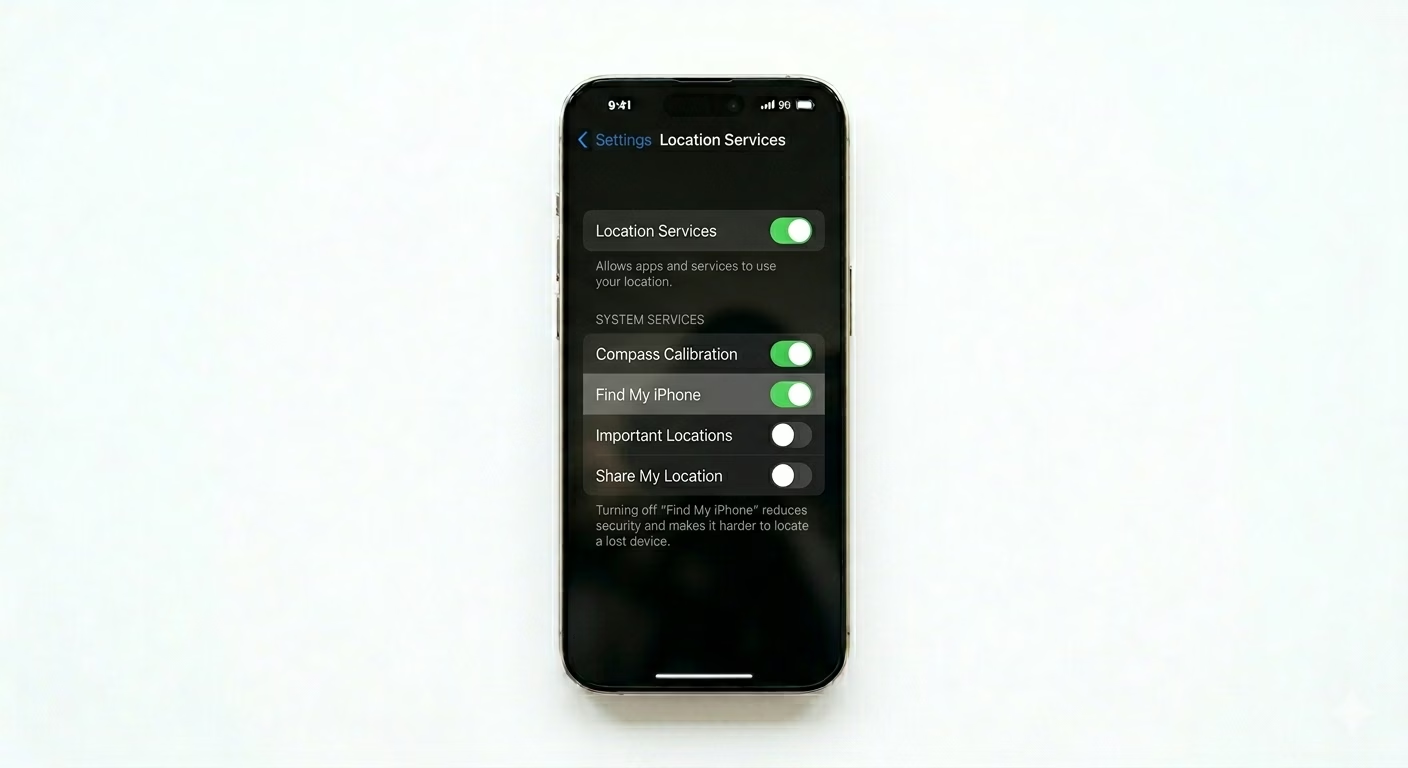
Find My won’t work if your main location settings are off. Go to Settings > Privacy & Security > Location Services and make sure the main switch is ON. Then scroll down to System Services and check that Find My iPhone is enabled. Without this, your phone can’t share its GPS location with Apple’s servers.
2 Enable Find My Network & Last Location
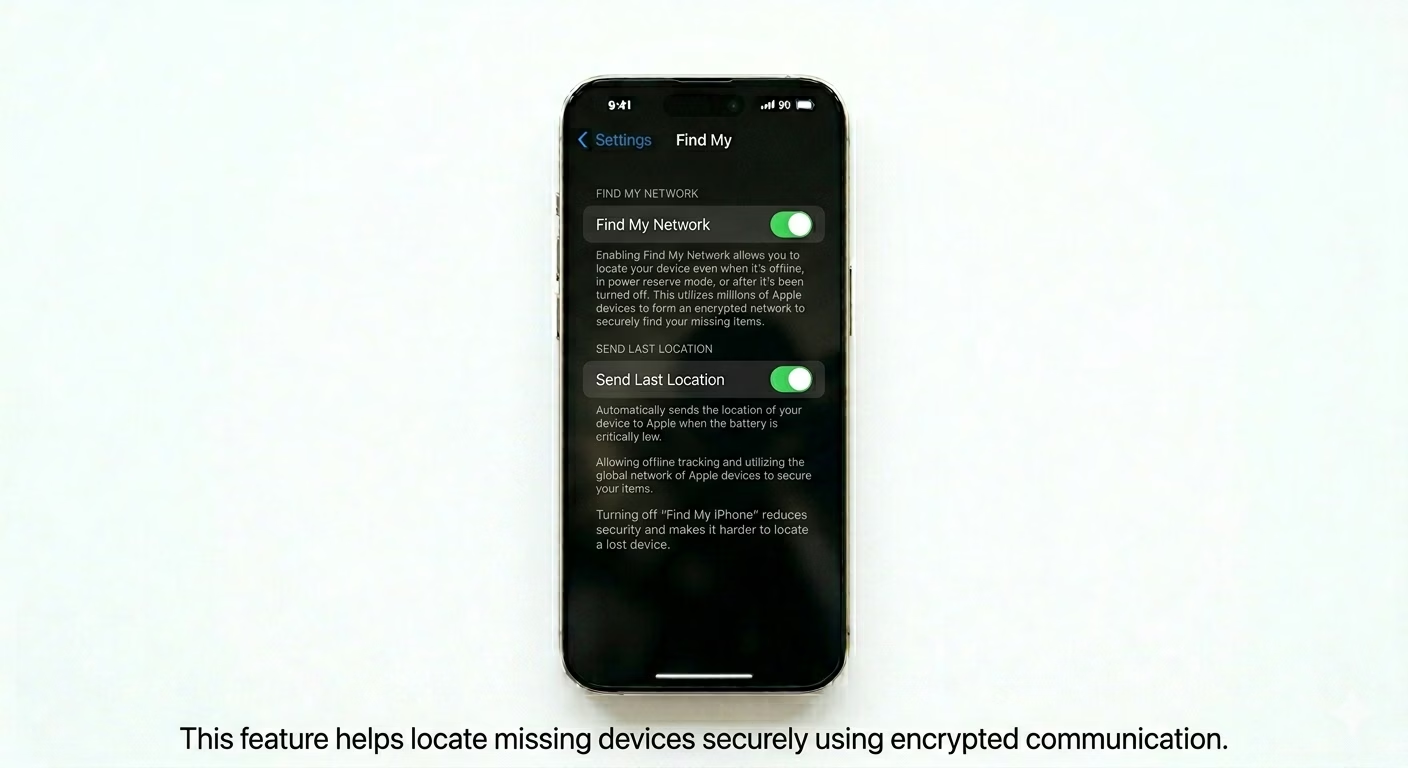
To track your iPhone even when it’s offline or turned off, you need to turn on “Find My Network.” Go to Settings > [Your Name] > Find My > Find My iPhone and make sure Find My Network is ON. Also, switch on Send Last Location—this will send your phone’s last known spot to Apple when the battery is almost dead.
3 Set Date & Time to Automatic
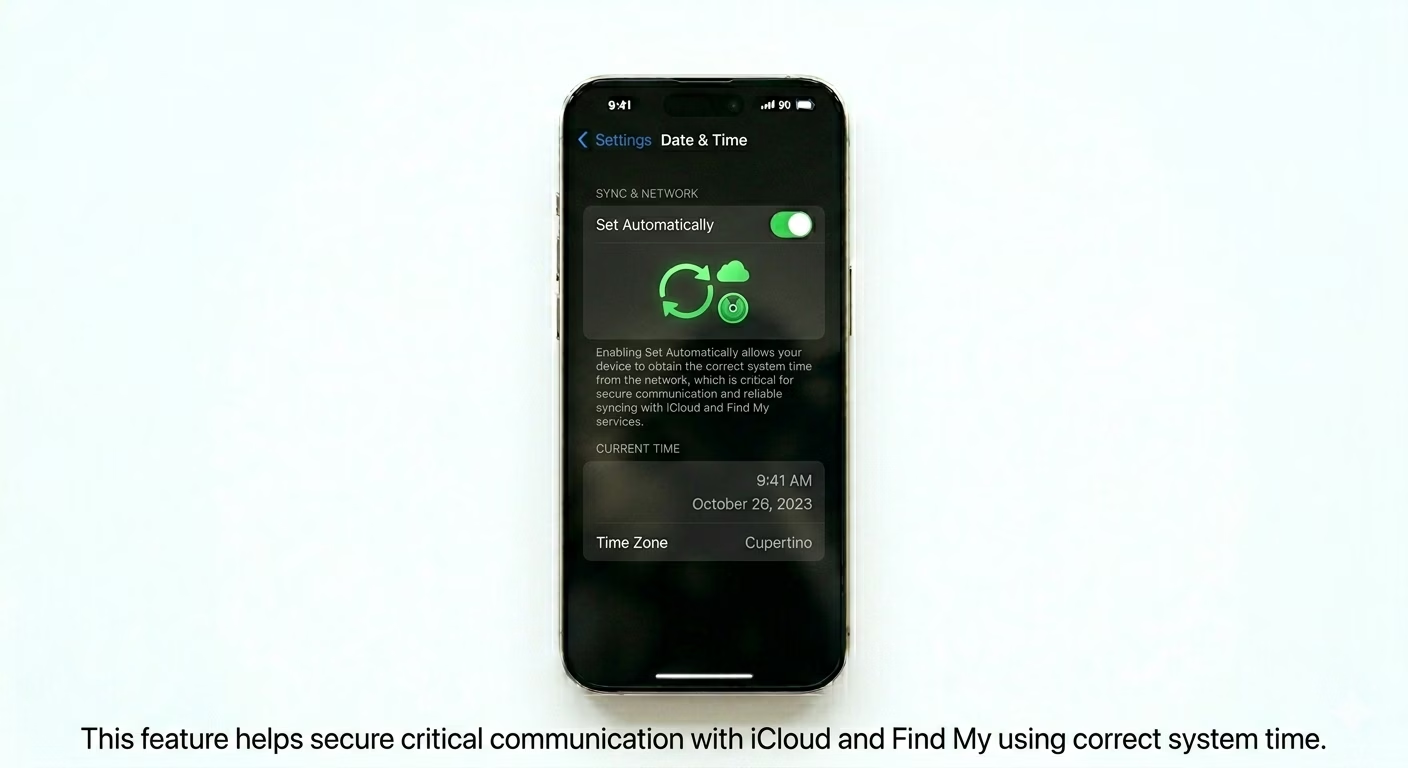
iCloud security relies on your iPhone’s date and time being correct. If your date or time is wrong or set manually, your phone can’t talk to the Find My servers. Go to Settings > General > Date & Time and turn ON Set Automatically. This keeps your phone perfectly synced with Apple’s tracking network.
Why This Happens?
- Location Services or GPS access is restricted in Privacy settings
- The iPhone is not signed into a valid iCloud/Apple ID account
- "Find My" is disabled within the Screen Time Content Restrictions
- The device has no internet connection (Wi-Fi or Cellular)
Pro Tips:
- Check "Share My Location": If friends can't see you, ensure "Share My Location" is enabled in Settings > [Your Name] > Find My.
- Remove Restrictions: If the Find My toggle is greyed out, check Settings > Screen Time > Content & Privacy Restrictions and ensure "Account Changes" is allowed.
- Battery Save: Don't worry about battery drain; Find My is highly optimized and uses minimal power for background tracking.
Frequently Asked Questions
Can I find my iPhone if it's turned off?
Yes, as long as you’ve turned on “Find My Network” (see Step 2). This lets nearby Apple devices securely detect your offline iPhone and send its location back to you.
Why does it say 'No Location Found'?
This happens if your phone is out of signal, the battery has been dead for more than 24 hours, or Location Services was turned off before it went missing.