Quick Fix:
- Check the "Recently Deleted" folder in Photos or Notes
- Stop using the phone immediately to prevent data overwriting
- Check your iCloud.com library from a web browser
- Verify if you have a local backup on your Mac or PC
Steps to Recover Your Deleted Data
1 Search "Recently Deleted" Folders
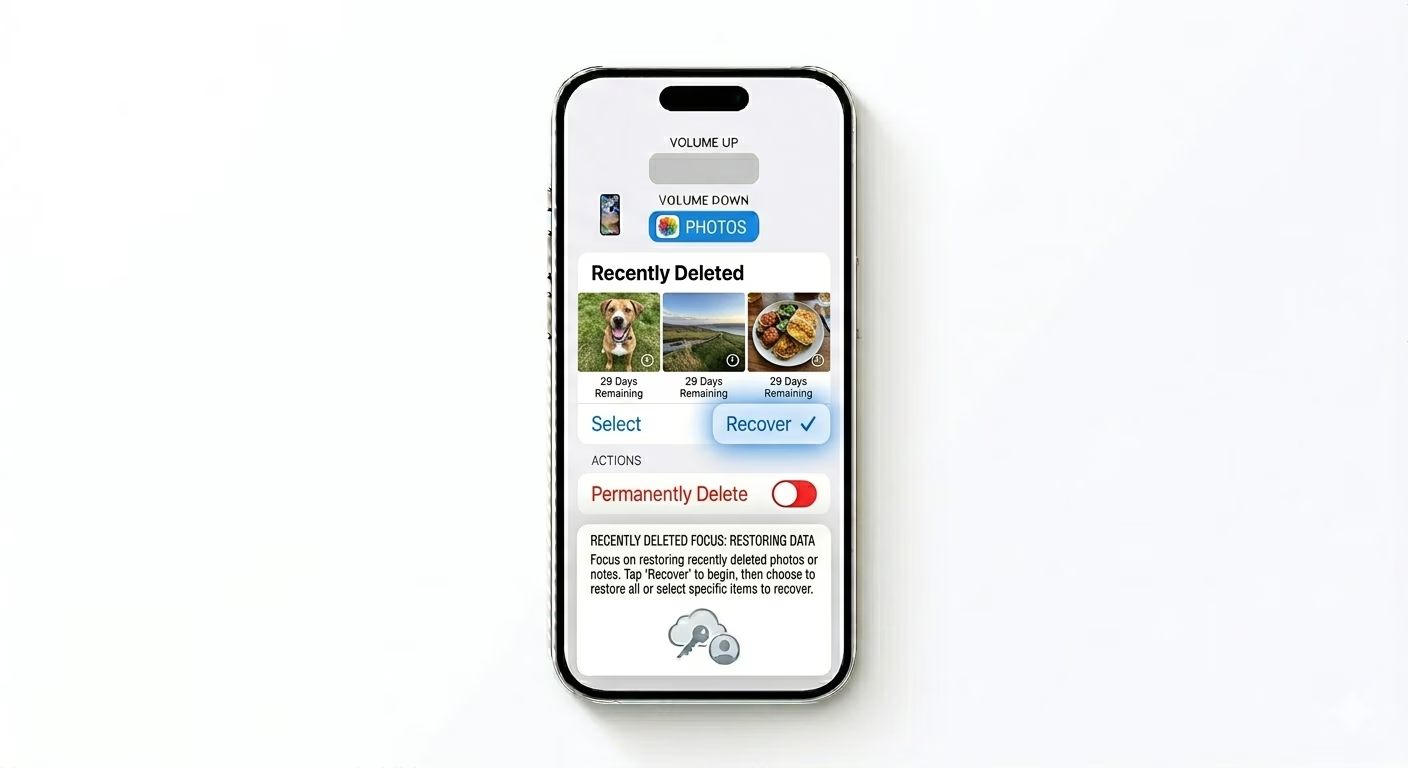
iOS stores deleted items for 30 days before they’re gone for good. For photos, go to Photos > Albums > Recently Deleted. For notes, look in the Recently Deleted folder inside the Notes app. If you see your files, just tap Recover. This is the simplest way to undo an accidental deletion without using any extra tools.
2 Restore an Older iCloud Backup
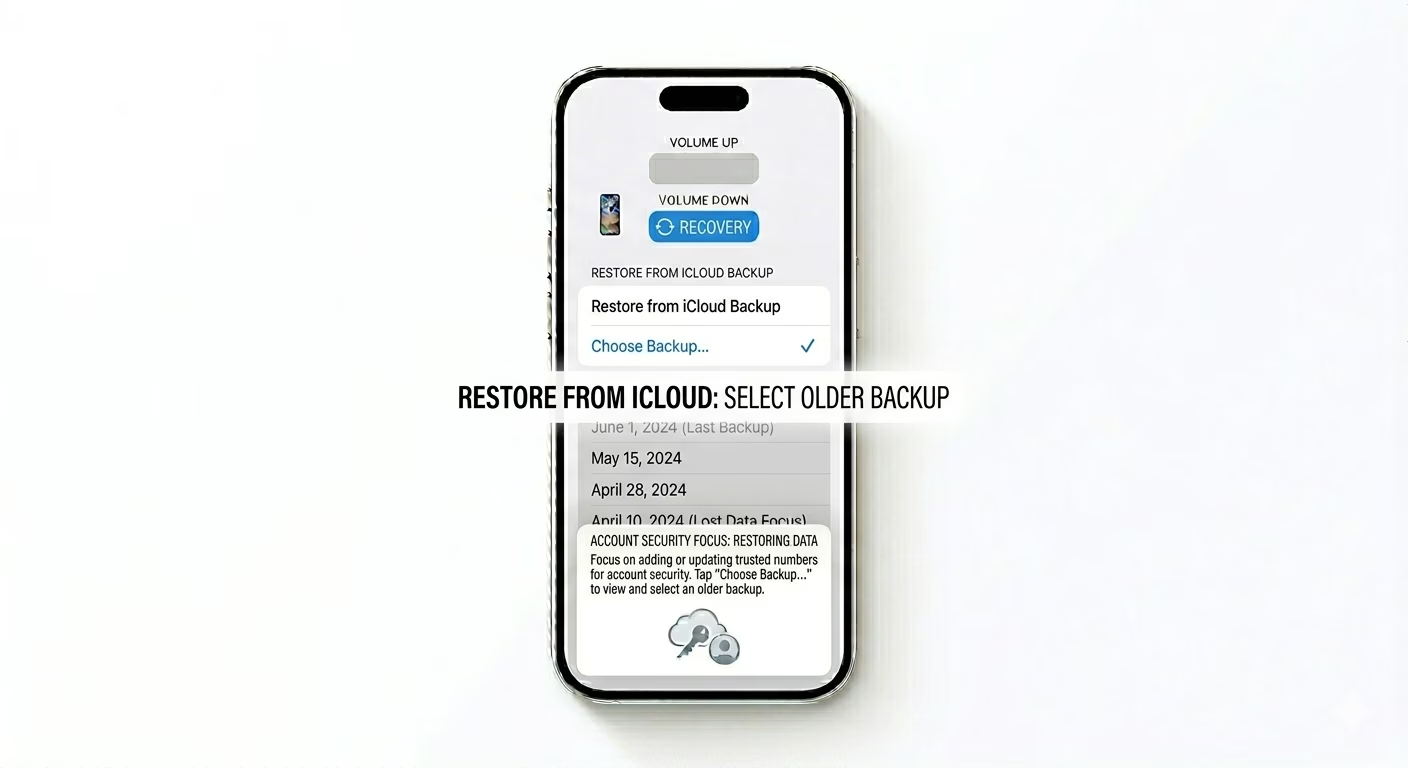
If your data is missing from “Recently Deleted,” you can restore your iPhone to an earlier backup. Go to Settings > General > Transfer or Reset iPhone > Erase All Content and Settings. After your phone restarts, choose Restore from iCloud Backup and pick a date from before you deleted the item. Note: This will overwrite your current data with everything from that backup.
3 Use Local Computer Backups
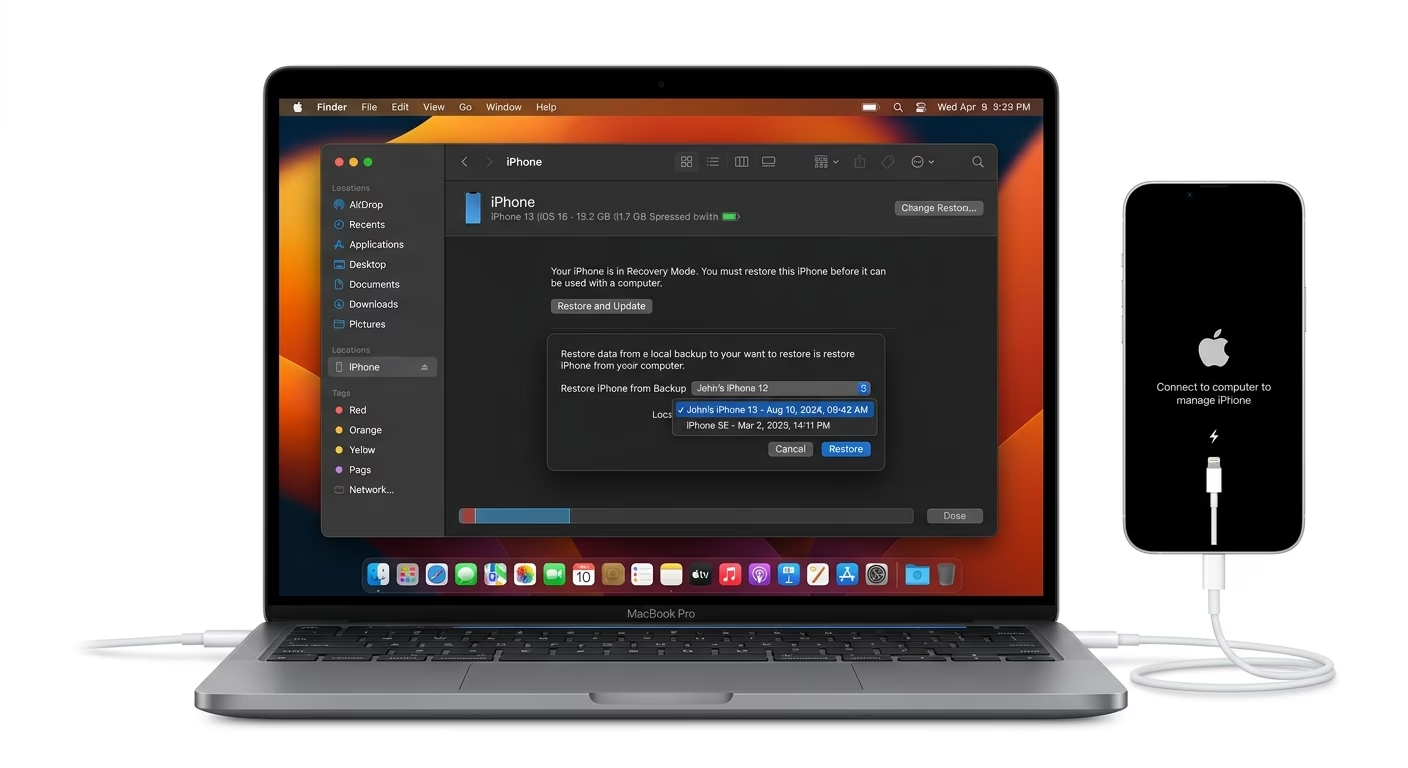
If you regularly sync your iPhone with a Mac or PC, you might have a full backup saved on your computer. Connect your iPhone, open Finder (Mac) or iTunes (Windows), and choose Restore Backup. This method is often more reliable than iCloud and can recover larger files like videos or voice memos that may not have been backed up to the cloud.
Can All Data Be Recovered?
- Within 30 Days: High chance of recovery via built-in folders.
- After 30 Days: Harder to recover unless a cloud or local backup exists.
- No Backup: Very difficult. Professional data recovery software may be needed to scan the phone's NAND flash memory.
- Overwritten Data: If you continue using the phone after deletion, new data might "overwrite" the old files, making recovery impossible.
Pro Tips:
- Third-Party Software: Be cautious of "Free" recovery software online; many are paid tools that only show a preview. Stick to reputable brands if needed.
- Messages Recovery: In the Messages app, tap Edit in the top-left corner and select Show Recently Deleted to find lost chats.
- App-Specific Cloud: Check if apps like WhatsApp, Telegram, or Google Photos have their own internal trash cans or backups.
Frequently Asked Questions
Can I recover data without a backup?
If it’s not in “Recently Deleted” and you don’t have a backup, recovery is very difficult and usually needs costly forensic software or data recovery services.
Does a Factory Reset delete my iCloud backups?
No, a factory reset only erases data from your device itself. Your iCloud backups stay safe in the cloud unless you choose to delete them manually.