Quick Fixes:
- Toggle Airplane Mode ON and OFF to refresh the signal
- Check if your SIM card is properly inserted and clean
- Update to the latest iOS version for network patches
- Disable "Silence Unknown Callers" if you're missing calls
Steps to Solve Signal and Call Drop Issues
1 Update Carrier Settings
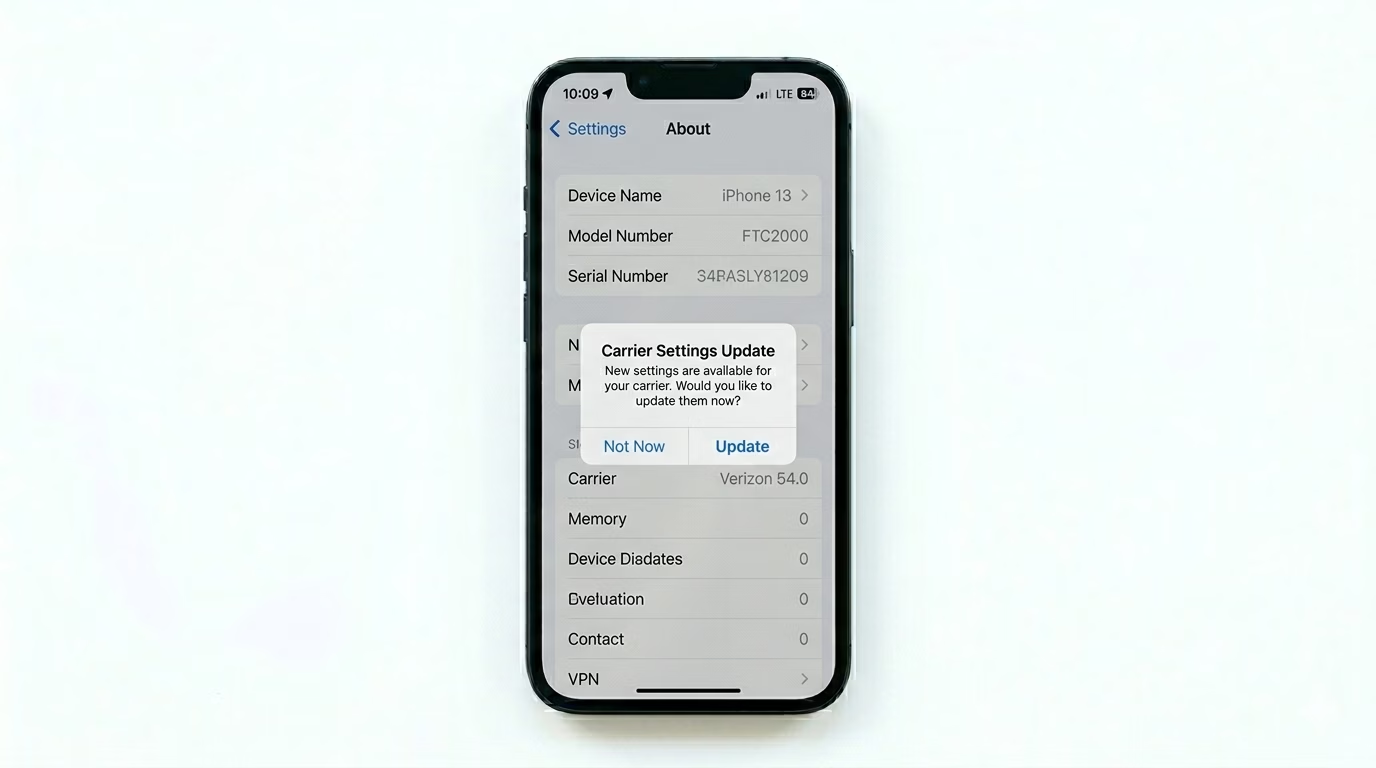
Your network provider (Verizon, AT&T, T-Mobile, etc.) regularly releases "Carrier Settings Updates" to improve call stability and 5G/4G connectivity. Go to Settings > General > About. Stay on this screen for 20 seconds; if an update is available, a pop-up will appear. Tap Update to install the latest network settings.
2 Optimize Cellular Data Options
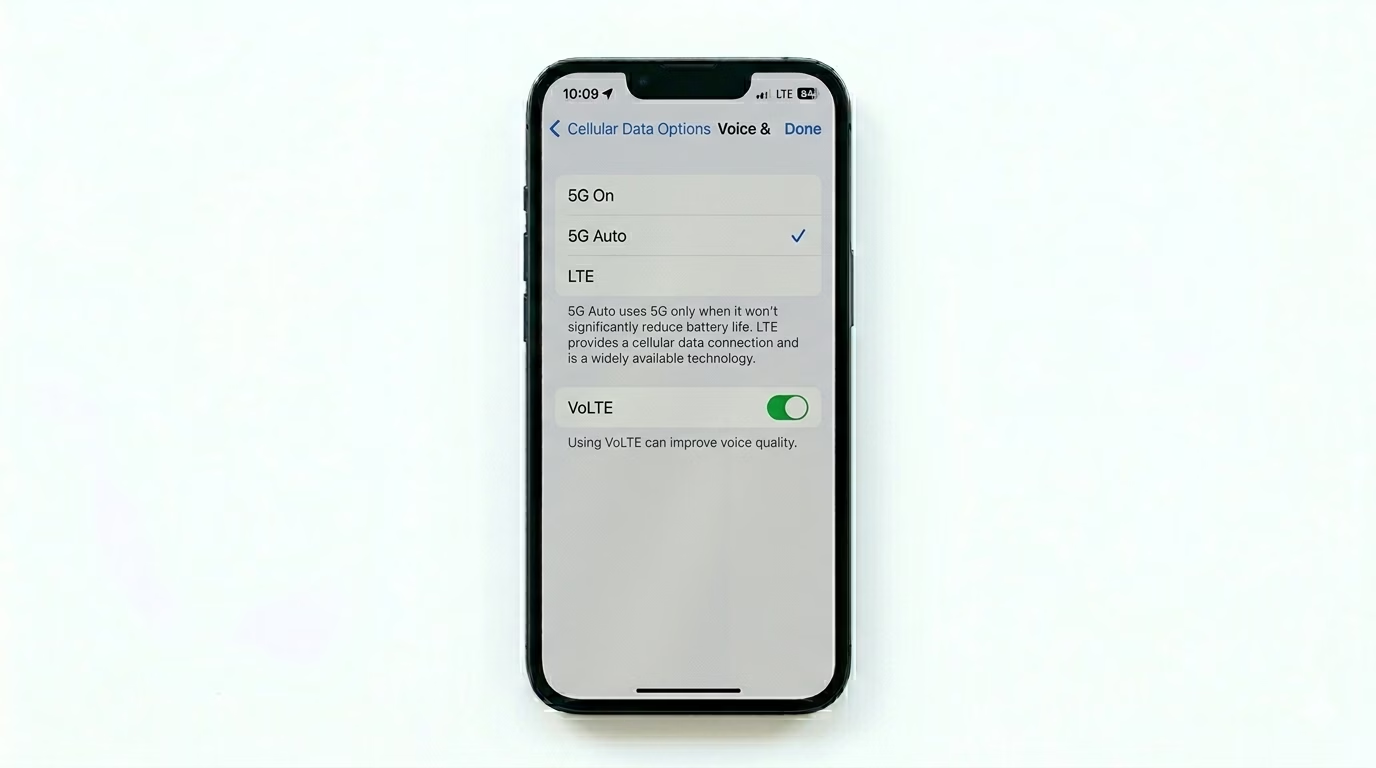
Sometimes, switching between 5G and 4G can cause your calls to drop. Go to Settings > Cellular > Cellular Data Options > Voice & Data. If you’re in an area with weak 5G, try switching to 4G/LTE instead. Also, make sure VoLTE (Voice over LTE) is ON for a more stable, high-definition calling experience.
3 Reset Network Configuration
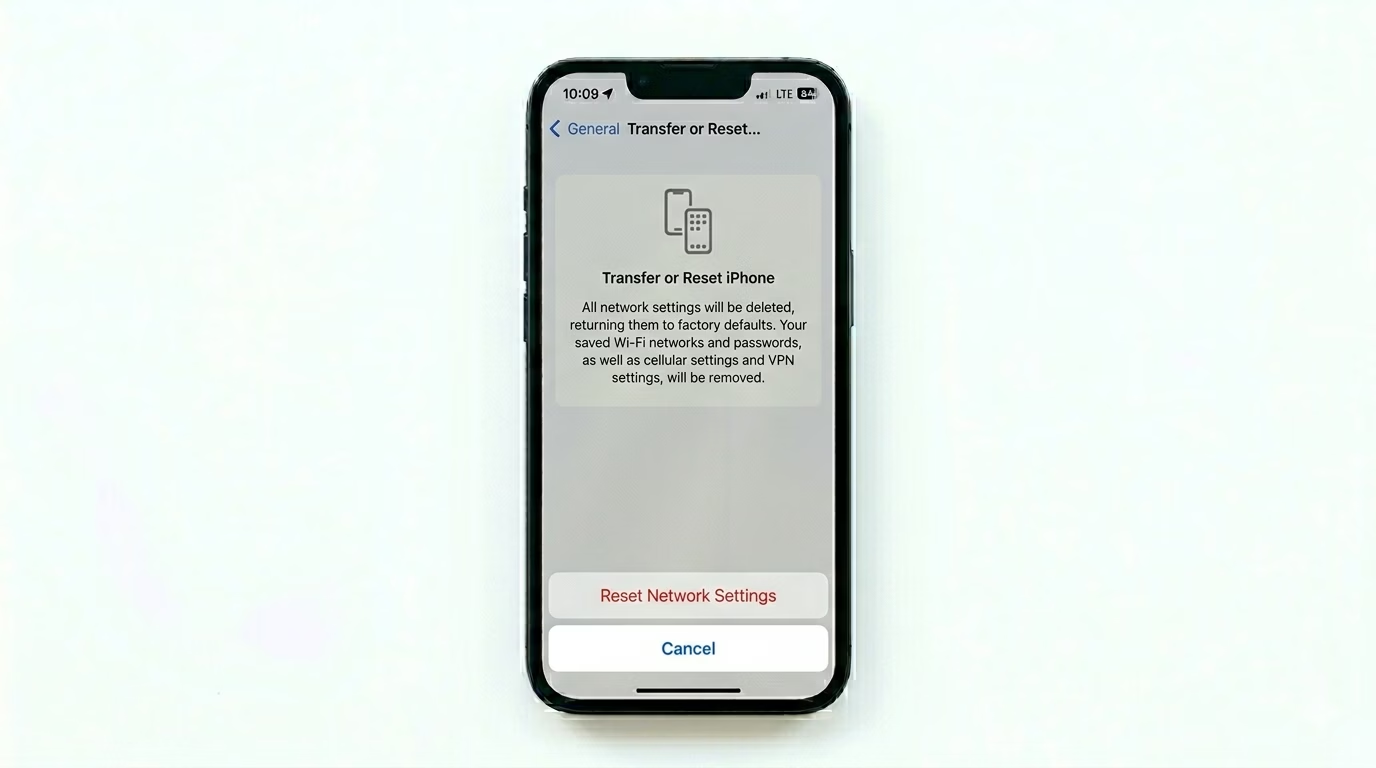
If the issue keeps happening, your network’s software handshake might be corrupted. Go to Settings > General > Transfer or Reset iPhone > Reset > Reset Network Settings. This will erase your saved Wi-Fi passwords and cellular settings, letting your iPhone make a fresh connection with the nearest cell tower.
Why Do Calls Drop?
- Signal Dead Zones: Natural barriers like thick walls or basements.
- Tower Handover: Moving between cell towers while driving or in a train.
- Damaged SIM: An old or scratched SIM card can lose connection randomly.
- Network Congestion: Too many people using the same tower at once.
Pro Tips:
- Wi-Fi Calling: If you have poor signal at home, enable Wi-Fi Calling in Settings > Phone. This uses your internet to route calls, preventing drops.
- Remove the Case: Some thick or metallic cases can interfere with the iPhone's internal antennas. Try calling without the case.
- SIM Swap: If your SIM is more than 2 years old, visit your carrier's franchise and get a fresh 5G-ready SIM card.
Frequently Asked Questions
Can a software update fix call drops?
Yes, Apple frequently includes “Modem Firmware” updates in iOS releases that are designed to fix connectivity bugs and call drop problems.
Does 'Low Power Mode' affect call quality?
Generally, no—Low Power Mode doesn’t affect call quality. But in very low signal areas, it might slow down how often your phone looks for a stronger signal to save battery.