Quick Fix:
- Toggle Bluetooth OFF and ON in Settings
- Ensure the Bluetooth device is in "Pairing Mode"
- Restart your iPhone and the Bluetooth device
- Move closer to the device to avoid interference
Steps to Fix Bluetooth Connection Errors
1 Forget the Bluetooth Device
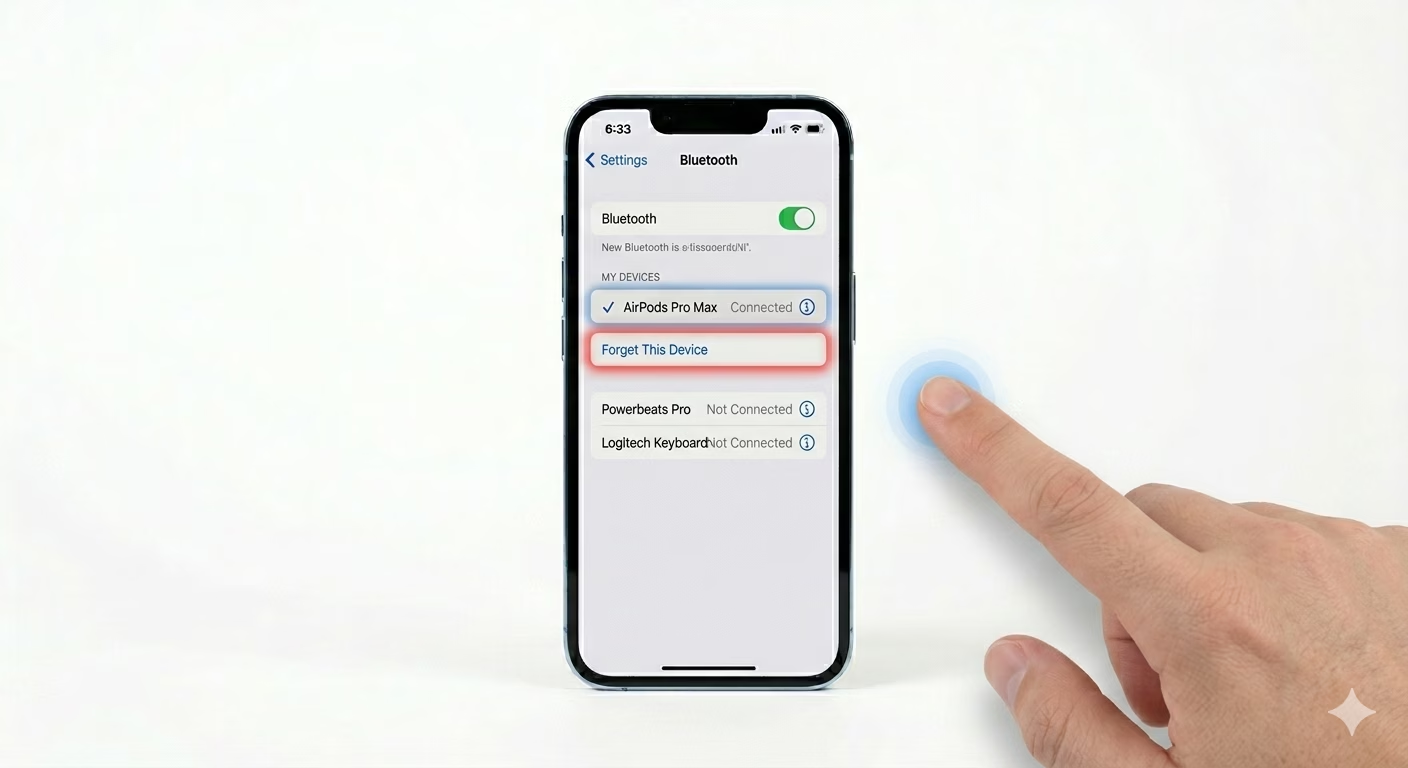
If a device used to work but now won’t connect, the pairing info might be messed up. Go to Settings > Bluetooth, tap the (i) next to the device name, and choose Forget This Device. Put your accessory into pairing mode again, then pick it from the “Other Devices” list for a fresh connection.
2 Reset Network Settings
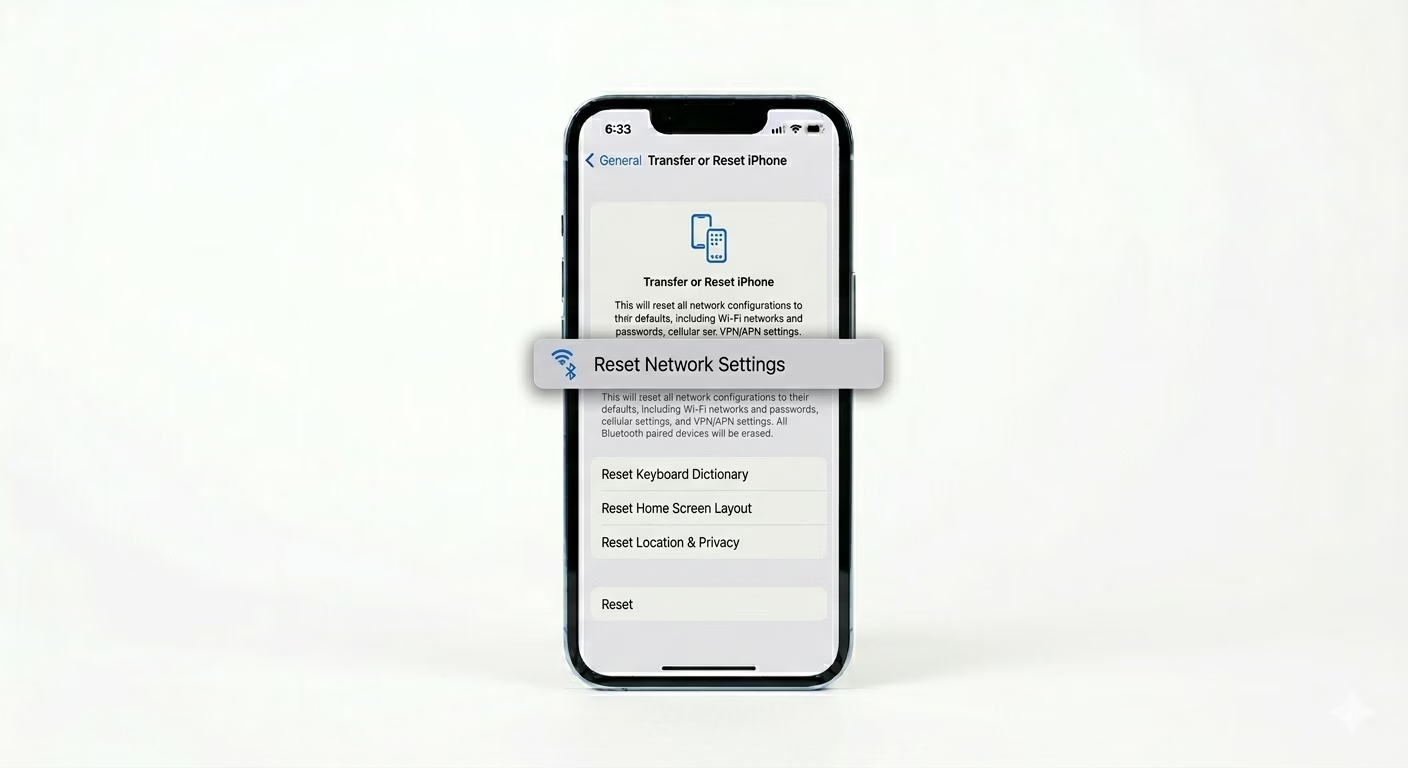
Bluetooth is part of your iPhone’s network system. If several devices won’t connect, resetting the network settings can usually fix the problem. Go to Settings > General > Transfer or Reset iPhone > Reset > Reset Network Settings. This will clear your Bluetooth pairing records and Wi-Fi passwords, giving your iPhone’s wireless features a fresh start.
3 Update to Latest iOS
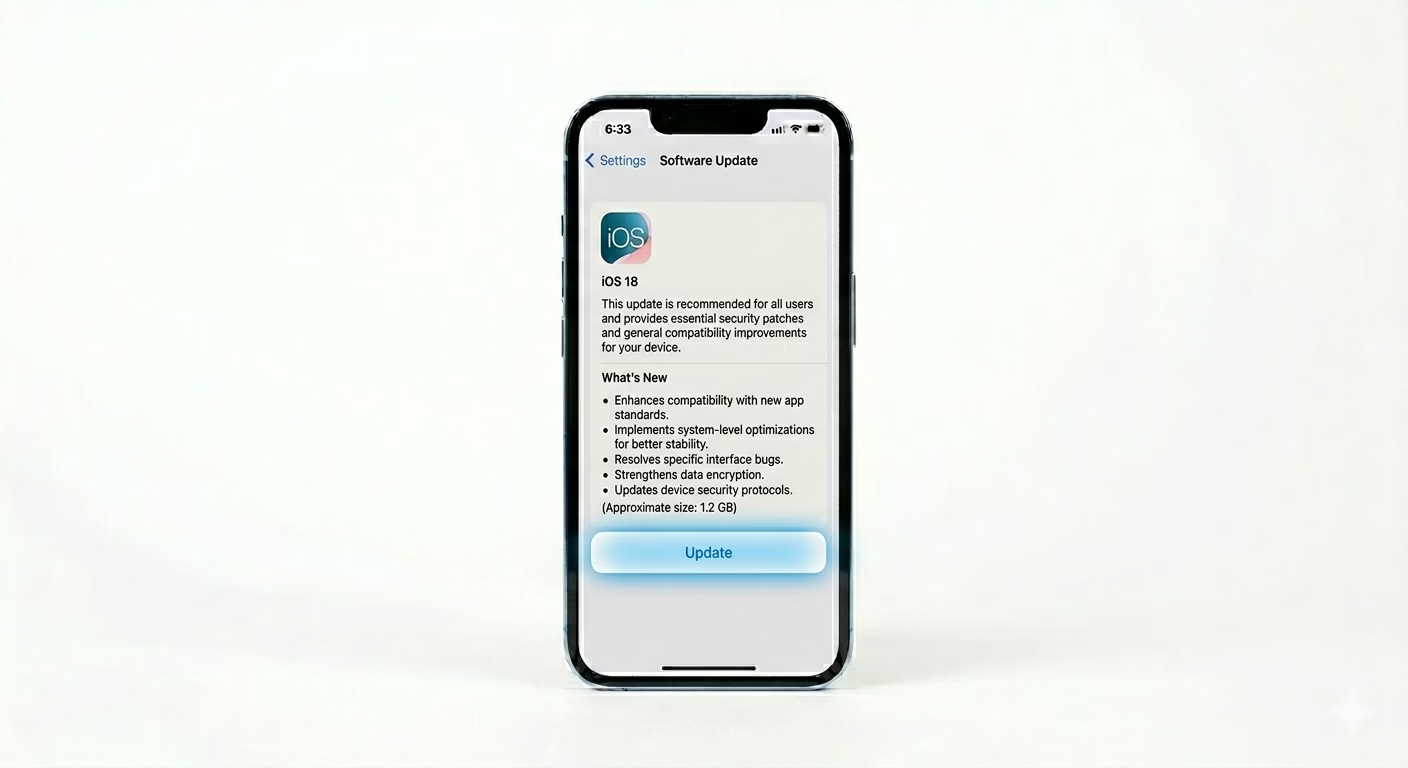
Apple often releases updates to improve Bluetooth stability, especially when new AirPods or other devices come out. Go to Settings > General > Software Update. If there’s an update, install it to make sure your Bluetooth works with the latest devices and security standards.
Why This Happens?
- Corrupted pairing data between the iPhone and the accessory
- Signal interference from other 2.4GHz wireless devices
- Software bugs in the iOS wireless stack after an update
- Hardware issues with the Bluetooth antenna (if toggle is greyed out)
Pro Tips:
- Check Battery: Many Bluetooth devices automatically disconnect or refuse to pair if their battery is below 20%.
- AirDrop Interference: If you're having trouble, try turning OFF AirDrop temporarily to reduce wireless congestion.
- Reset Accessory: Most Bluetooth speakers and headphones have a "Factory Reset" button combo. Try resetting the device itself if the iPhone isn't the problem.
Frequently Asked Questions
Why is my Bluetooth button greyed out?
If the Bluetooth toggle is greyed out, it usually means there’s a hardware issue with your iPhone’s Wi-Fi/Bluetooth chip. Try doing a full “Erase All Content and Settings” reset. If Bluetooth is still greyed out after that, your phone probably needs a physical repair.
Can a phone case block Bluetooth?
Yes. Metal or extra-thick carbon-fiber cases can weaken your Bluetooth signal, causing sound to cut out or devices to disconnect more often.