Battery Quick Facts:
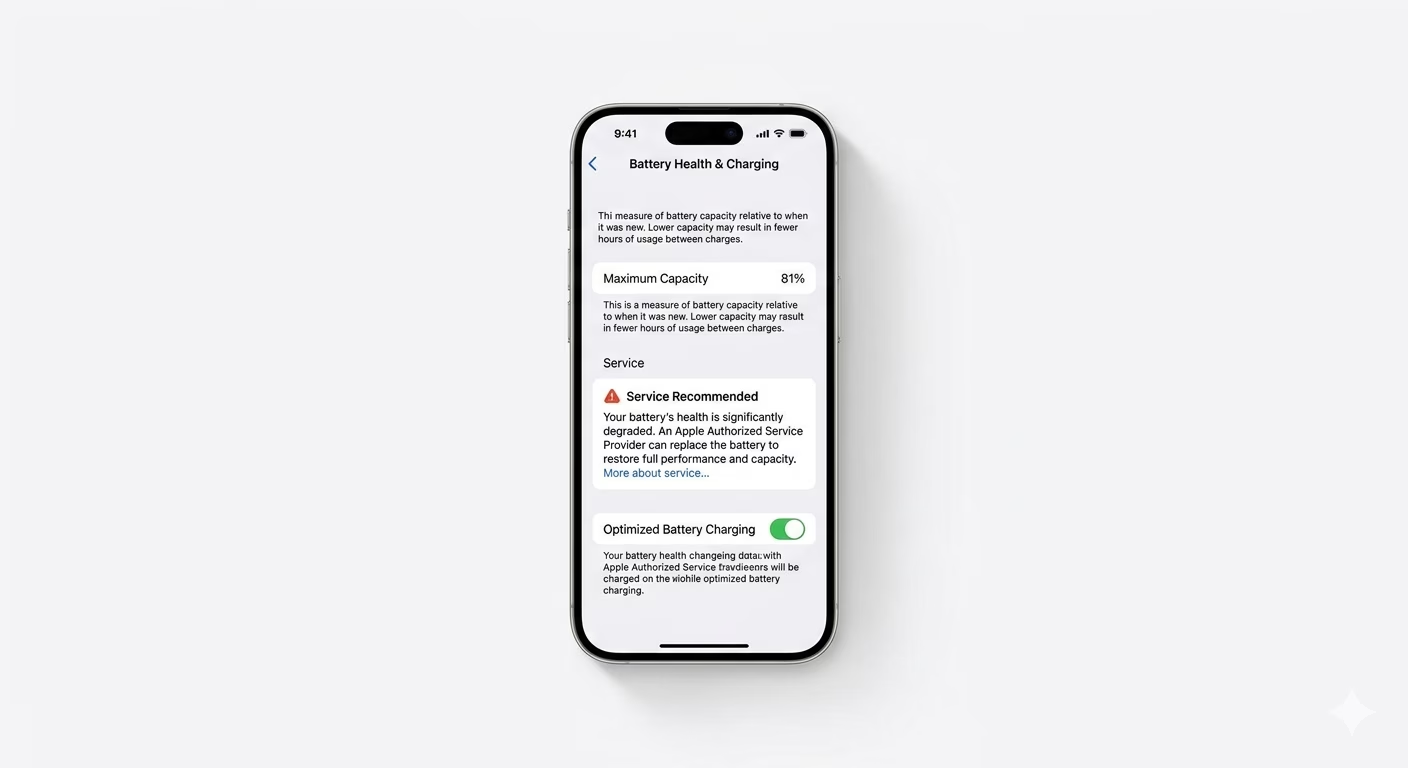
- 100% - 90%: Excellent condition; peak performance.
- 89% - 81%: Normal wear; still supports peak performance.
- Under 80%: Significantly degraded; may cause phone slowdowns (lag).
- Service Warning: The battery is failed and needs immediate replacement.
Steps to Check Your Battery Health
1 Locate Battery Health Settings
To check your battery status, go to Settings > Battery > Battery Health & Charging. You’ll see your Maximum Capacity percentage, which shows how much charge your battery holds compared to when it was new. If you see a “Service” message, it means your battery can’t provide enough power for your iPhone’s CPU anymore.
2 Check Battery Cycle Count
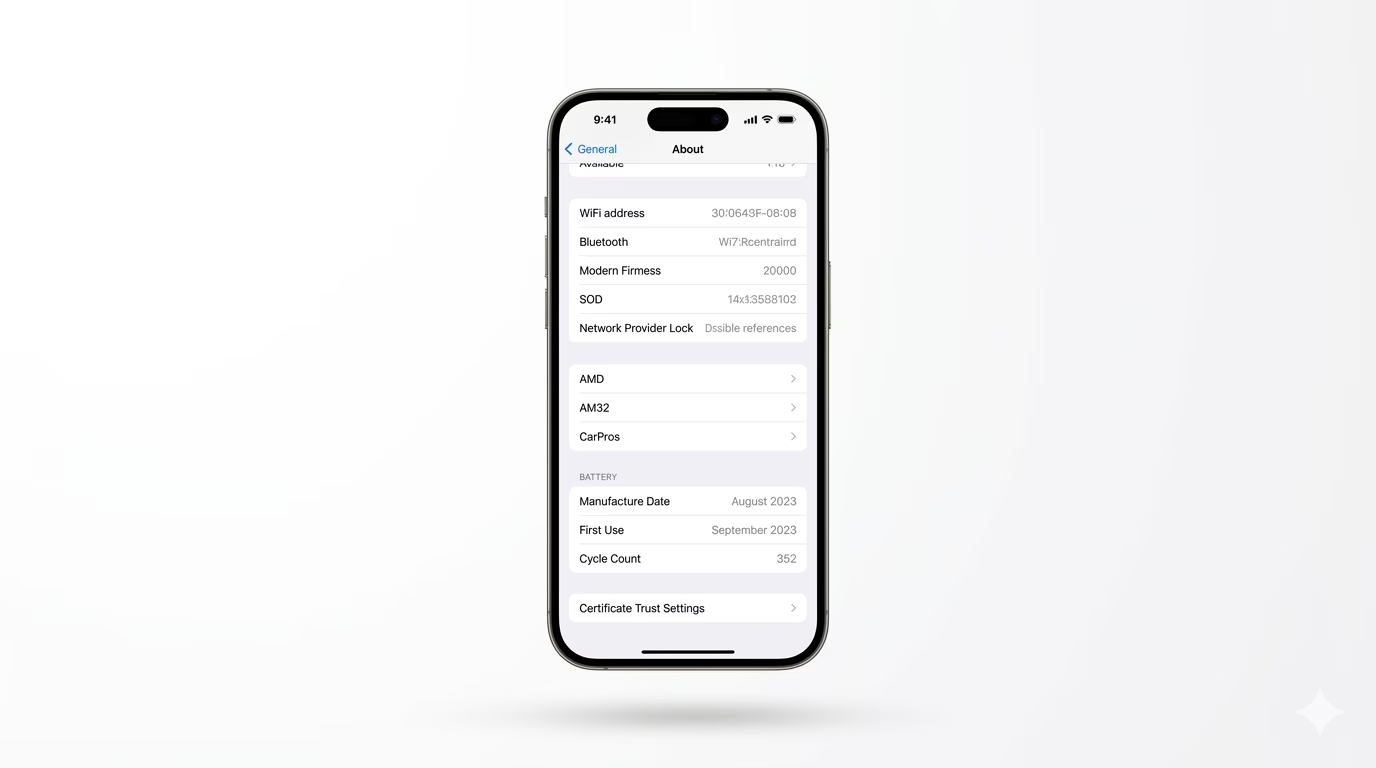
On newer iPhones like the iPhone 15 and 16, you can see exactly how many times your battery has been fully charged. Go to Settings > General > About and scroll to the Battery section. Most iPhone batteries are built to keep at least 80% of their original capacity after 500 to 1000 full charge cycles.
3 Audit Power-Hungry Apps
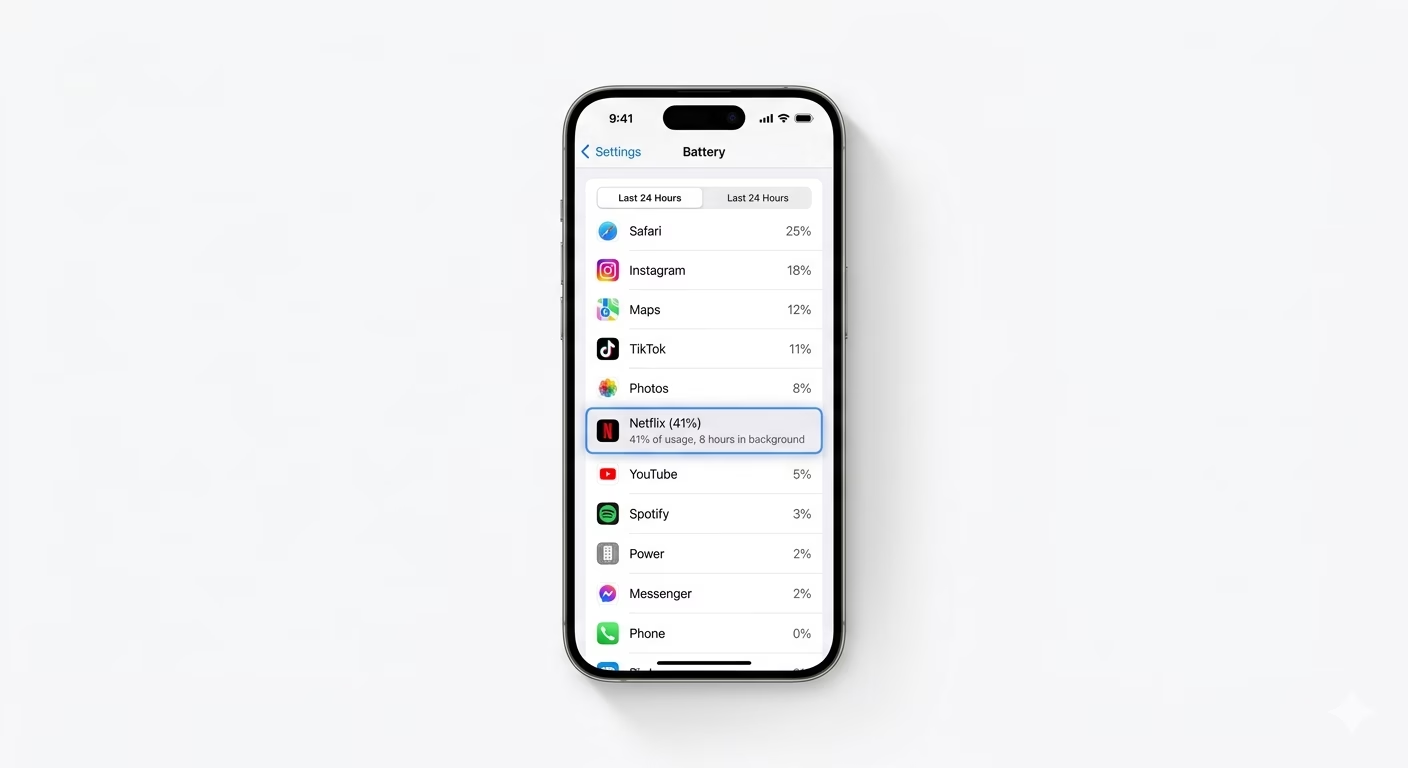
If your battery health looks good but it’s still draining quickly, an app could be causing the problem. In the Battery settings, scroll down to the “Battery Usage by App” list. Check for apps with high background activity. If you see an app you rarely use taking up 20% or more of your battery, consider deleting it or turning off its background permissions.
Why Does Battery Health Drop?
- Heat: Leaving your phone in a hot car or gaming while charging.
- Age: Lithium-ion batteries naturally chemically age over time.
- Full Discharge: Regularly letting your phone drop to 0% stresses the battery.
- Cheap Chargers: Using non-MFi certified cables can damage the charging IC.
Pro Tips to Save Health:
- 80% Limit: On iPhone 15 and later, go to Charging Optimization and select "80% Limit" to prevent the battery from staying at 100% all night.
- Optimized Charging: For older models, keep "Optimized Battery Charging" ON so iOS learns your routine and waits to finish charging past 80%.
- Avoid Extreme Cold: Very cold temperatures can temporarily reduce battery life and cause health reporting errors.
Frequently Asked Questions
Is 85% battery health good?
Yes, 85% battery health is still considered good. You typically won’t see a big performance drop until it goes below 80%.
Can I restore battery health with software?
No, battery health decline is a hardware issue. No app or software update can fix a chemically aged battery—only replacing the battery will restore its original capacity.