Quick Audio Checklist:
- Check if Apple Music Server is down on the System Status page
- Toggle Airplane Mode ON and OFF to refresh your signal
- Ensure you have an active Apple Music Subscription
- Verify your Wi-Fi or Cellular Data is stable and fast
Steps to Resolve Apple Music Playback Errors
1 Re-Sync Your Music Library
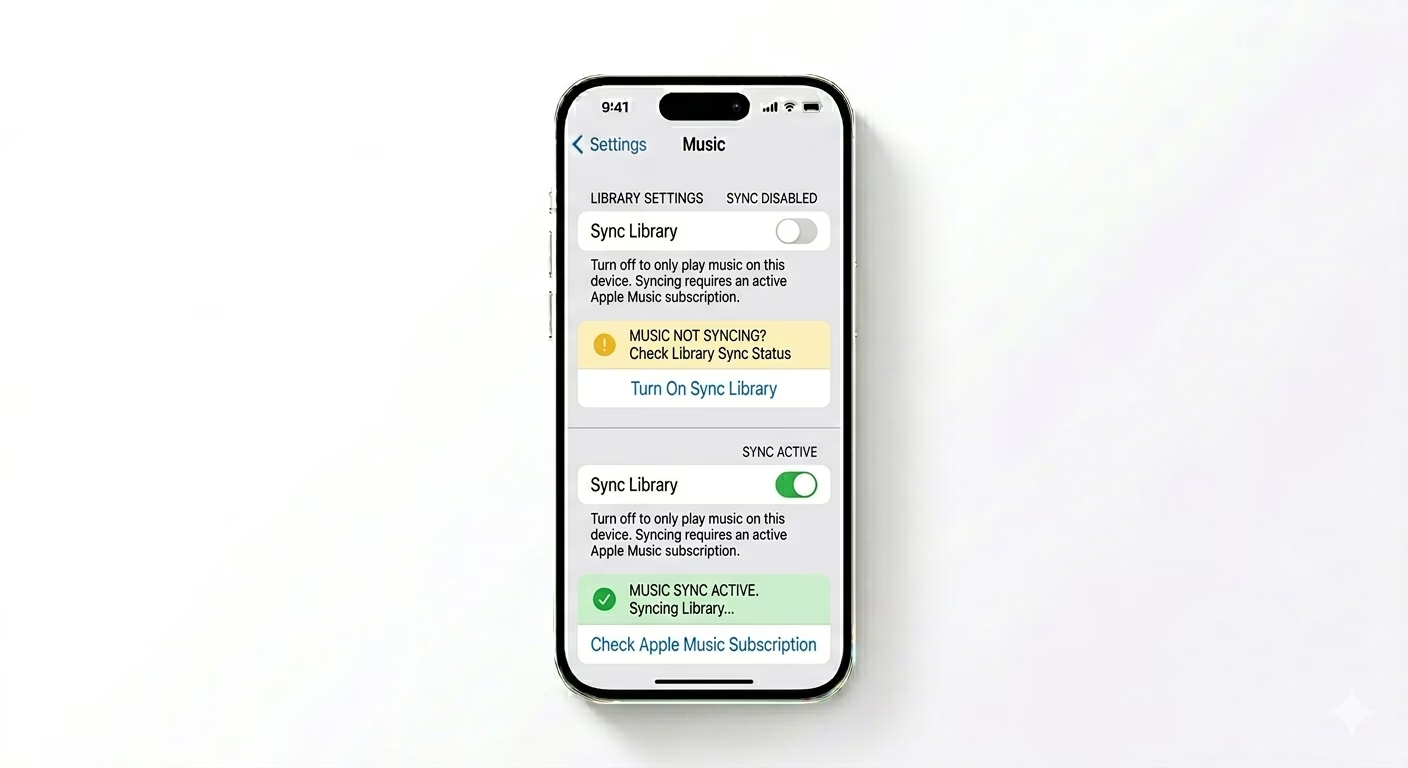
If your playlists aren’t loading or songs are grayed out, your library sync might be stuck. Go to Settings > Apps > Music. Toggle Sync Library OFF, wait for 10 seconds, and turn it back ON. This forces your iPhone to re-verify your entire music database with iCloud, fixing “Resource Unavailable” errors.
2 Adjust Streaming Quality Settings
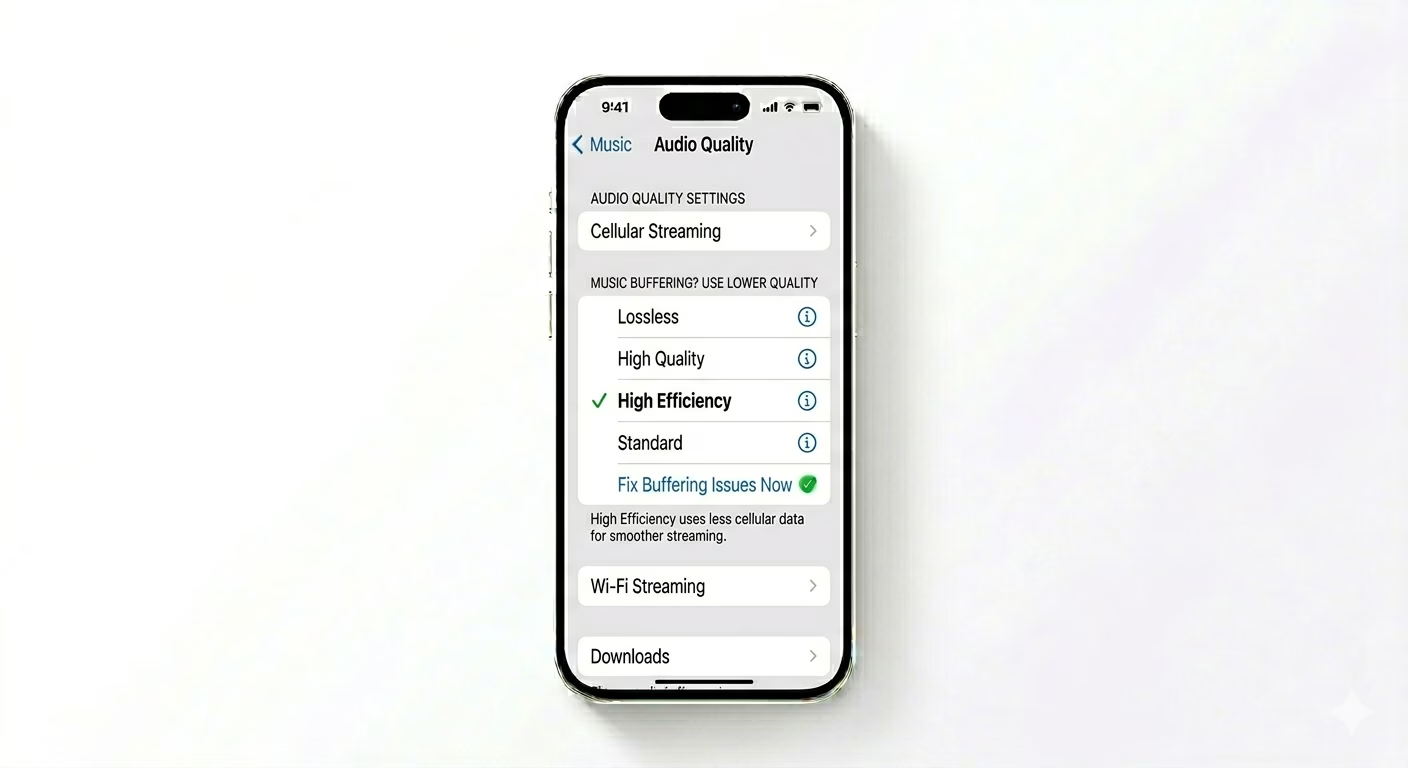
High-quality “Lossless” audio uses a massive amount of data. If your music keeps buffering, head over to Settings > Music > Audio Quality. For Cellular Streaming, switch to "High Efficiency" instead of Lossless. This lowers data usage, helping songs play smoothly even on weaker 4G or 5G connections.
3 Flush Corrupted Streaming Buffers
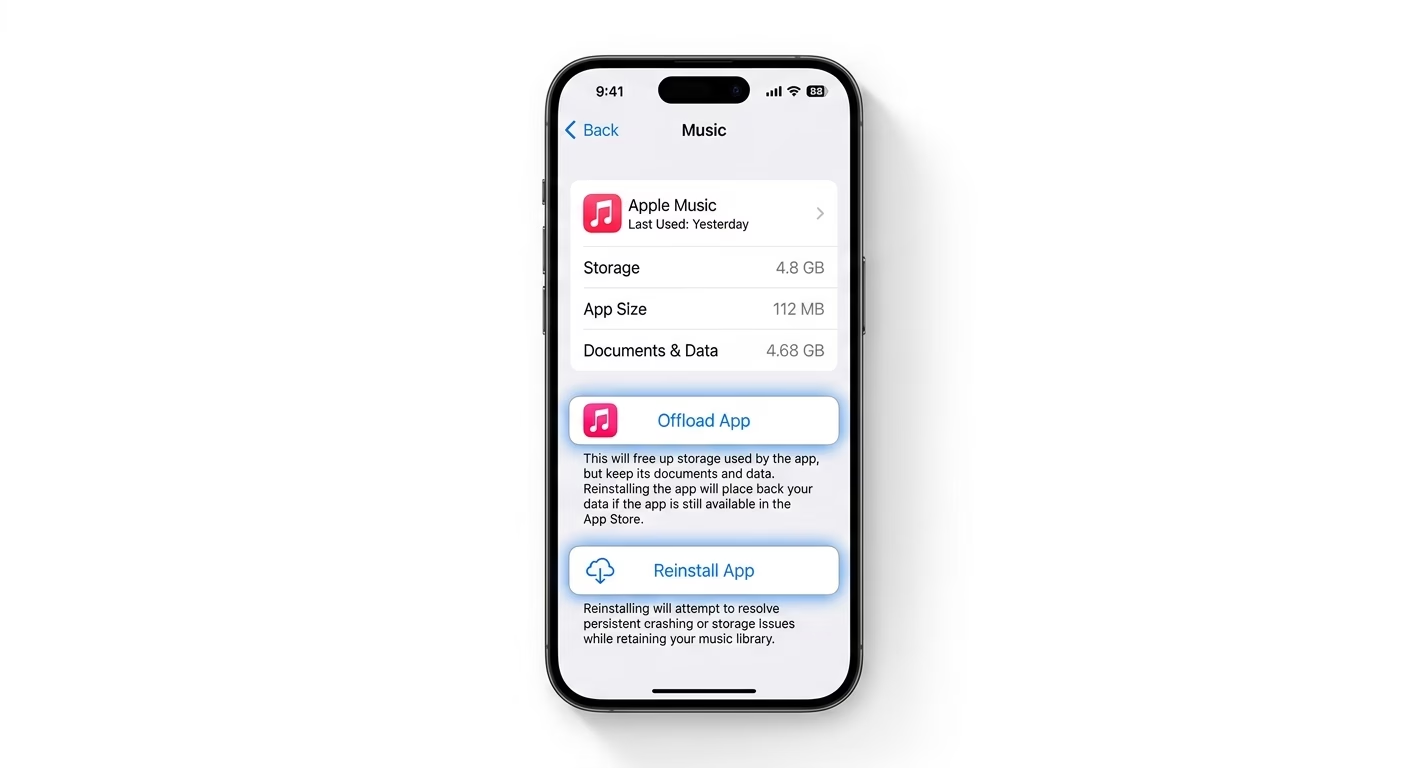
If the Music app is lagging or crashing, clearing its internal cache can help. Go to Settings > General > iPhone Storage > Music. Tap Offload App. This removes the app while keeping your songs and playlists intact. Reinstall it from the same screen to refresh the streaming system and eliminate temporary glitches.
Why Does Apple Music Lag?
- Lossless Audio: Lossless files are 10x larger than standard files and can cause buffering on slow networks.
- Low Data Mode: If active, iOS will pause background syncing and limit music bitrates.
- Storage Full: Apple Music needs space to "buffer" the song before it plays.
- Apple ID Sync: If you recently changed your password, the app might fail to authenticate your subscription.
Pro Tips:
- Download for Offline: If you have a weak connection, use the Download icon to save songs locally so they never buffer.
- Reset All Settings: If the app won't open at all, a "Reset All Settings" can fix deep system-level audio driver conflicts.
- Sign Out/In: Try signing out of Media & Purchases in your Apple ID settings and signing back in to refresh your license.
Frequently Asked Questions
Why are some songs grayed out in my library?
This usually happens when a song isn’t available in your region anymore, or when your "Sync Library" feature is having trouble connecting to Apple’s servers.
Does Lossless audio use more battery?
Yes. Decoding Lossless and Hi-Res Lossless audio requires more CPU power, which can drain your battery faster during longer listening sessions.