Quick Fix:
- Ensure both devices have Wi-Fi and Bluetooth turned ON
- Keep the devices within 30 feet (9 meters) of each other
- Turn OFF Personal Hotspot on both iPhones
- Restart both devices to refresh wireless discovery
Steps to Restore AirDrop Functionality
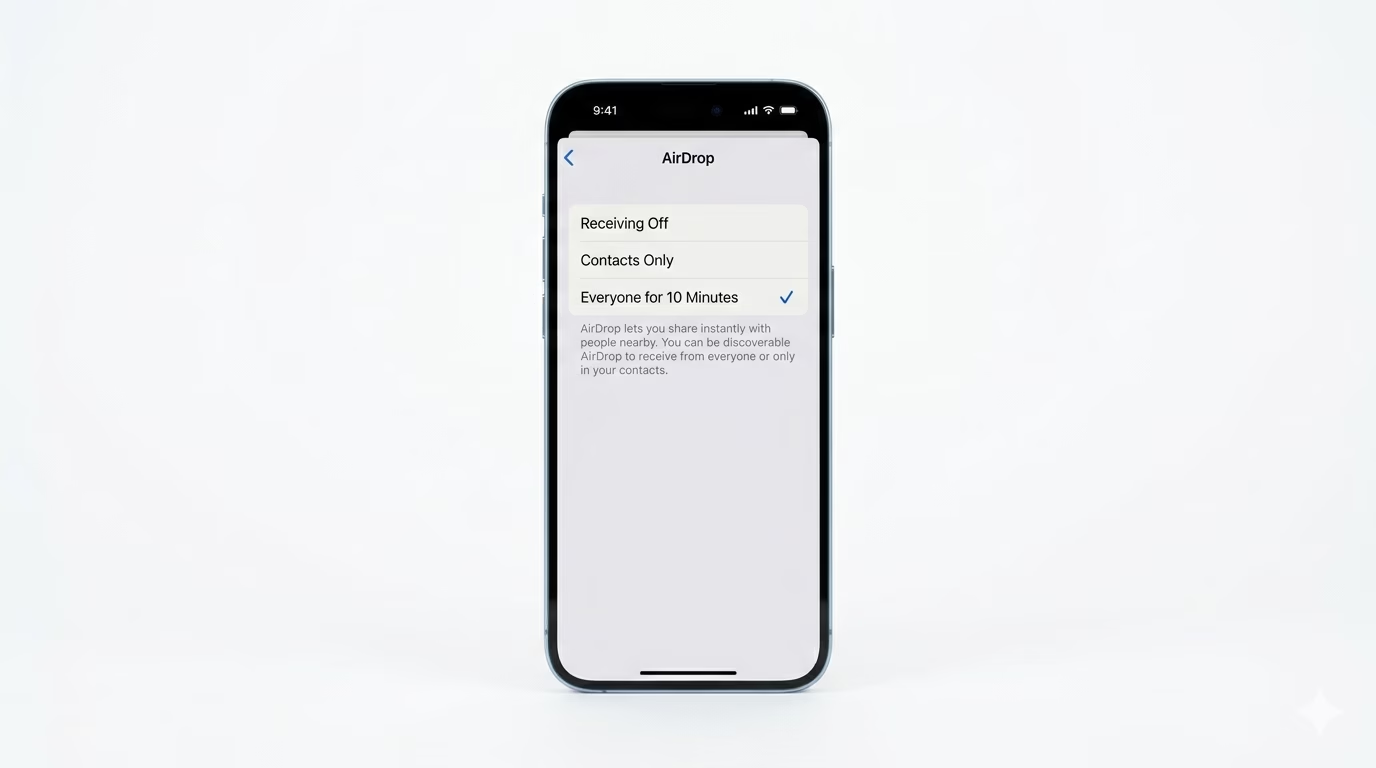
1 Change AirDrop Receiving to "Everyone"
Most AirDrop issues happen because of “Contacts Only” restrictions. Go to Settings > General > AirDrop and choose Everyone for 10 Minutes. This lets any nearby Apple user see your device and avoids contact-matching problems. After 10 minutes, AirDrop will automatically switch back to your previous setting to keep things secure.
2 Turn Off Personal Hotspot
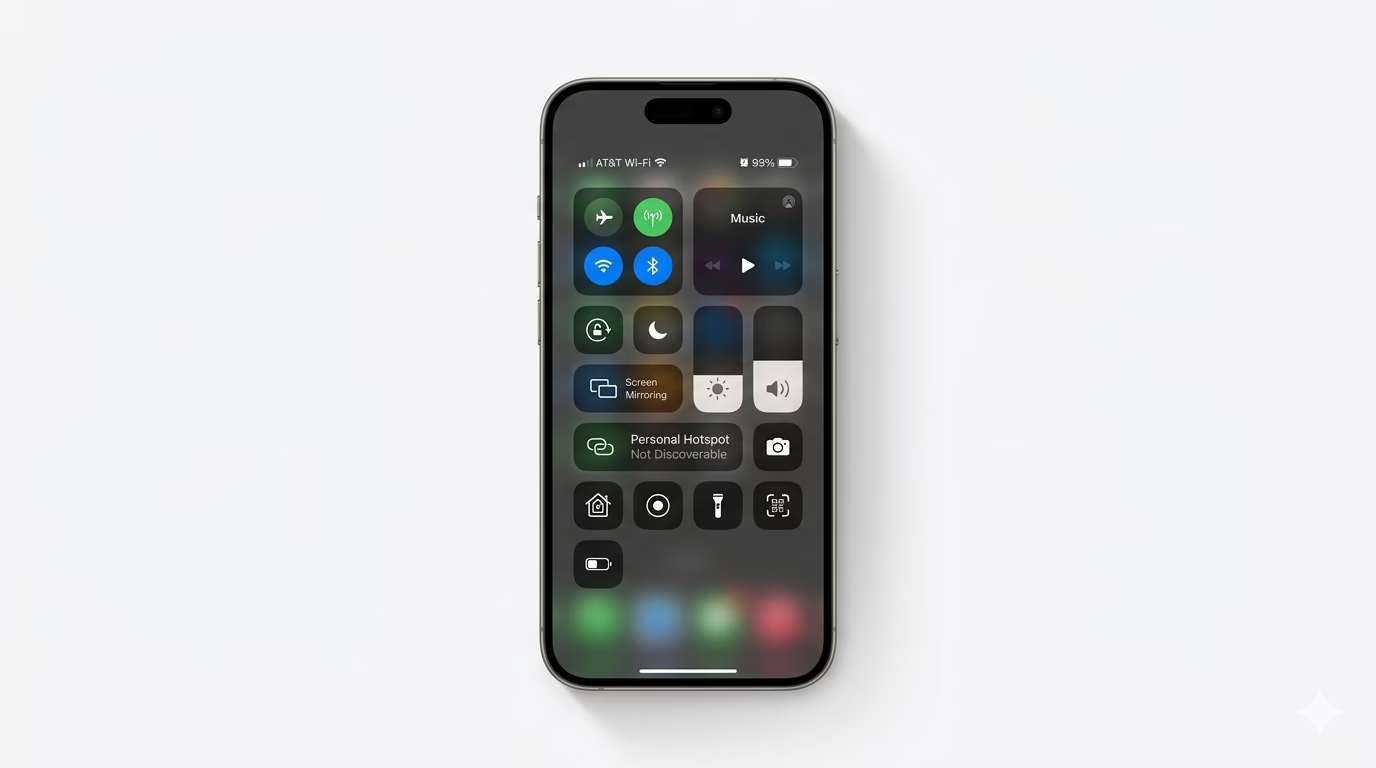
AirDrop and Personal Hotspot use the same Wi-Fi radio on your iPhone. If you’re sharing your data with someone, AirDrop might not work. Open Control Center, long-press the network box, and make sure Personal Hotspot is set to “Not Discoverable.” Once Hotspot is off, try sending your file again.
3 Verify Privacy Restrictions
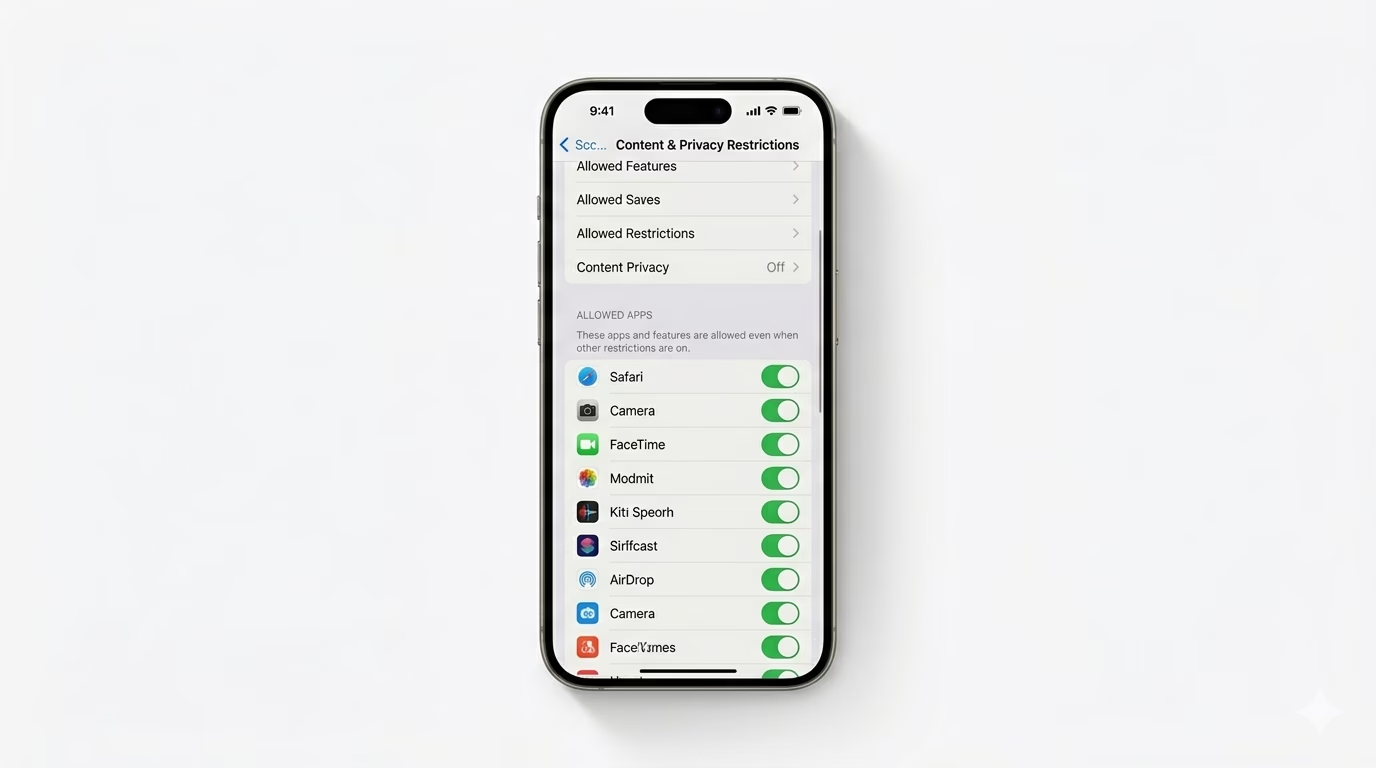
If the AirDrop icon is missing or greyed out, it might be turned off in your system restrictions. Go to Settings > Screen Time > Content & Privacy Restrictions > Allowed Apps and make sure AirDrop is switched ON. If this is off, your iPhone will hide all AirDrop features.
Why This Happens?
- Bluetooth or Wi-Fi is disabled on either device
- Device discovery is blocked by "Contacts Only" filter
- Personal Hotspot interference with wireless radios
- Software glitches in the "Proximity Sharing" framework
Pro Tips:
- Unlock Device: AirDrop won't work if the receiving iPhone is locked or the screen is off.
- Stay Close: AirDrop uses Bluetooth for discovery but Wi-Fi for transfer. Moving even a few feet away can break the transfer.
- Reset Network Settings: If nothing works, go to Settings > General > Reset > Reset Network Settings to flush the wireless cache.
Frequently Asked Questions
Can I AirDrop to an Android phone?
No, AirDrop only works between Apple devices. To share files with Android, use options like Google Drive, WhatsApp, or web tools like Snapdrop.
Why is AirDrop so slow?
AirDrop speed depends on your Wi-Fi environment. In crowded places with lots of signals, transfers can slow down because of wireless congestion.