Quick Fix:
- Check if Instagram servers are down
- Force quit the app and restart it
- Update Instagram from the App Store
- Ensure you have at least 2GB of free storage
Steps to Fix Instagram Crash Loops
1 Offload Instagram to Clear Cache
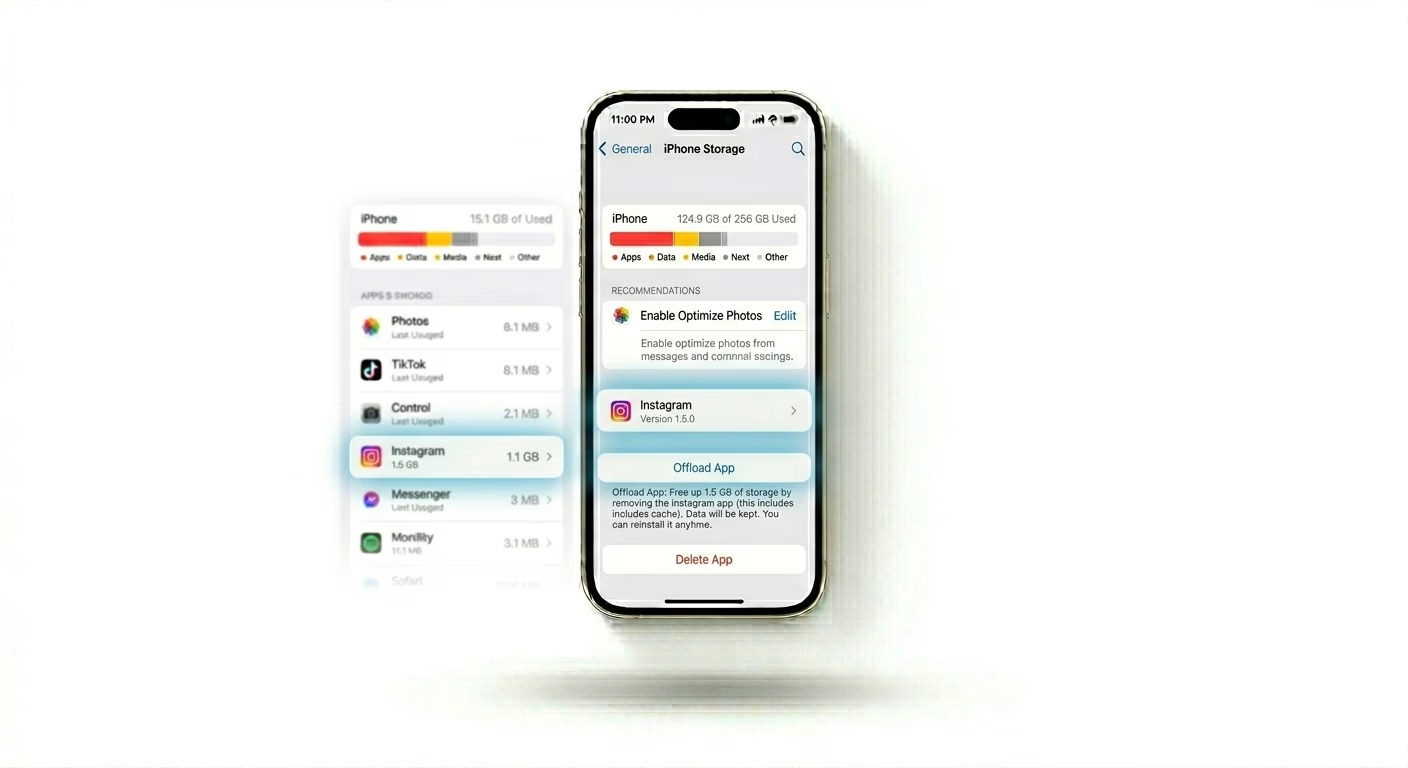
Instagram doesn’t have a built-in "Clear Cache" option on iPhone. The best way to remove corrupted temporary files is to "Offload" the app. Go to Settings > General > iPhone Storage, find Instagram, and tap Offload App. Once it’s done, tap Reinstall App to get a fresh, clean version of Instagram without losing your login.
2 Manage Data Usage Settings
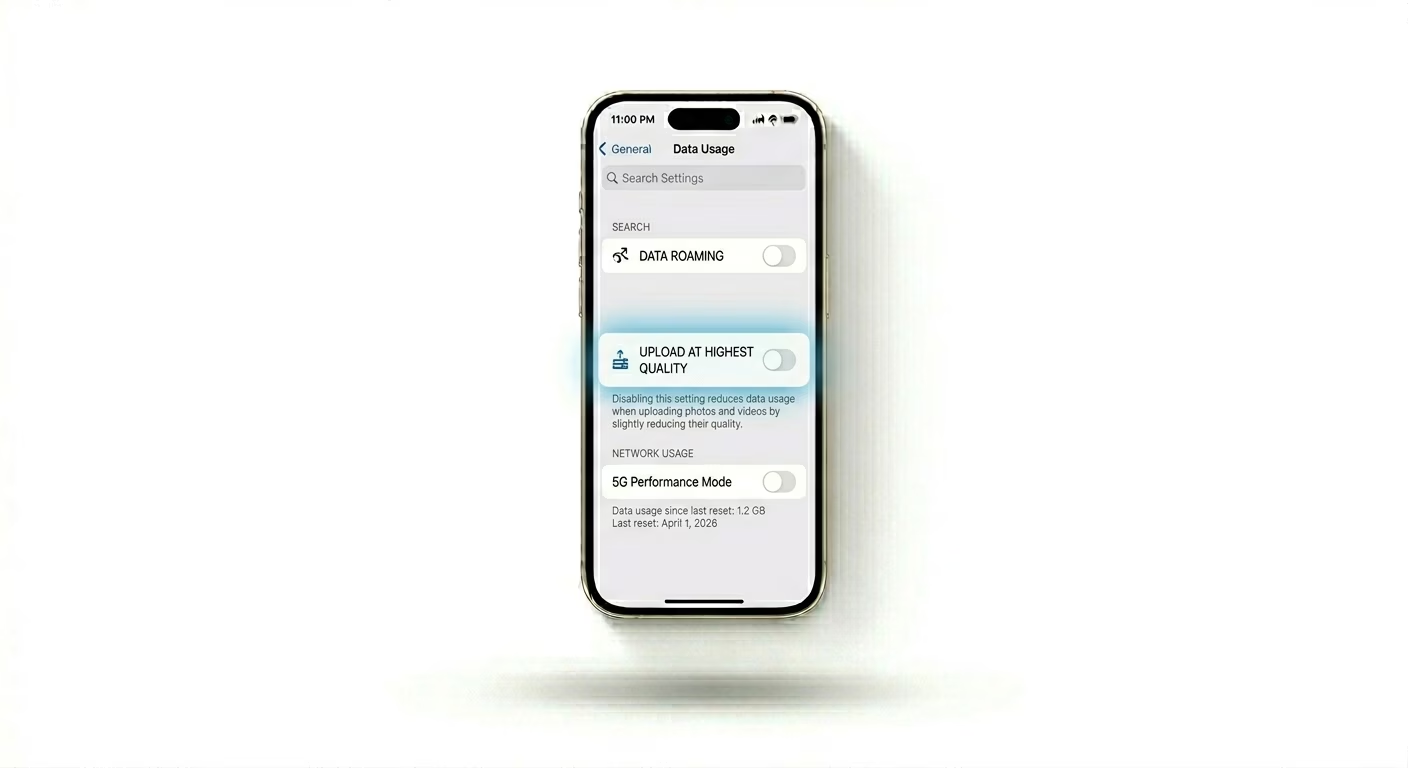
Sometimes, Instagram crashes because it has trouble handling high-resolution photos and videos in the background. Open Instagram > Profile > Menu > Settings > Account > Data Usage and make sure "Upload at Highest Quality" is turned OFF for now. This can help the app run more smoothly when scrolling or posting.
3 Update to the Latest Public iOS
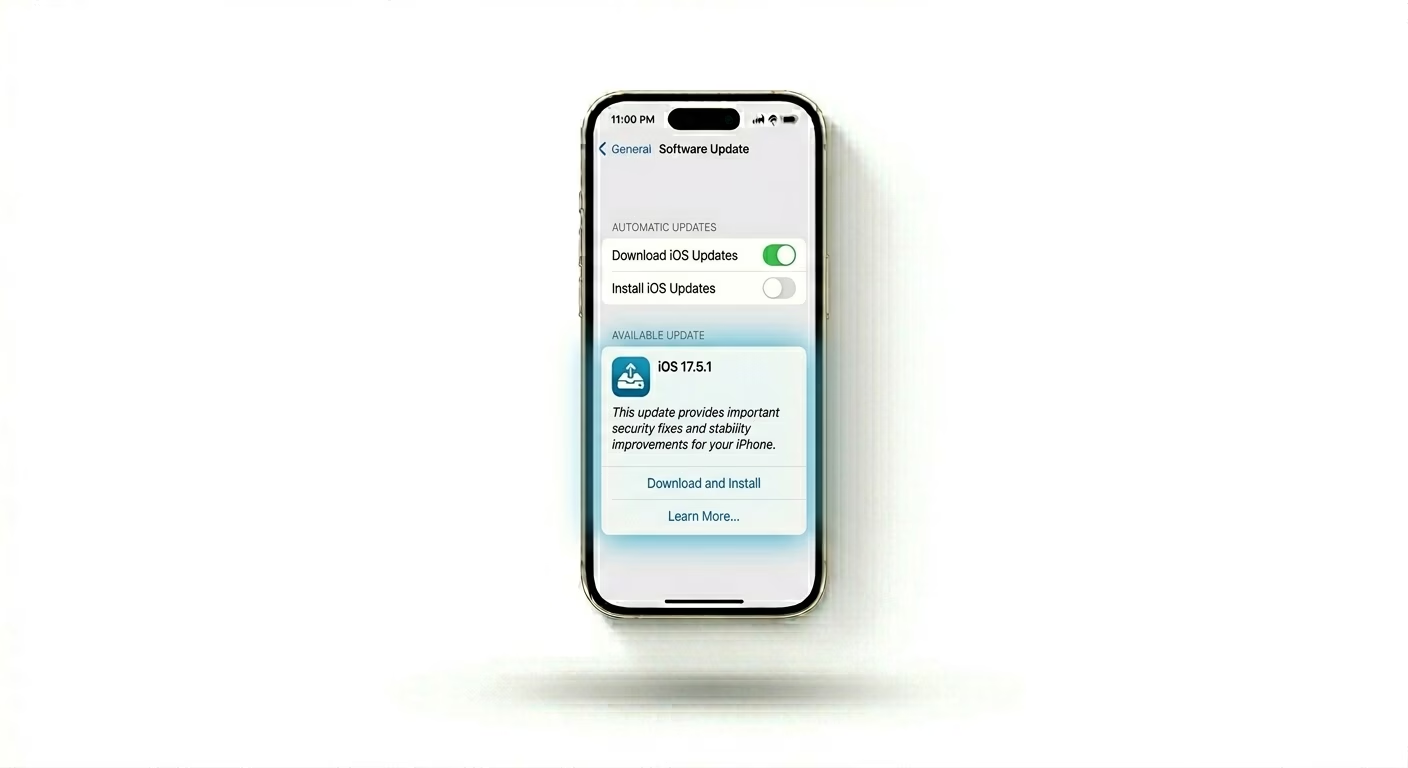
If you’re running a Beta version of iOS, Instagram might crash often because the app isn’t fully compatible with test system software. Go to Settings > General > Software Update and install any public updates if they are available. If you’re still on a Beta version, consider switching back to the stable public release for better app stability.
Why This Happens?
- Corrupted local cache files from heavy media consumption
- Incompatibility between the app version and iOS version
- Insufficient RAM available on older iPhone models
- Experimental features being tested on your specific account
Pro Tips:
- Re-login: Log out of Instagram and log back in; this refreshes your account's session tokens which can stop "Splash Screen" crashes.
- Clear Search History: Sometimes a massive search history can slow down the app. Clear it via Instagram Settings > Security.
- Avoid Auto-Updates: If Instagram is currently stable, turn off Auto-Updates in the App Store so a buggy new version doesn't break it.
Frequently Asked Questions
Why does Instagram crash only when I open a Reel?
Reels use a lot of your phone’s resources. If your device feels hot or the cache is full, the graphics processor might not be able to handle the video, which can cause Instagram to crash.
Will I lose my Drafts if I reinstall Instagram?
Warning: Yes. If you fully delete and reinstall Instagram, any saved Reels drafts will be lost. Offloading the app (Step 1) is safer because it tries to keep your app data, including drafts, intact.