Quick Fix:
- Delete old iPhone backups you no longer need
- Clear the "Recently Deleted" folder in your Photos app
- Disable backup for heavy apps like WhatsApp or Games
- Review and delete large attachments in Messages and Mail
Steps to Clear iCloud Storage Space
1 Identify What is Using Space
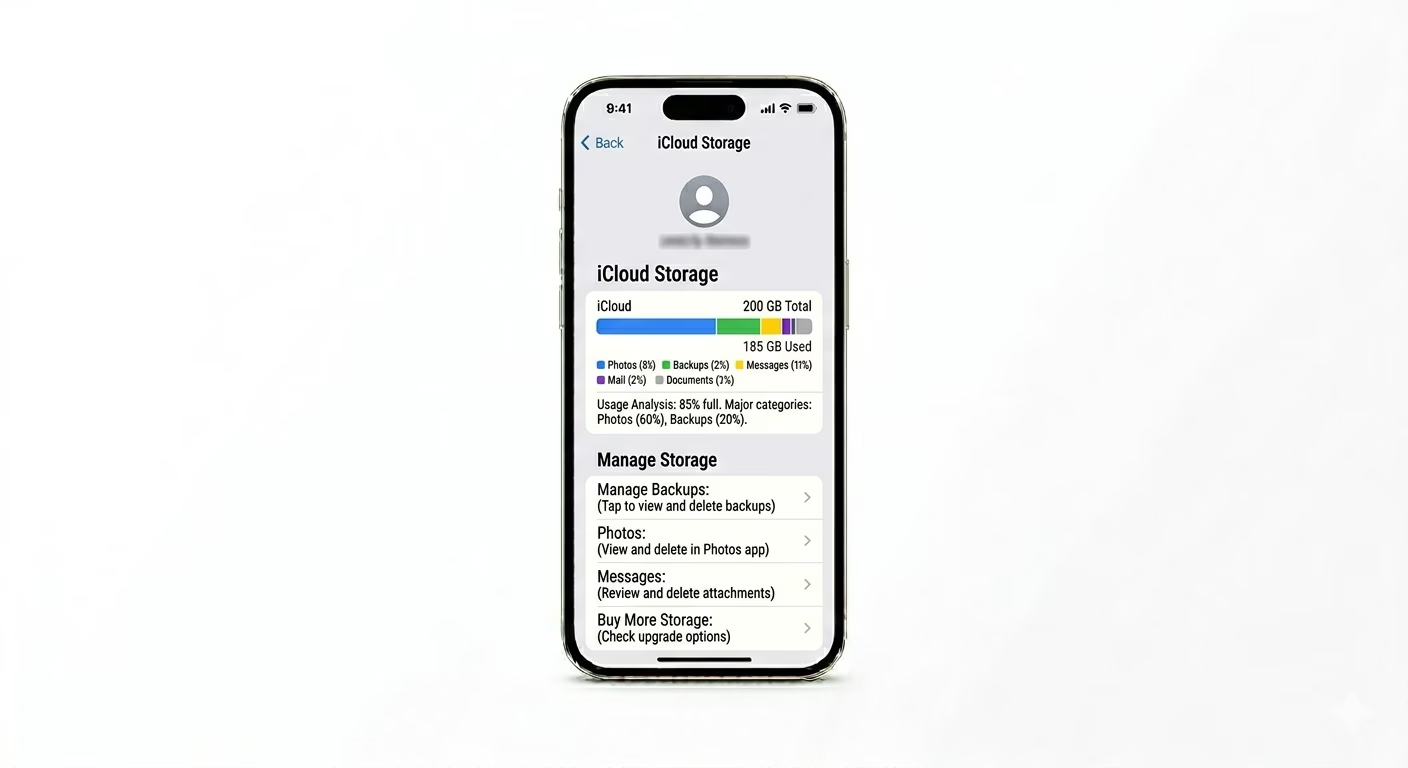
Before deleting anything, check what’s using up your iCloud space. Go to Settings > [Your Name] > iCloud > Manage Account Storage. You’ll see a bar chart—usually, Photos and Backups take up the most space. Tap each app in the list to delete its data from the cloud.
2 Remove Old Device Backups
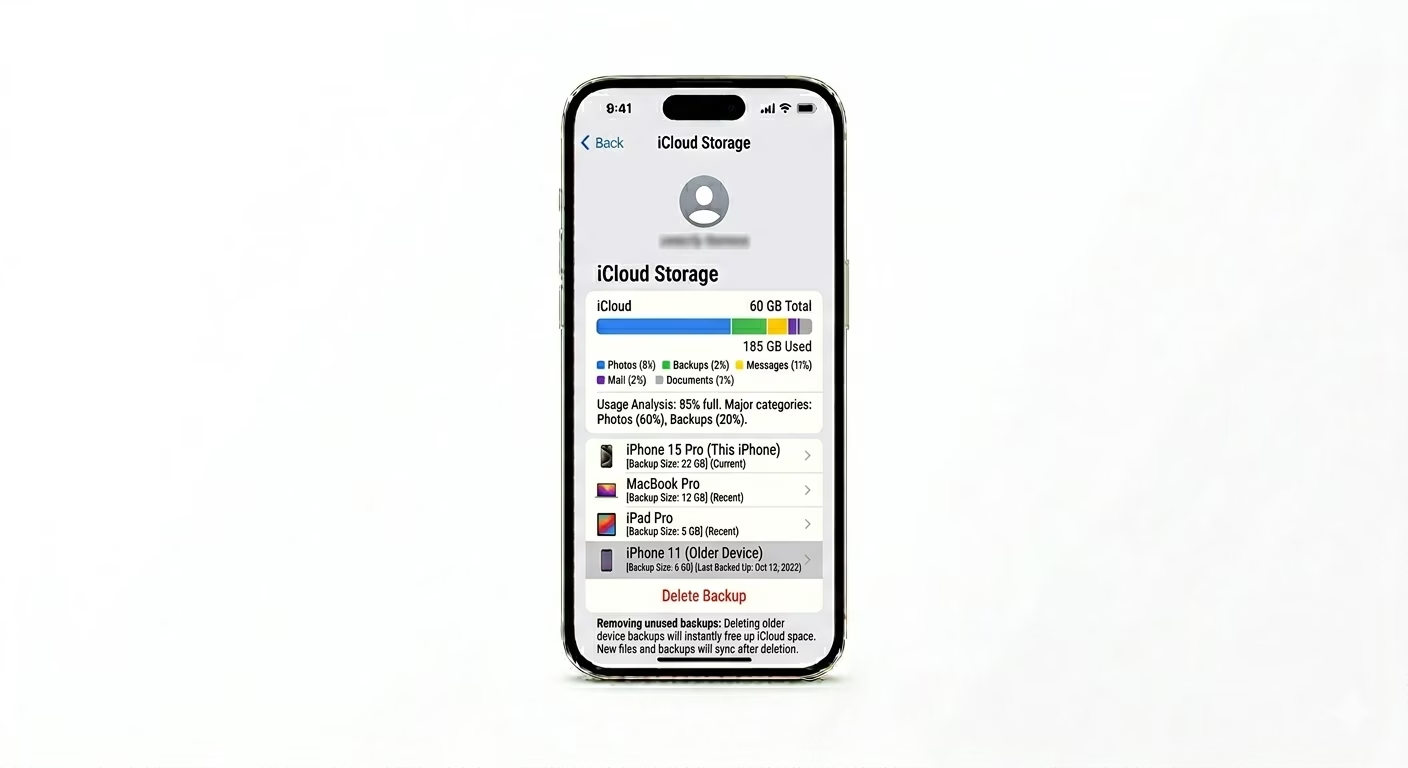
If you’ve owned other iPhones, their old backups might still be in your iCloud. In the Manage Storage menu, tap Backups and look for devices you don’t use anymore. Select the old backup and tap Delete & Turn Off Backup. This can quickly free up several gigabytes of space.
3 Use "Optimize iPhone Storage"
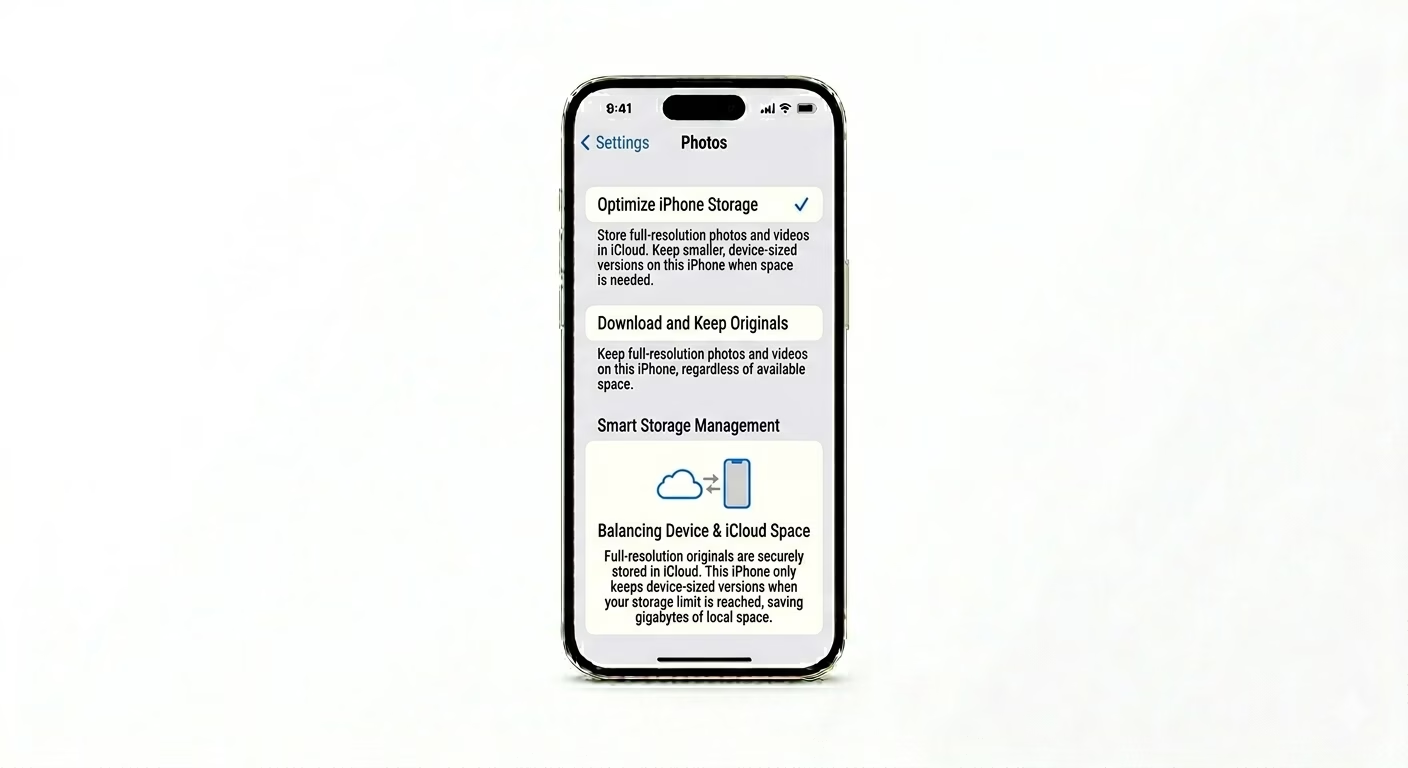
If your Photos library is taking up too much space, make sure you’re not saving full-size photos both on your phone and in iCloud. Go to Settings > Photos and choose Optimize iPhone Storage. This will keep smaller versions on your iPhone, while the full-sized originals stay in iCloud—helping free up storage and keeping your syncs efficient.
Why This Happens?
- Apple's free 5GB tier is very small for modern 4K videos and photos
- Automatic backups of multiple devices (iPad, old iPhones) on one account
- Large WhatsApp media files being included in the system backup
- High-resolution email attachments and shared folders in iCloud Drive
Pro Tips:
- Offload to PC: Move your older photos to a computer or an external hard drive, then delete them from iCloud to save space.
- WhatsApp Settings: Go to WhatsApp Settings > Chats > Chat Backup and toggle OFF "Include Videos" to save massive amounts of iCloud space.
- iCloud+ Upgrade: If you have too much data, the 50GB iCloud+ plan is usually very affordable and removes the stress of constant manual cleaning.
Frequently Asked Questions
Will deleting iCloud photos delete them from my phone?
Yes, if iCloud Photos is ON, deleting a photo on your iPhone will delete it from all your devices and iCloud. To avoid this, download your photos to a PC before deleting them from your phone.
Why is my storage still full after deleting files?
To free up space for good, you need to empty the Recently Deleted folder in the Photos app and also clear the Recently Deleted section in iCloud Drive. This will permanently remove those files and reclaim your storage.