Quick Fix:
- Connect your iPhone to a power source (charger)
- Ensure you are connected to a strong Wi-Fi network
- Check if you have enough free iCloud storage space
- Restart your iPhone and try to manually "Back Up Now"
Steps to Fix iCloud Backup Failures
1 Verify Available iCloud Storage
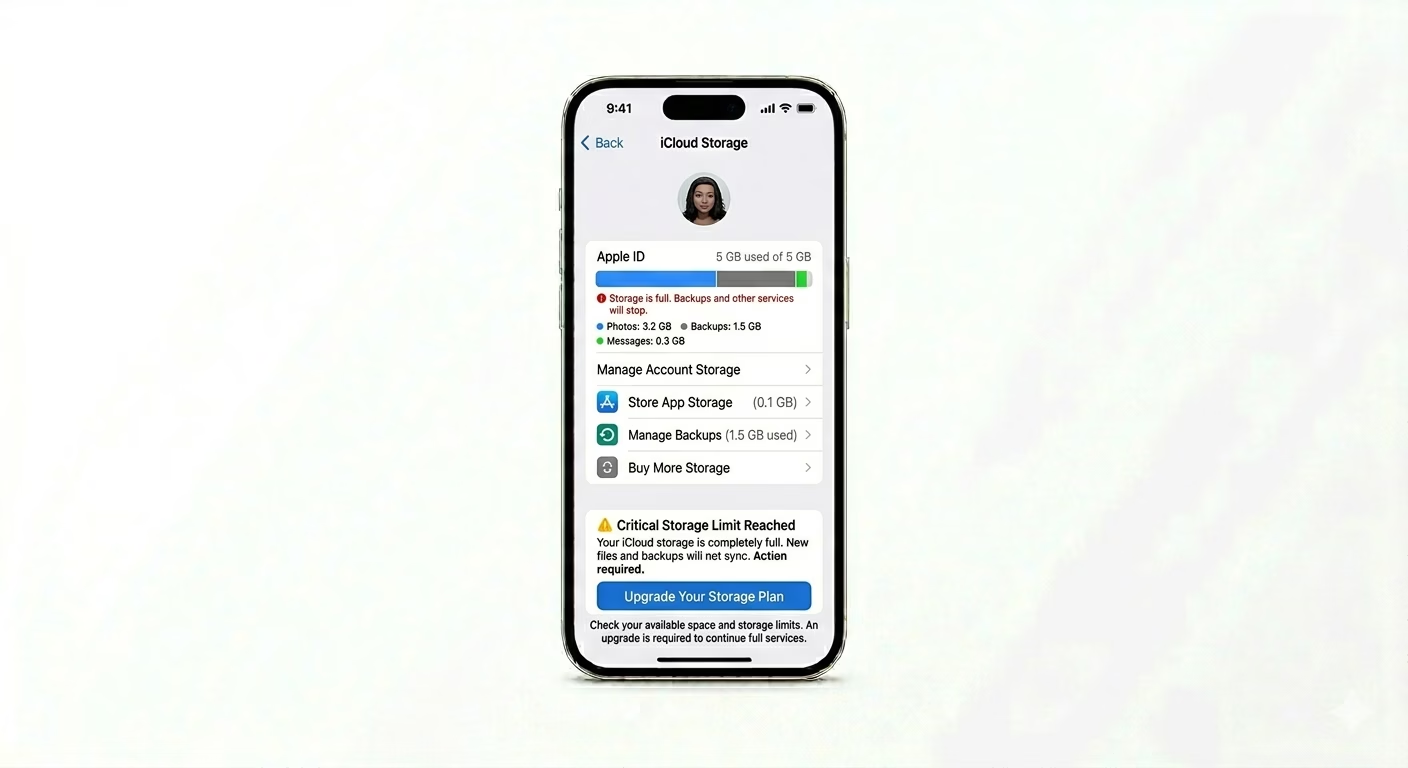
iCloud backups will fail right away if the backup size is bigger than your available storage. Go to Settings > [Your Name] > iCloud > Manage Account Storage. If your storage is full, delete old backups, clear out your photo library, or upgrade your iCloud+ plan to fit the new backup.
2 Reset iCloud Backup Toggle
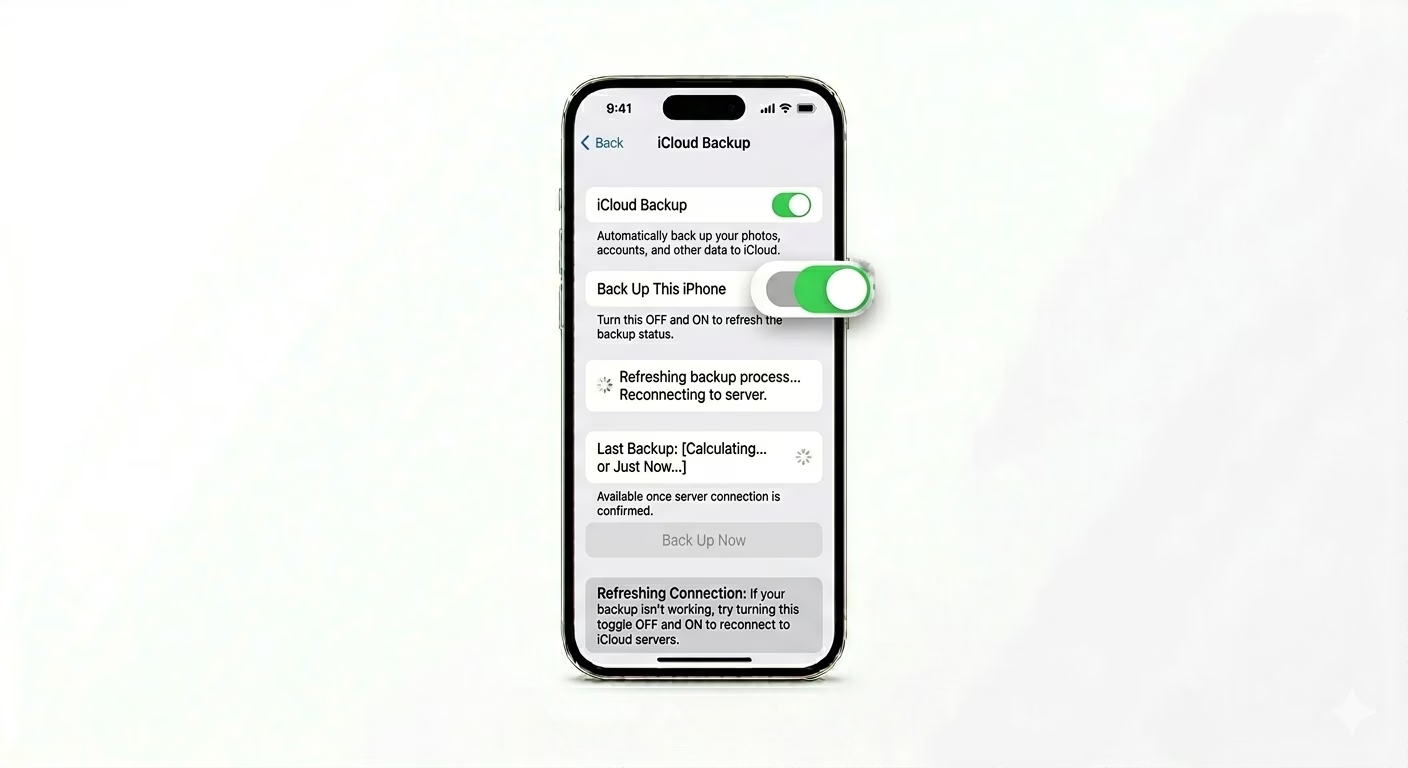
Sometimes the background backup process gets stuck. Go to Settings > [Your Name] > iCloud > iCloud Backup. Turn Back Up This iPhone OFF, wait 30 seconds, then turn it back ON. This refreshes the connection with Apple’s servers and often fixes the “Last backup could not be completed” error.
3 Remove Corrupted Backup Files
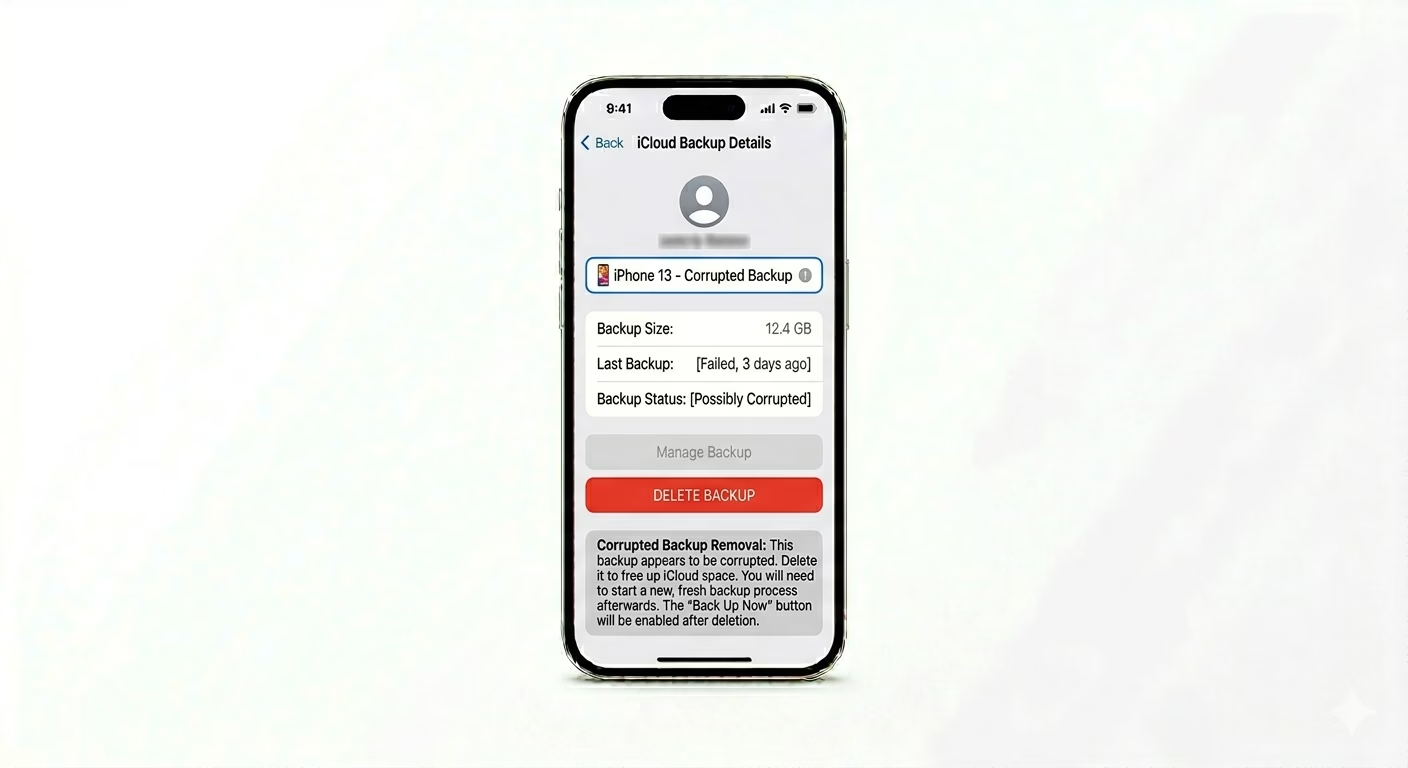
If a previous backup was interrupted, the file could be corrupted and stop new backups from working. Go to Settings > [Your Name] > iCloud > Manage Account Storage > Backups. Select your current device and tap Delete & Turn Off Backup. Once it’s deleted, turn backup back ON and tap Back Up Now to make a fresh, clean backup of your data.
Why This Happens?
- Insufficient iCloud storage to complete the data transfer
- Weak or unstable Wi-Fi connection during the upload process
- iPhone is not connected to power (backups often pause to save battery)
- Software conflicts within the iOS "Backup Daemon" after an update
Pro Tips:
- Backup Over Cellular: If you have an unlimited 5G plan, you can enable Back Up Over Cellular in the backup settings, so you don't have to wait for Wi-Fi.
- Exclude Large Apps: Go to the backup settings and toggle OFF apps like "Photos" or "WhatsApp" if you are already backing them up separately; this makes the system backup much smaller.
- Nightly Backup: Ensure your phone is locked and connected to power/Wi-Fi overnight; iOS will attempt an automatic backup during this time.
Frequently Asked Questions
Why is the 'Back Up Now' button greyed out?
This usually happens if you’re not connected to Wi-Fi or your battery is too low. Sometimes, a “Configuration Profile” on work or school phones can also disable backup options.
Does iCloud backup my photos?
Yes, but only if “iCloud Photos” is turned OFF. If iCloud Photos is ON, your photos are synced separately and aren’t included in your main system backup to save space.